



Marketing and digital teams
Content planning for marketing and digital teams
Launching a new site or keeping the current one up to date: assign every page, see what is due this week, and move copy from draft to approved with a clear record of who signed off.


Website copy gets lost between tools
Pages are tracked in a spreadsheet, drafts and images sit on a shared drive, and approvals happen in chat or email. Writers miss deadlines they never saw, and the site gets updated from an old version.


Every page has an owner, a date and a status
PagePot brings content planning for marketing teams onto the site structure itself. Each page has its template, assignee, due date and workflow status, and its copy, images, comments and approvals sit right there.
Clear ownership
Assign pages, or a single language of a page, to the right person.
Deadlines people see
A calendar, My work and reminders before pages are due.
Consistent pages
Templates give every page of a kind the same blocks and guidance.
Approval you can trust
Only Project managers approve, and edits after approval are flagged.
Content planning tools for marketing teams
A content overview for the whole site
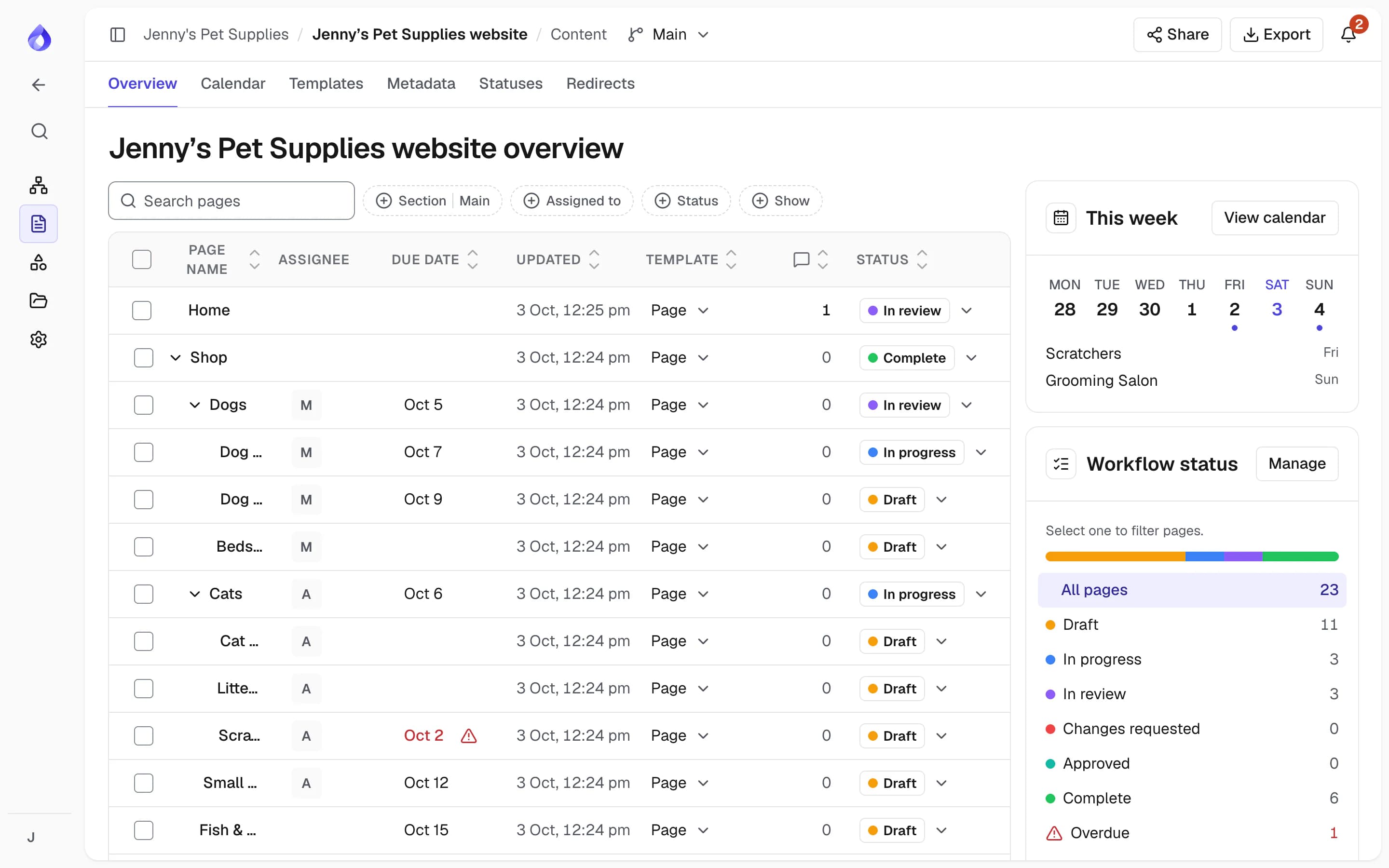
See every page in sitemap order with its assignee, due date, template, open comments and status. Click a status tile to filter, or select pages to assign, reschedule or change status in bulk.
- Filter by language, section, assignee, status and metadata
- "This week" shows pages due in the next seven days
- Overdue rows are flagged
A content calendar you can drag
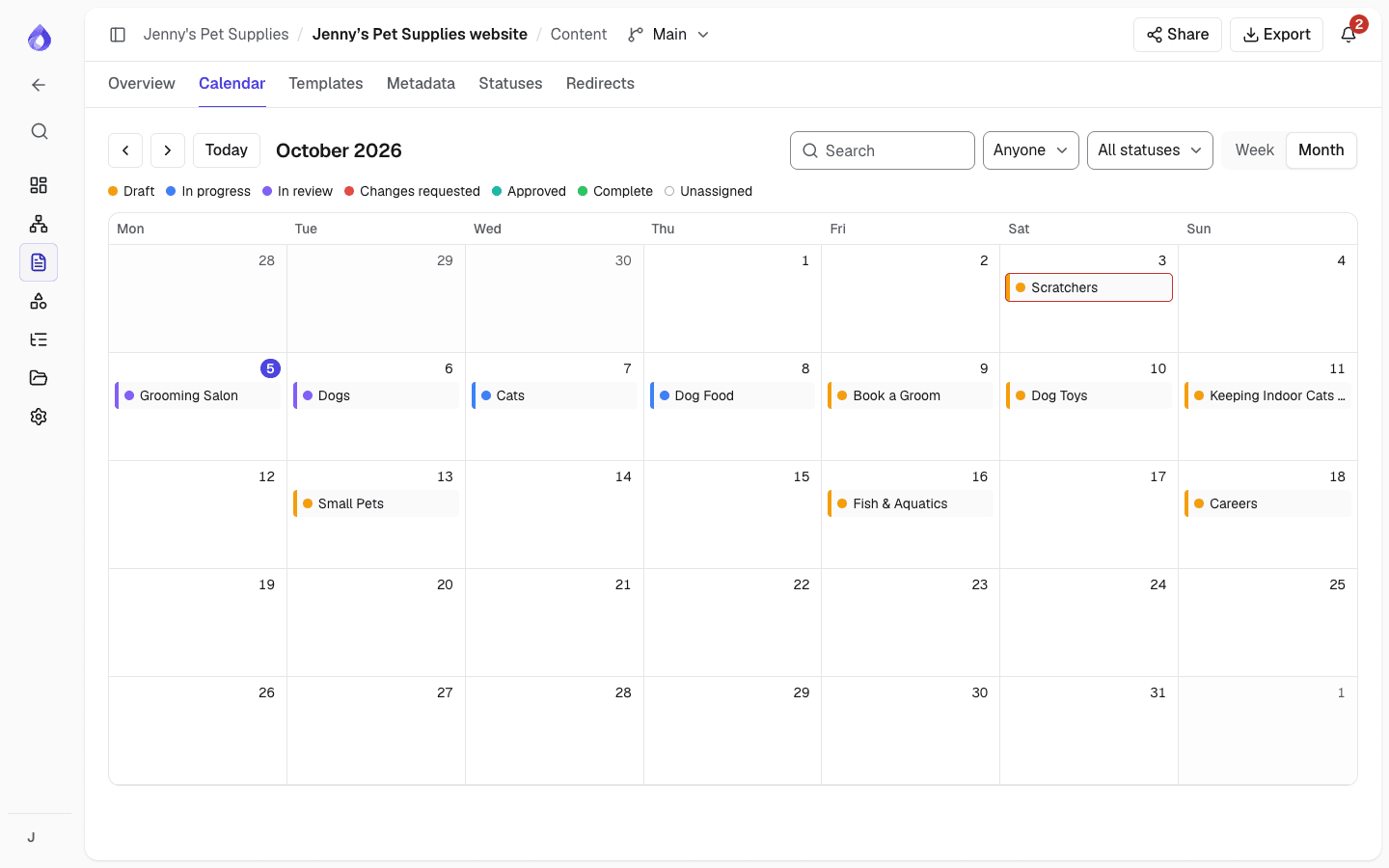
Switch between week and month, filter to your own pages, and drag a page to another day to change its due date. Due dates use the project’s timezone.
My work: everything assigned to you
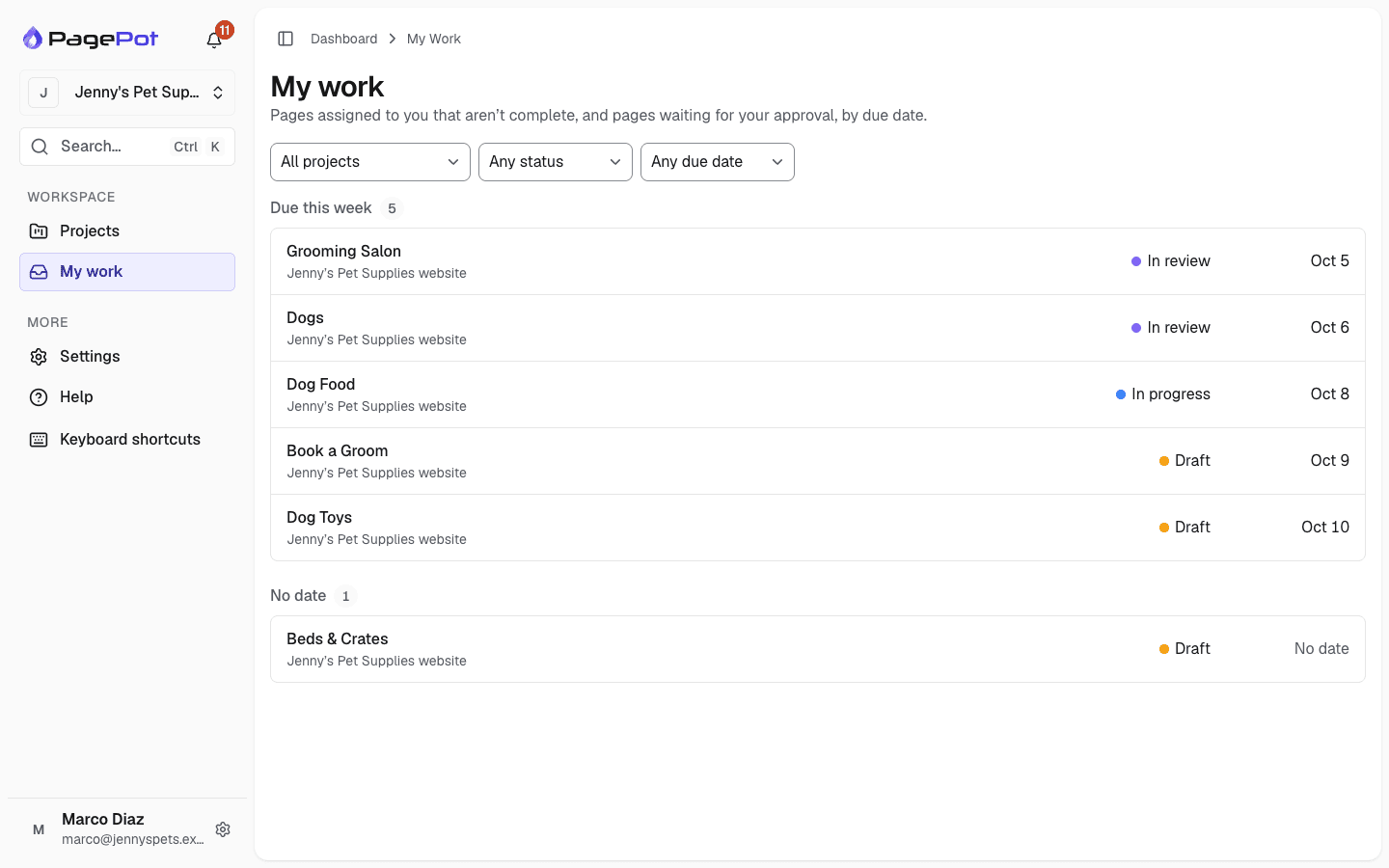
One list of your pages across every project, grouped into Overdue, Due this week, Later and No date. Press ⌘K to jump to any project, page, diagram or file.
Templates that keep pages consistent
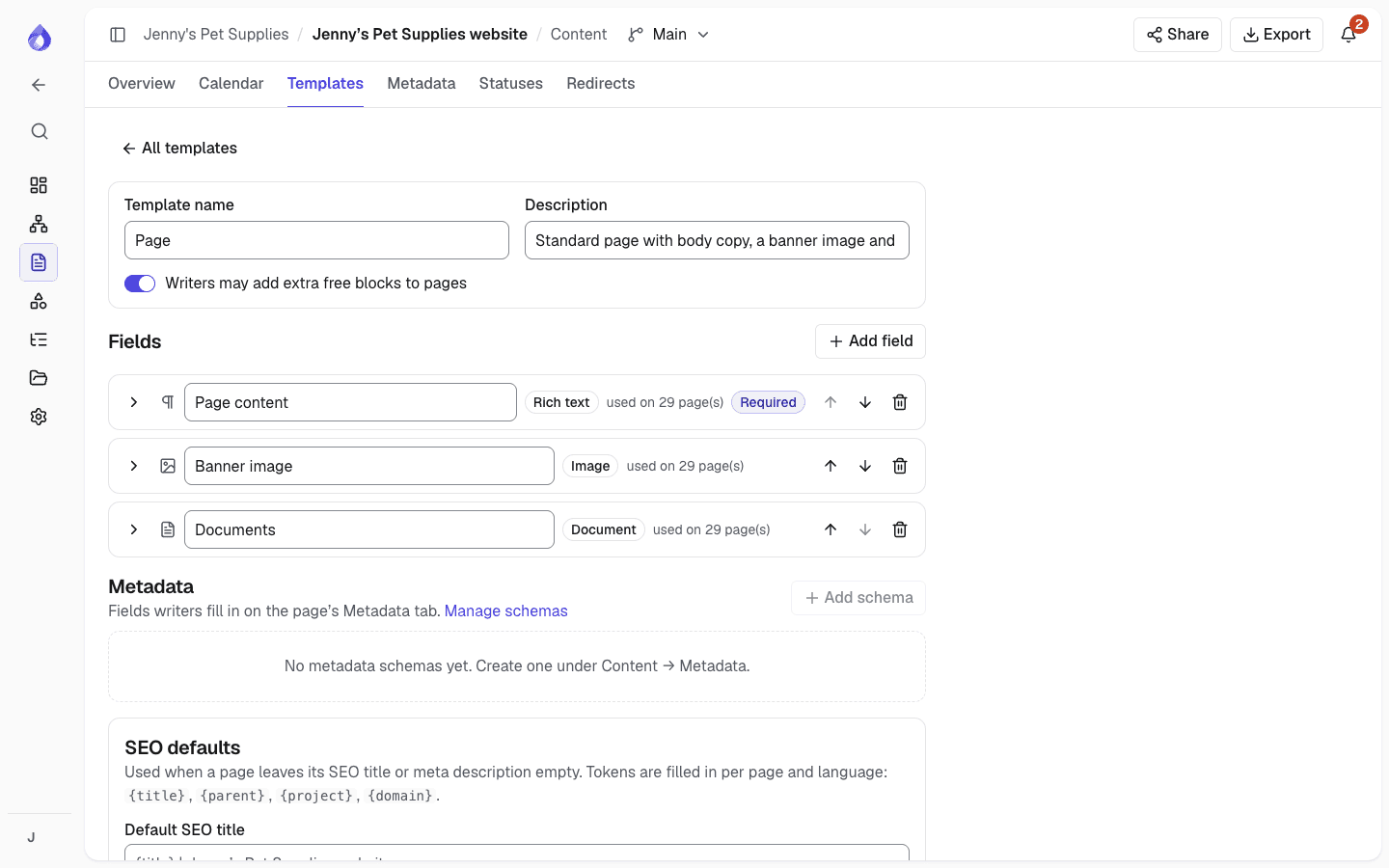
Decide which blocks each kind of page has, with writer instructions, character limits and required fields. Writers know what is expected before they start.
AI drafts you review as tracked changes
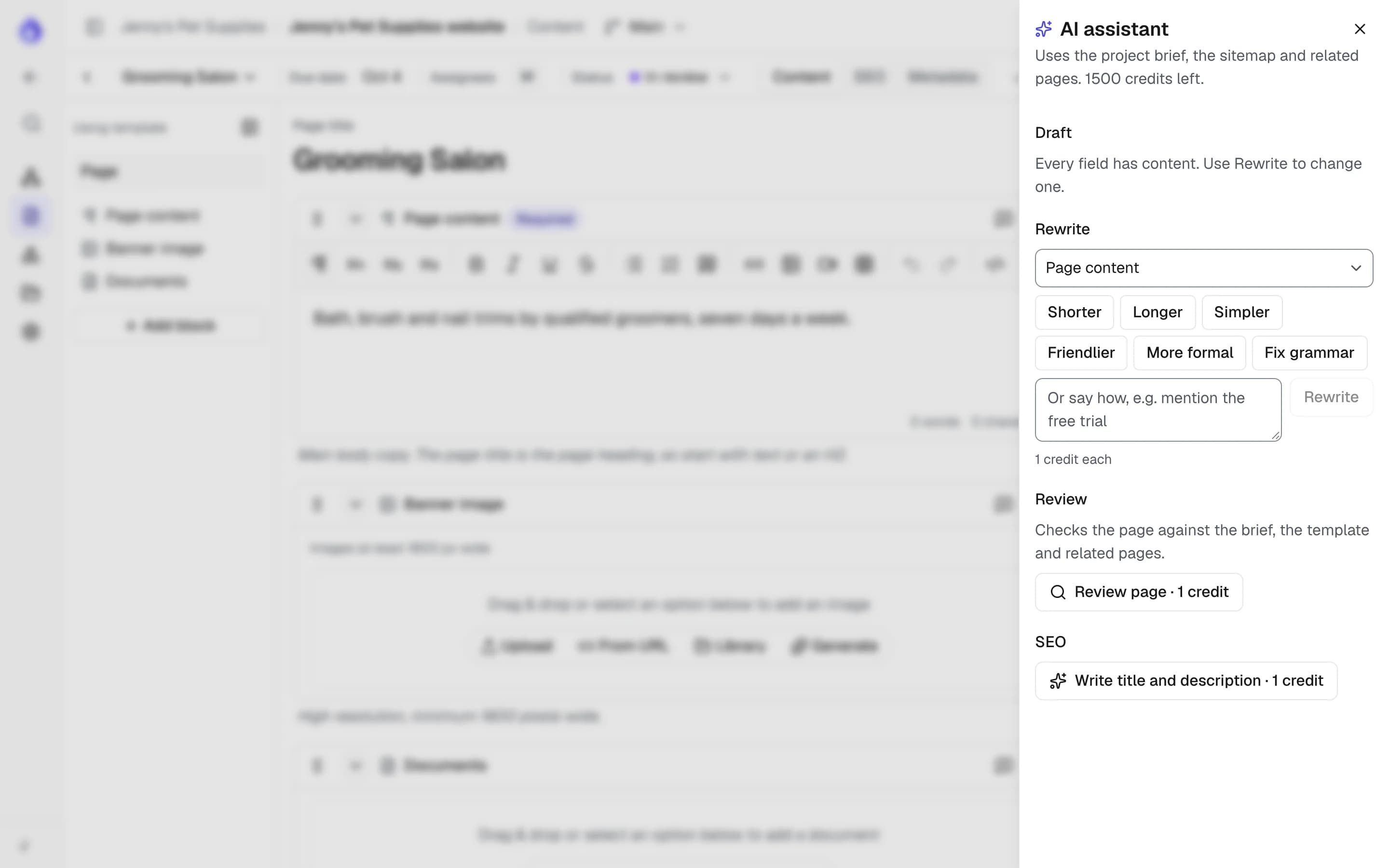
Draft empty fields, rewrite a paragraph shorter or friendlier, or review a page against your brief. Nothing goes in until you insert it or add it as suggestions to accept or reject.
Statuses and approval
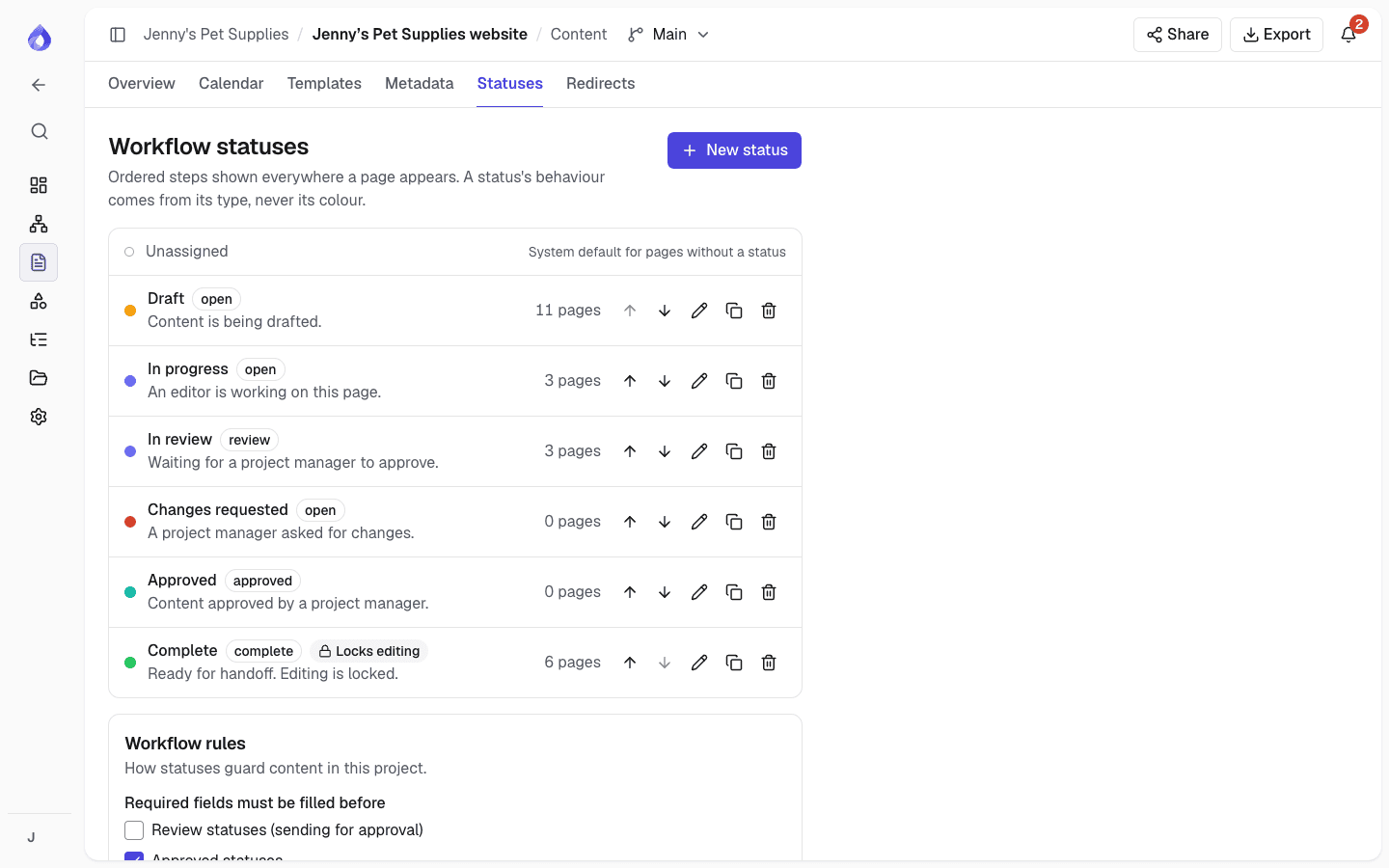
Use the default workflow (Draft, In progress, In review, Changes requested, Approved, Complete) or define your own. Editors send pages for review; Project managers approve them, and the approved revision is recorded.
More for content teams
Start from your live site
Import the current site from its sitemap XML or a crawl, then plan changes page by page.
Website redesignsSitemap versions
Try a new structure in a separate version without touching the main one.
Shared file library
Every image and document in one place, with the pages that use it. Replace a file and those pages update.
Due date reminders
People are reminded before a page is due and when it is overdue.
Notifications and digest
In-app and email per kind of notification, or one morning email with everything unread.
Mentions and comments
Comment on a page, a block or selected text, and @mention colleagues.
Suggested edits
Propose tracked changes for someone else to accept.
Required fields
Pages cannot be approved while a required field is empty.
Status locks
Lock editing while a page is in a chosen status.
Metadata
Categories, tags and dates as structured fields on pages.
Slack
Post status changes, assignments, comments and a due-date digest to a channel.
Brand voice brief
Give the AI assistant your tone, key messages and glossary.
Handoff to developers
Export approved content as Word, PDF, HTML or a handoff ZIP.
Who uses it
Content leads
Plan the work, assign pages and approve copy from one overview.
Writers and editors
See what is yours in My work, write in structured blocks and send pages for review.
Stakeholders
Review as free Viewers or on a share link, and comment where it matters.
Frequently asked questions
How do marketing teams plan website content?
Most teams list every page, give each one an owner, a due date and a brief, and track it through drafting, review and approval. PagePot does this on the sitemap itself, with templates, a calendar and statuses, for a new site or for ongoing changes to the one you have.
Does PagePot have a content calendar?
Yes. The calendar shows pages on their due dates by week or month. Filter by assignee and status, and drag a page to reschedule it.
How does approval work?
Editors can set open and review statuses. Only Project managers can set Approved or Complete, and a page cannot be approved while a required field is empty. If an approved page is edited, the approval is marked out of date.
Will the AI assistant overwrite our copy?
No. Its proposals only go into a page when you insert them or add them as suggestions to review. If the field changed in the meantime, you are asked to try again.
Can we get notifications in Slack?
Yes, on the Team and Agency plans. Connect a project to a Slack channel and choose what is posted: status changes, assignments, comments, suggestions and a daily due-date digest.
Can I get one email a day instead of many?
Yes. In My notifications, choose a daily digest: one email each morning listing what you have not read yet, grouped by project.