



For agencies
Website planning software for agencies and their clients
Plan every client site in one workspace, present it under your own brand, and get sign-off on structure and copy without chasing emails.


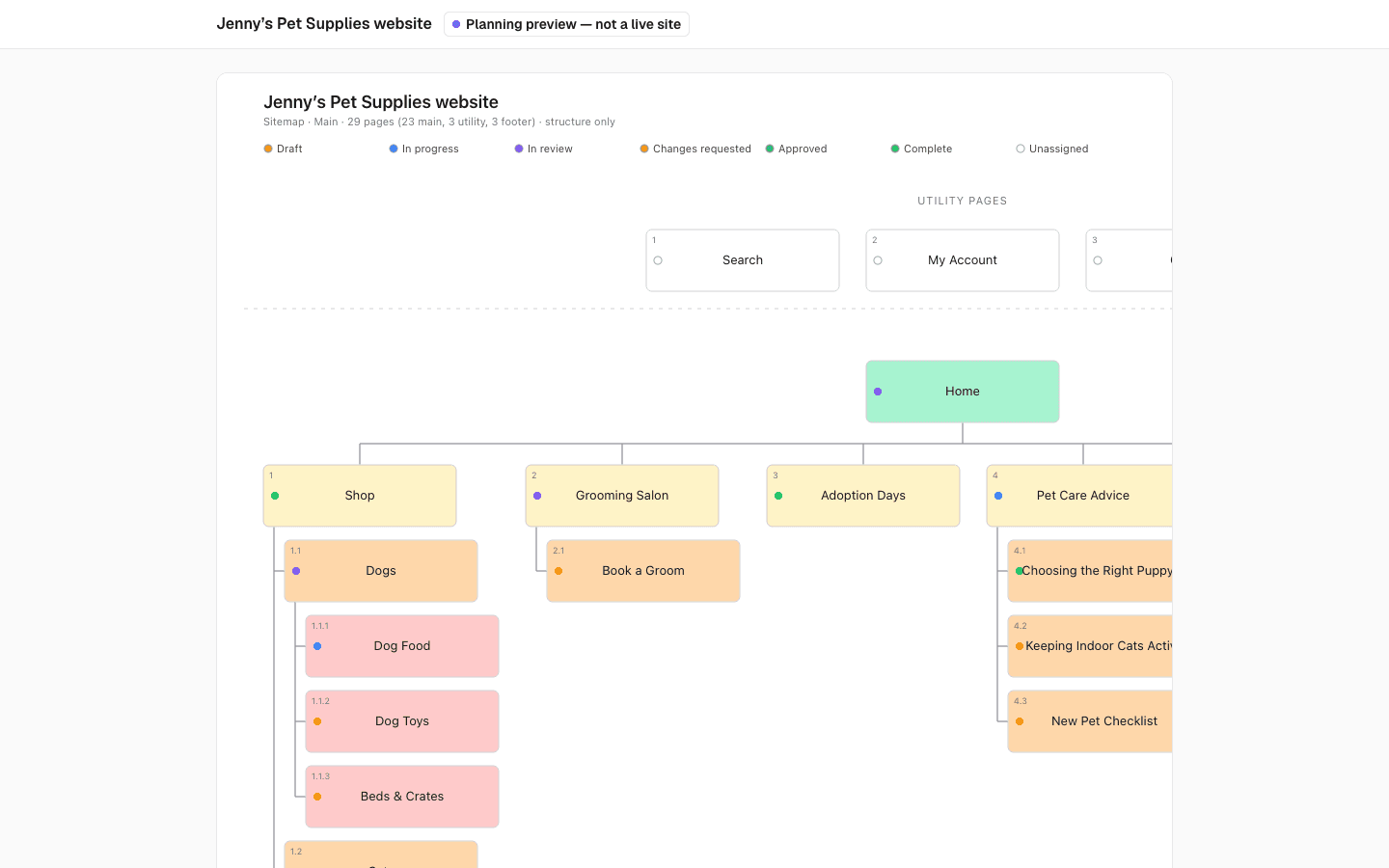
Client feedback lives everywhere
The sitemap is a slide, the copy deck is a shared document, and approvals arrive by email. Every round of changes means reconciling three versions and hoping the developer has the latest one.


One plan your client can open
PagePot is website planning software for agencies that keeps structure, content and feedback on the same pages. Clients review on a share link with your logo, comment where the issue is, and you approve pages when they are done.
Your brand, not ours
On every plan, share links and client documents show your logo, name and accent colour. Agency also hides the PagePot credit.
Clients need no account
Send a password-protected link. Guests view the plan and leave comments by name.
Free viewer seats
Invite client stakeholders as Viewers. They read, comment and suggest edits without using a seat.
Faster first drafts
Turn a client's documents into a draft sitemap with their copy already on the pages.
How agencies plan client websites in PagePot
Client branding on share links and exports
Add your logo, brand name, accent colour, website link and a share page footer in Workspace details. On the Agency plan you can also hide the "Planned with PagePot" line.
- Share links: the sitemap, pages, diagrams and the password screen
- Content document (PDF and Word): your logo and name on the cover and header
- Visual sitemap (PDF and PNG): your logo and name above the title
- Diagram exports (PDF and PNG): a brand band with your logo and name
- Page exports and the handoff ZIP: your name in the planning banner
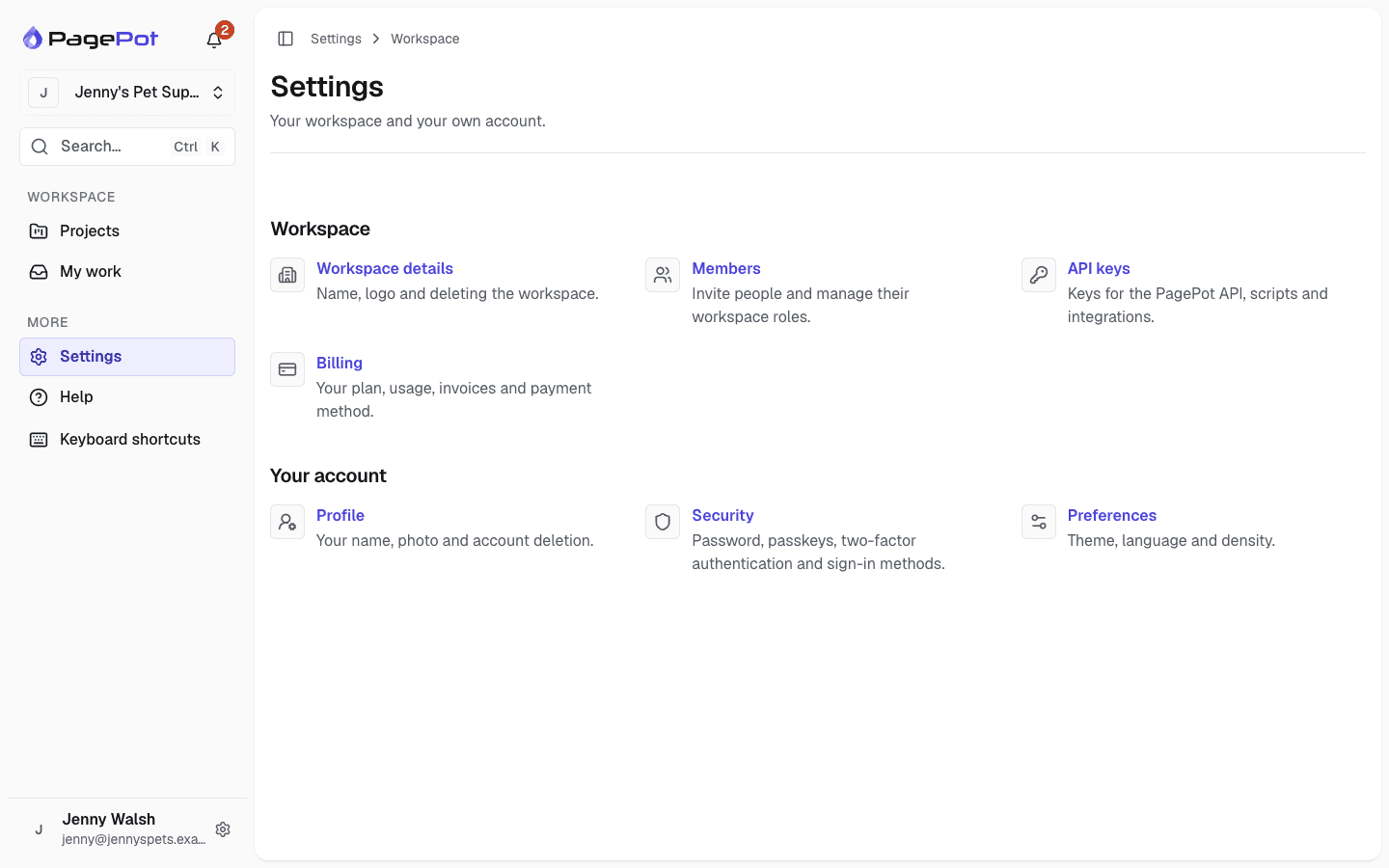
Password-protected share links for sign-off
Share the whole sitemap and its pages, or a single page. Set a password and an expiry date, and choose whether guests can comment and whether internal notes are shown.
- Guest comments land in the editor, marked as guest comments
- The person who made the link is notified of new feedback
- Revoke a link at any time to cut access at once
- A banner makes clear it is a planning preview, not the live site
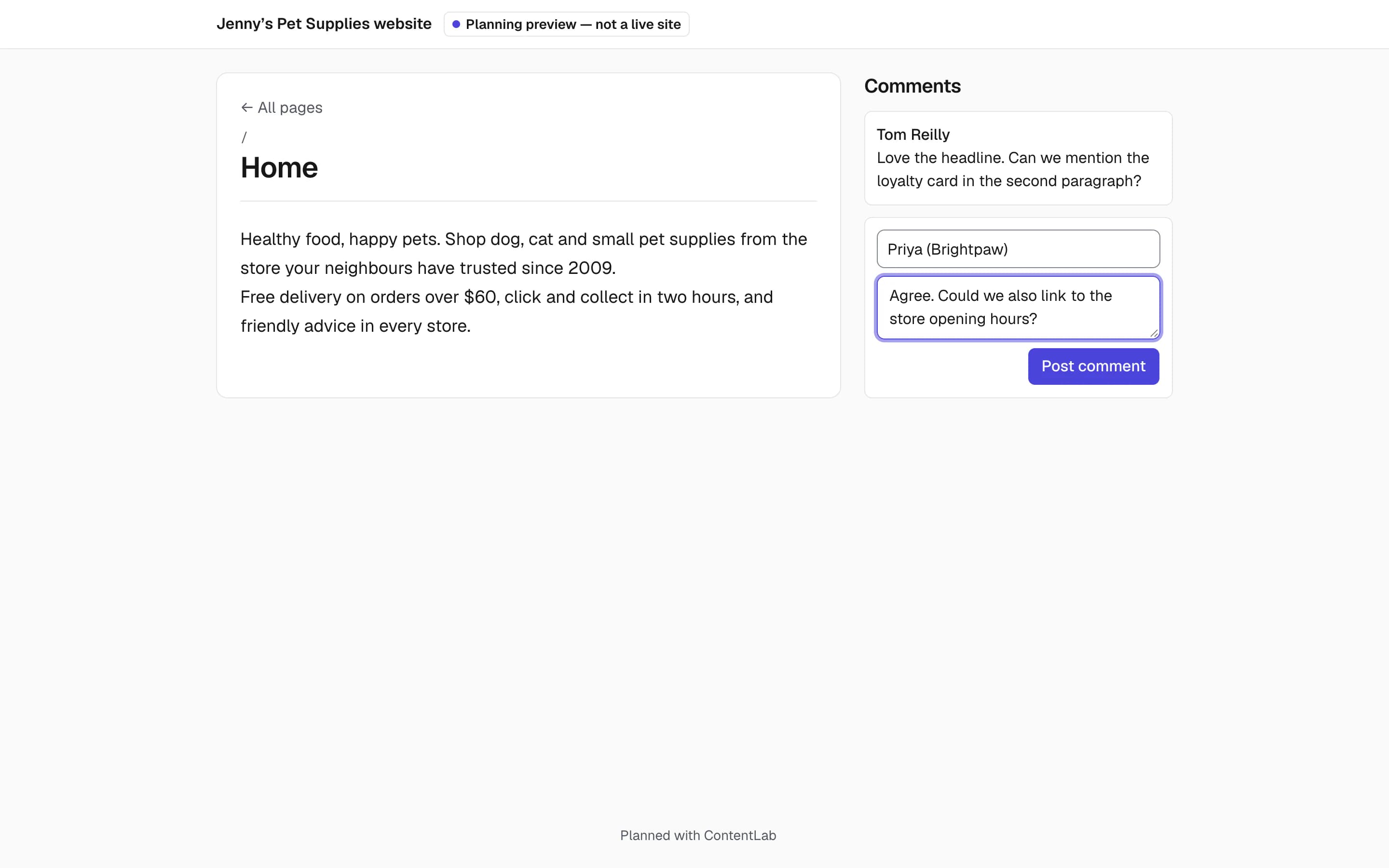
Start from the client's own files
Upload a copy deck, a product spreadsheet or a brand guide with a short description. The AI assistant plans the sitemap, puts the client's copy on the pages as written, and turns open questions into comments.
- Up to 20 files: Word, Excel, CSV, PowerPoint, PDF, images, text and Markdown
- Optional starter diagrams, such as a checkout journey
- The cost in credits is shown before you start
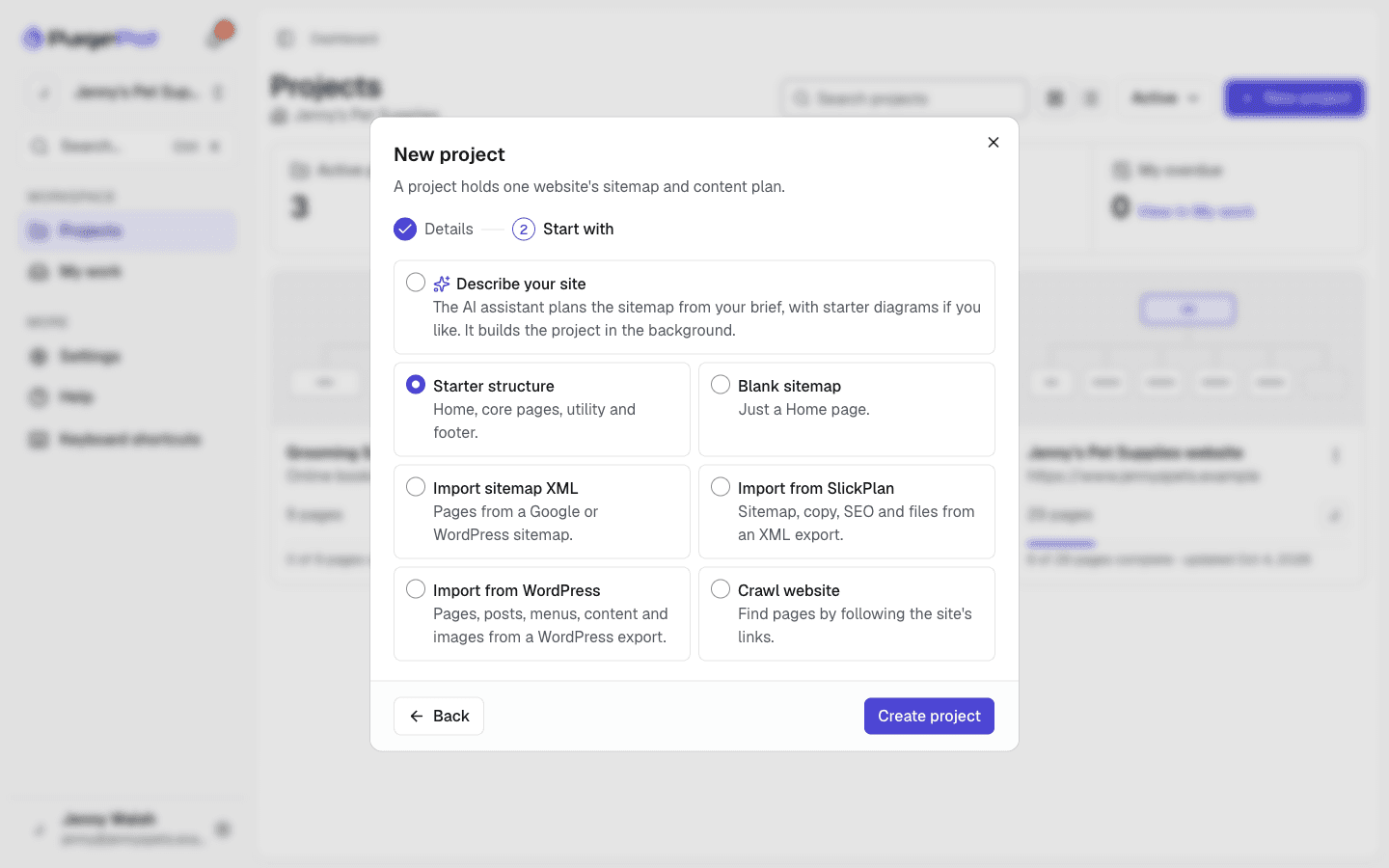
Run many client projects side by side
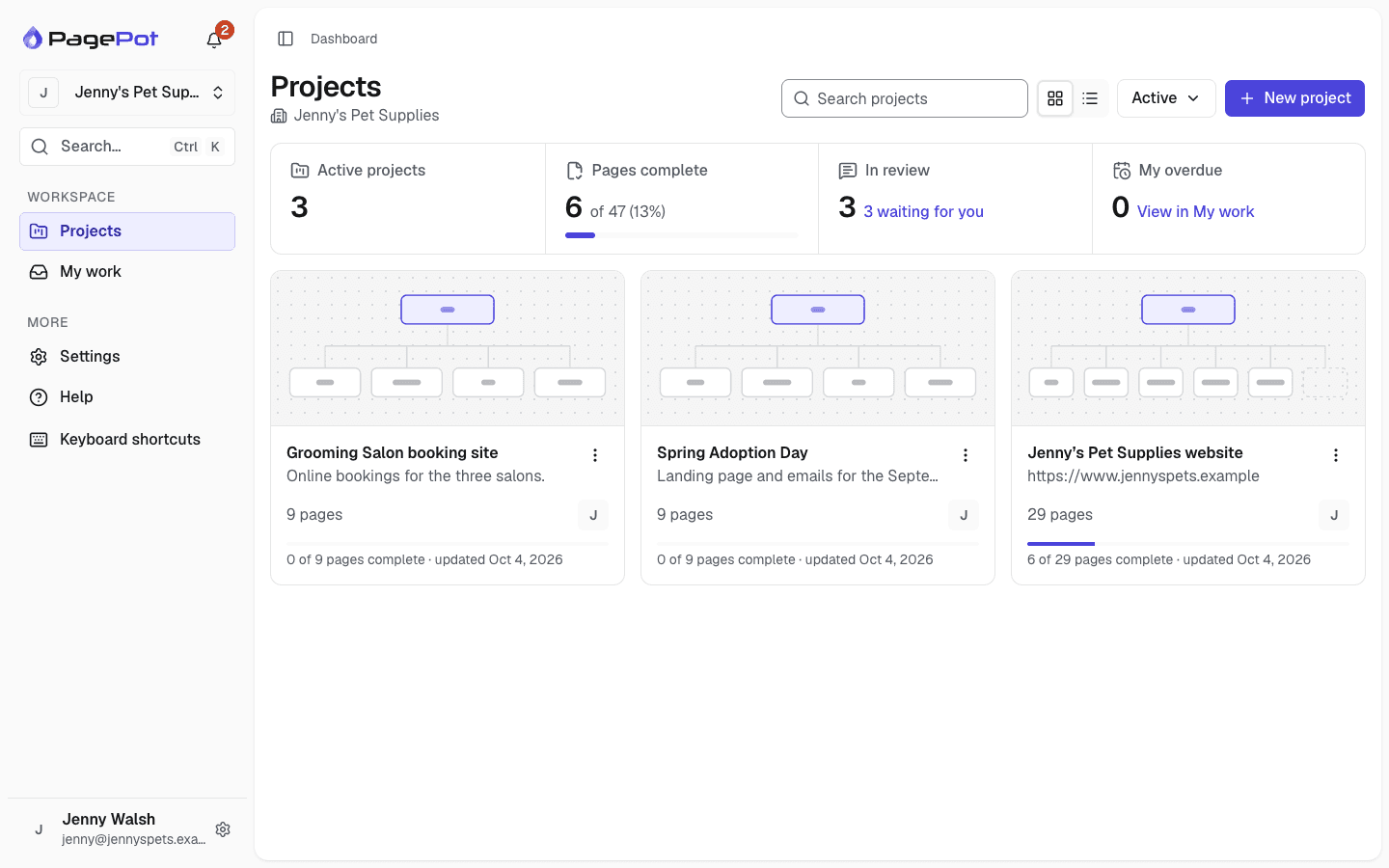
The dashboard lists every project with its progress, pages in review and your overdue work. Duplicate a past project to reuse its sitemap, templates, statuses and content, or start from a starter structure.
- 30 active projects on Team, unlimited on Agency
- Archive finished projects; they stop counting towards limits
- Project roles keep each client team to its own project
Hand off to developers, WordPress or Drupal
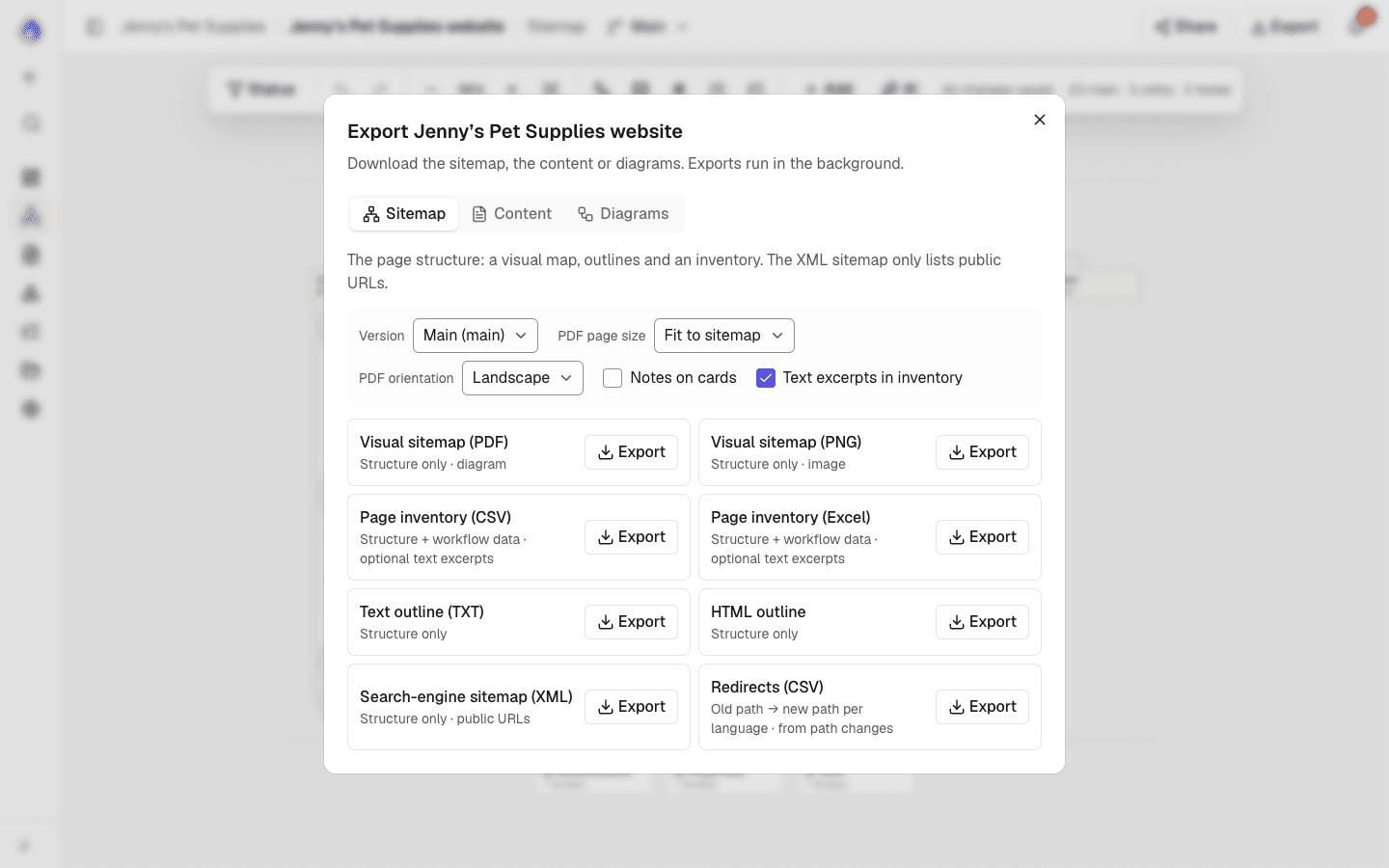
Export a branded content document for the client and a handoff ZIP for developers, with each page as HTML, its media, an inventory, sitemap.xml and a JSON manifest. Building in WordPress? Export a WordPress import file with pages as blocks, menus and SEO, on every plan. On Team and Agency, the Drupal module imports templates, pages, files and menus.
From brief to handoff
A typical agency project in PagePot.
Brief
Create the project from the client's files or a description, and write the AI assistant brief: audience, tone and style rules.
Structure
Shape the sitemap, tree test it with real users if the client wants evidence (Pro plan and up), then share it for comments before any copy is written.
Sitemap builderContent
Apply templates, assign pages to writers with due dates, and track progress on the content overview.
Content plannerSign-off
The client comments on the share link or suggests edits as a Viewer. Project managers approve each page, and the approved revision is recorded.
Handoff
Export the content document and handoff ZIP, export to WordPress, or import into Drupal.
More for client work
Guest comments
Clients leave feedback on a page by name, without an account.
Viewer role
Clients who need more can read everything, comment and suggest edits for free.
Suggested edits
Tracked changes the team accepts or rejects.
Approval that goes stale
If an approved page changes, the approval is marked out of date.
Required fields
A page cannot be approved while a required field is empty.
Templates with instructions
Tell writers exactly what each block needs, with limits.
Import the current site
Start a redesign from a WordPress export, a sitemap XML, a Slickplan export or a crawl.
Website redesignsSlack notifications
Post project activity to your team channel.
Project files
Keep the client's documents and images with the project.
Team or Agency plan?
Both plans include client branding, integrations, suggestions and the API. Agency adds white-labelling and more room.
| Feature | Team | Agency |
|---|---|---|
| Price per month (billed yearly) | $40 ($36) | $80 ($72) |
| Members | 10 | Unlimited |
| Viewers | Free | Free |
| Active projects | 30 | Unlimited |
| Storage | 10 GB | 20 GB |
| AI credits per month | 600 | 1,500 |
| Suggestions (tracked changes) | Yes | Yes |
| Drupal and Slack integrations | Yes | Yes |
| API and webhooks | Yes | Yes |
| Client branding (logo and colour) | Yes | Yes |
| Hide the PagePot credit | No | Yes |
Prices in USD. Every plan starts with a 14-day Pro trial, no card needed.
Frequently asked questions
Can I white-label PagePot for my clients?
On every plan, share links, the content document, visual sitemap and diagram exports show your logo, brand name and accent colour. The Agency plan also hides the "Planned with PagePot" line. Emails, spreadsheets, XML and the Drupal package are not branded.
Do my clients need a PagePot account?
No. A share link lets them view the sitemap and pages and leave comments without signing up. If they need to suggest edits too, invite them as Viewers, which are free.
Do client reviewers use a paid seat?
No. Viewers are free on every plan. Only Project managers and Editors in your workspace count towards the member limit.
How do I get client approval on website content?
Clients comment on the share link or suggest edits as Viewers. When a page is ready, a Project manager sets an Approved status. PagePot records the approved revision and flags it if the page changes later.
Can I reuse a structure across client projects?
Yes. Duplicate a project to copy its sitemap, templates, statuses, content and diagrams into a new one. Assignments, comments and history are not copied.
Can I build a first draft from a client's documents?
Yes. Start a project with the AI assistant and upload up to 20 files. It plans the sitemap, places the client's copy on the pages as written and adds open questions as comments. Files are processed by Anthropic and not used to train models.