



Security
PagePot security
Website plans hold unreleased content, client material and credentials for other systems. Here is how PagePot protects them, described as it actually works.


PagePot security starts with access: who can sign in, what each person can see and change, and what people outside your workspace can reach through a link. This page covers sign-in, roles, share links, files, stored secrets, the API, webhooks, the AI assistant and payments.
We only describe what the product does today. Where something depends on how PagePot is hosted, it is listed at the end as still to be confirmed.
The principles behind PagePot security
Least access by default
Members see only the projects they are added to, and each project role grants specific capabilities, checked on the server for every action.
Secrets shown once
Share links, API keys and integration tokens are shown once when created. Only a hash is stored, so they can’t be read back later.
You stay in control
Revoke a link, key or token and access stops at once. Workspace admins can turn the AI assistant off for the whole workspace.
How PagePot protects your work
Sign-in and accounts
Sign in with an email and password or with Google. New accounts confirm their email address before they can sign in.
- Multi-factor authentication with an authenticator app, plus backup codes
- Trusted devices are listed so you can remove them
- Sign-in endpoints are rate limited to slow down password guessing
- Deleting your account needs confirmation by email
Roles and permissions
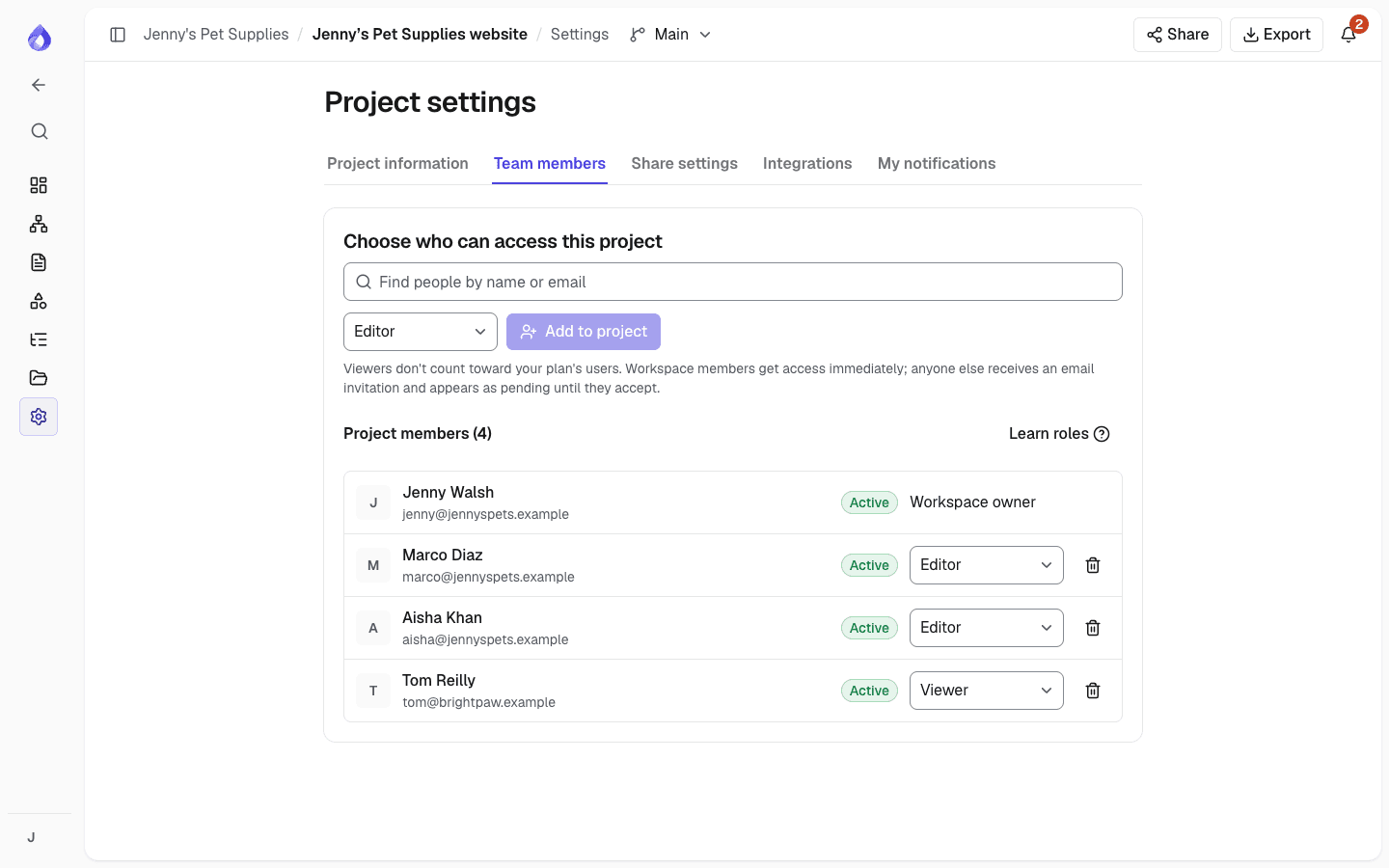
Workspaces have two roles: Workspace admin and Member. Each project then has Project managers, Editors and Viewers. Permissions are checked on the server by capability, not trusted from the browser.
- Members only see projects they have been added to
- Only Project managers change the sitemap, approve pages, create share links and manage integrations
- Viewers can read, comment and suggest, but not edit
- Pages can lock editing once they reach certain statuses
Share links for client review
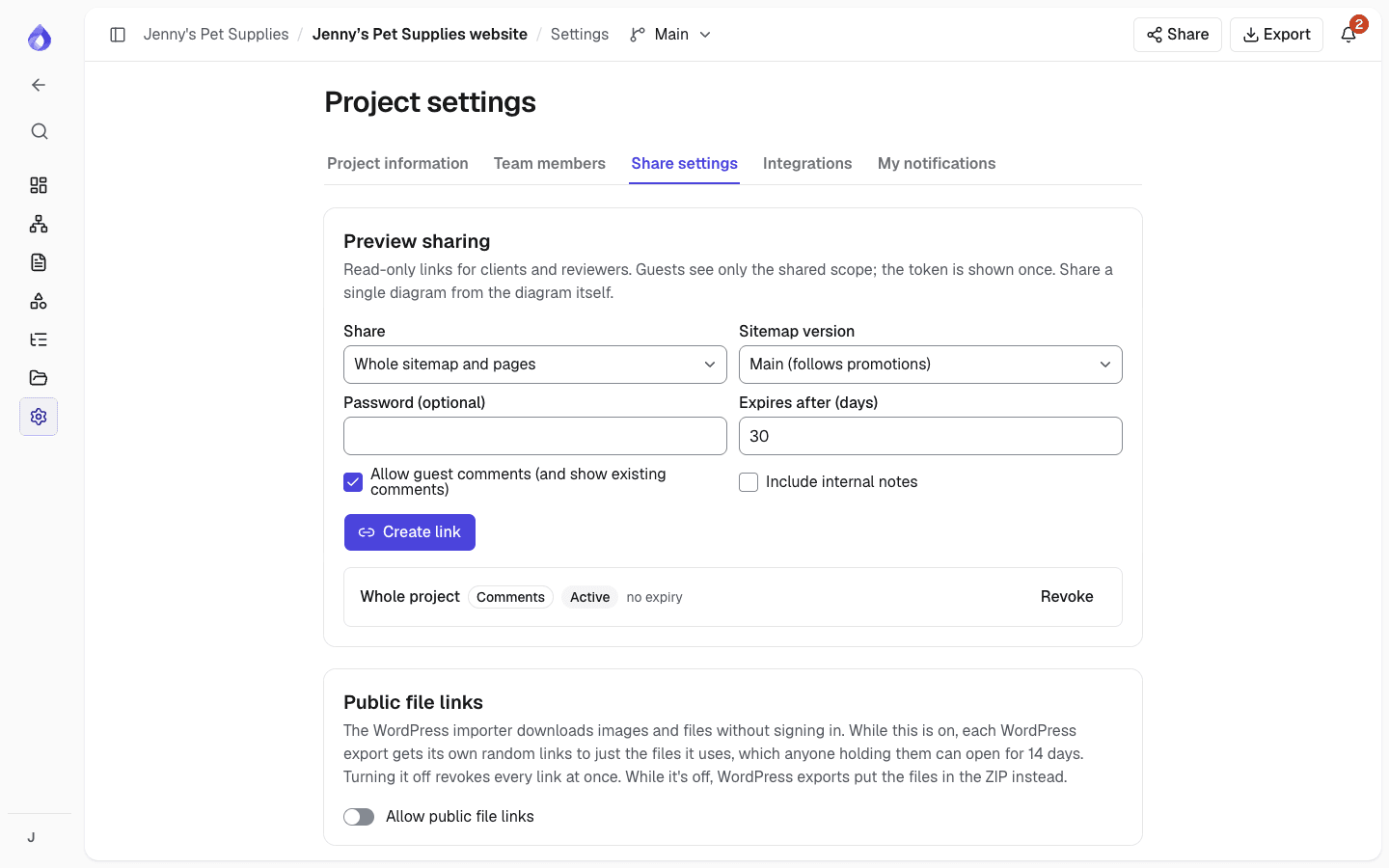
Share links let clients review a plan without an account. Each link is a long random token that is shown once; PagePot stores only a hash of it.
- Optional password (at least 6 characters), stored as a salted scrypt hash
- Expiry: 30 days by default, or no expiry if you choose
- Revoke a link to cut access at once
- You choose whether guests can comment and whether internal notes are shown
- Share the whole sitemap or a single page
File uploads
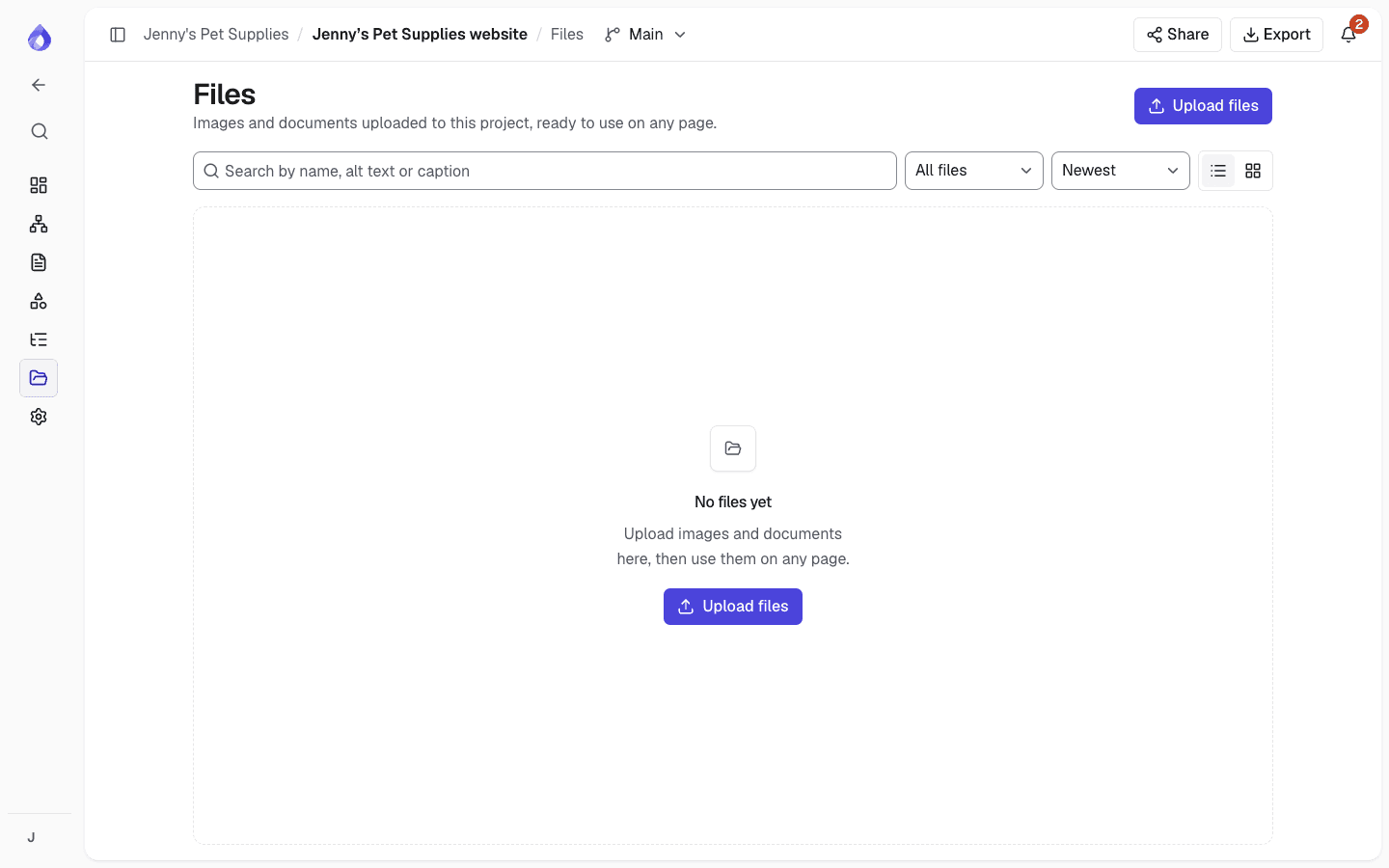
Files are kept in private storage and downloaded through short-lived signed links. Every upload is checked on the server before it becomes available.
- The file’s real type is detected from its contents (magic bytes) and must match the declared type
- Size limits and allowed file types per field
- A SHA-256 checksum and, for images, the dimensions are recorded
- Filenames are cleaned before storage
- Support for an external malware scanner, which can reject infected files
- Importing a file from a URL refuses private and internal network addresses
API keys and integration tokens
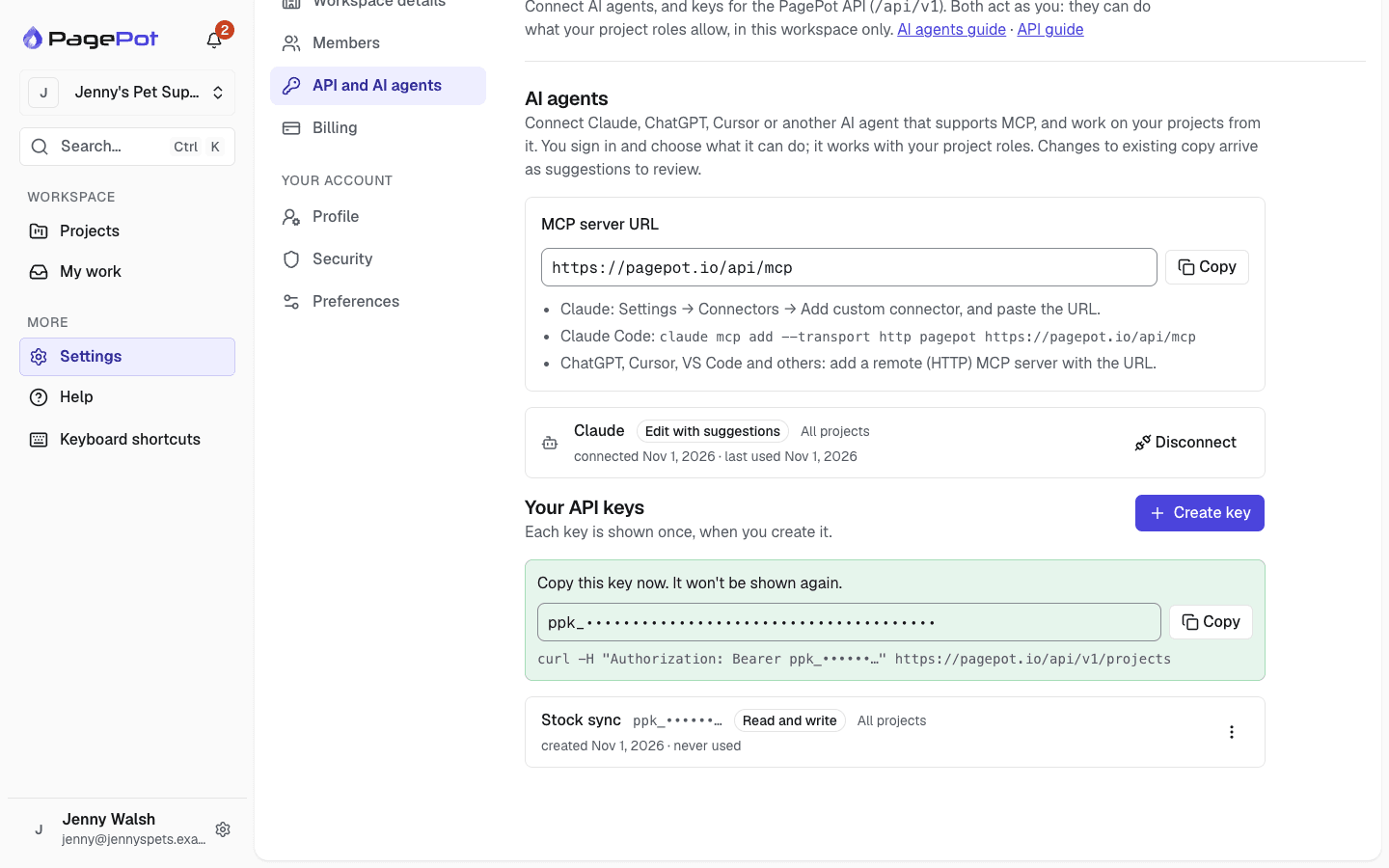
Personal API keys (starting `ppk_`) act as their owner and can only do what that person’s project roles allow. Only a hash of each key is stored.
- Read-only or read-and-write keys
- Revoke a key at any time; keys stop working when you leave the workspace
- Workspace admins see everyone’s keys and can revoke them
- Rate limits: 600 reads and 120 changes a minute per key
- Changes made with a key appear in the project history as yours, "via API"
- Drupal integration tokens are read-only and stored as hashes too
AI agent connections
People can connect their own AI agents, such as Claude or ChatGPT, through PagePot’s MCP server. Each connection is approved by signing in to PagePot and acts as that person, within the workspace, access level and projects they chose.
- OAuth 2.1 with PKCE; access tokens last an hour and are only accepted by PagePot’s MCP server
- Read only, edit with suggestions or edit directly; changes to existing copy arrive as tracked suggestions by default
- Every request is checked again: disconnecting an agent, leaving the workspace or a plan change takes effect at once
- Workspace admins see everyone’s agents, can disconnect any of them, and can turn agent connections off for the workspace
- Agents can’t create share links, invite people, change settings or send data to webhooks
- Rate limits: 600 requests and 120 changes a minute per agent
More security details
Encrypted secrets
Webhook signing secrets, Slack connection details and crawler login details are encrypted with AES-256-GCM before they are stored.
Signed webhooks
Each webhook request carries an HMAC-SHA256 signature with a timestamp, so your server can check it came from PagePot.
Secret rotation
Replace a webhook’s signing secret at any time; the old one stops working at once.
Sensitive events stay private
Changes to team members, sharing, integrations and settings are never sent to webhooks.
Activity history
Changes to structure, content, statuses, permissions and sharing are recorded with who made them.
Page revisions
Every page keeps a revision history with author and changes, and older versions can be restored.
Safe concurrent editing
Page locks and revision checks stop one person’s save from silently overwriting another’s.
Read-only share pages
Share pages are a planning preview with a clear banner. Guests can’t change the plan.
Payments through Stripe
Subscriptions are handled by Stripe. PagePot doesn’t store card details.
Locked workspaces
If a paid plan lapses, the workspace is locked and its share links stop working.
The AI assistant and your content
The AI assistant uses Anthropic’s Claude models for text and Google’s Gemini for image generation. Only Project managers and Editors can use it; Viewers and share-link guests don’t see it.
Content goes to an AI provider when someone runs an assistant action. To keep its answers consistent across pages, the assistant also refreshes short page summaries in the background, but only for projects where someone used it in the last 30 days, and never in workspaces where AI is turned off.
Nothing the assistant writes goes into a page until a person inserts it or adds it as tracked suggestions. It never moves or deletes pages. Files uploaded to plan an AI project are deleted after 7 days unless you keep them in the project’s Files.
AI agents that people connect themselves are different: content an agent reads goes to that agent’s provider under the person’s own account, and the provider’s terms apply. Workspace admins decide whether agents can connect at all.
- Workspace admins can turn the assistant off for the whole workspace
- Per-person limits: 20 requests a minute, 300 a day and 10 images an hour
- Text sent to the assistant is processed by Anthropic and isn’t used to train models
Report a vulnerability
If you think you have found a security issue in PagePot, please tell us through the contact page and include the steps to reproduce it. Please give us a reasonable chance to fix it before sharing details publicly, and don’t access or change other people’s data while testing.
Frequently asked questions
Does PagePot support two-factor authentication?
Yes. Add an authenticator app under your account’s security settings and keep the backup codes somewhere safe. You can also review and remove trusted devices.
Are PagePot share links secure?
Each share link is a long random token shown once; only a hash is stored. You can add a password, set an expiry date and revoke the link at any time. Guests can view and, if you allow it, comment, but never edit.
Who can see my projects?
Workspace admins and the people added to each project. Members only see projects they have been added to, and people outside the workspace only see what you share through a link.
Is my content used to train AI models?
Text you send to the assistant is processed by Anthropic and isn’t used to train models. Content is only sent when the assistant is used, and Workspace admins can turn it off for the whole workspace.
Is it safe to connect Claude or ChatGPT to PagePot?
An agent only gets the access you approve when you sign in: one workspace, read only or editing, and all your projects or only some. It can never do more than your project roles allow, its changes are recorded as yours, and you can disconnect it at any time. What it reads goes to its provider under your own account.
How are API keys protected?
Keys are shown once and stored only as a hash. Each key acts as its owner and is limited by their project roles. Revoke a key at any time; Workspace admins can revoke anyone’s.
Does PagePot store my card details?
No. Payments are handled by Stripe, and PagePot doesn’t store card details.