



Templates
Sitemap templates and diagram templates to start from
Every new PagePot project and diagram can start from a template. Pick a starter sitemap, a ready-made flow or a content template, then make it your own.


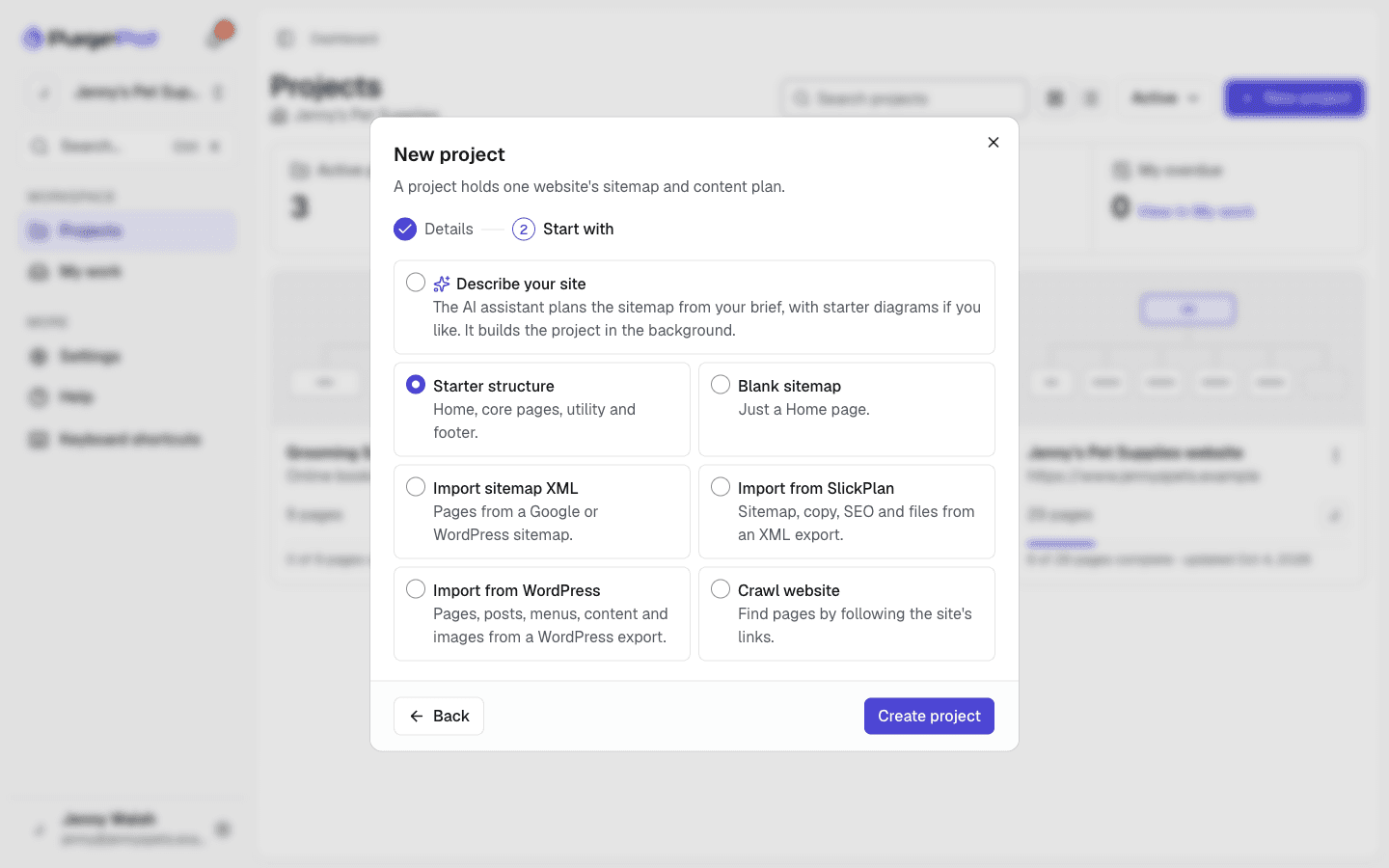
These sitemap templates and diagram templates are built into PagePot. You choose one when you create a project or a diagram, so there is nothing to download. Every template is a starting point: rename, move, add and delete as you plan.
Starter sitemaps
Choose how to start in the last step of New project. Each option creates a sitemap you can restructure.
Starter structure
Home, About, Services, Blog and Contact in the main navigation; Search and Log in as utility pages; Privacy policy and Terms of use in the footer.
Blank sitemap
Just a Home page, for when you already know the structure you want.
Describe your site
The AI assistant plans a sitemap from your description, and optionally your client’s files, with starter diagrams if you like.
AI assistantImport sitemap XML
Pages from a Google, sitemap index or WordPress sitemap file or URL, up to 2,000 pages, with a preview first.
Website redesignsCrawl website
Pages found by following a live site’s links, up to 1,000 pages, with a live log you can stop, resume or cancel.
Diagram templates
Choose a template when you create a diagram, or describe it and let the AI assistant draw it.
Blank
An empty canvas.
Basic flowchart
Start, a first step, an “Is it done?” decision, a next step and an end.
Content approval
Draft content, submit for review, an approval decision, request changes, client sign-off and ready to publish.
Content publishing
Content brief, write copy, edit and proofread, SEO check, a ready decision, schedule in CMS, publish and analytics.
User onboarding journey
A visitor arrives, signs up and verifies their email, with a reminder email loop, a product tour and an active user at the end.
Swimlane process
A change request split into Client, Agency and Developer lanes: request, scope and quote, approve, build, QA and go live.
Decision tree
New or returning visitor, came from search, logged in: questions that branch to a landing page, home page, dashboard or sign-in.
Team structure
A project lead over content, design and tech leads, with writers, designers and developers under them.
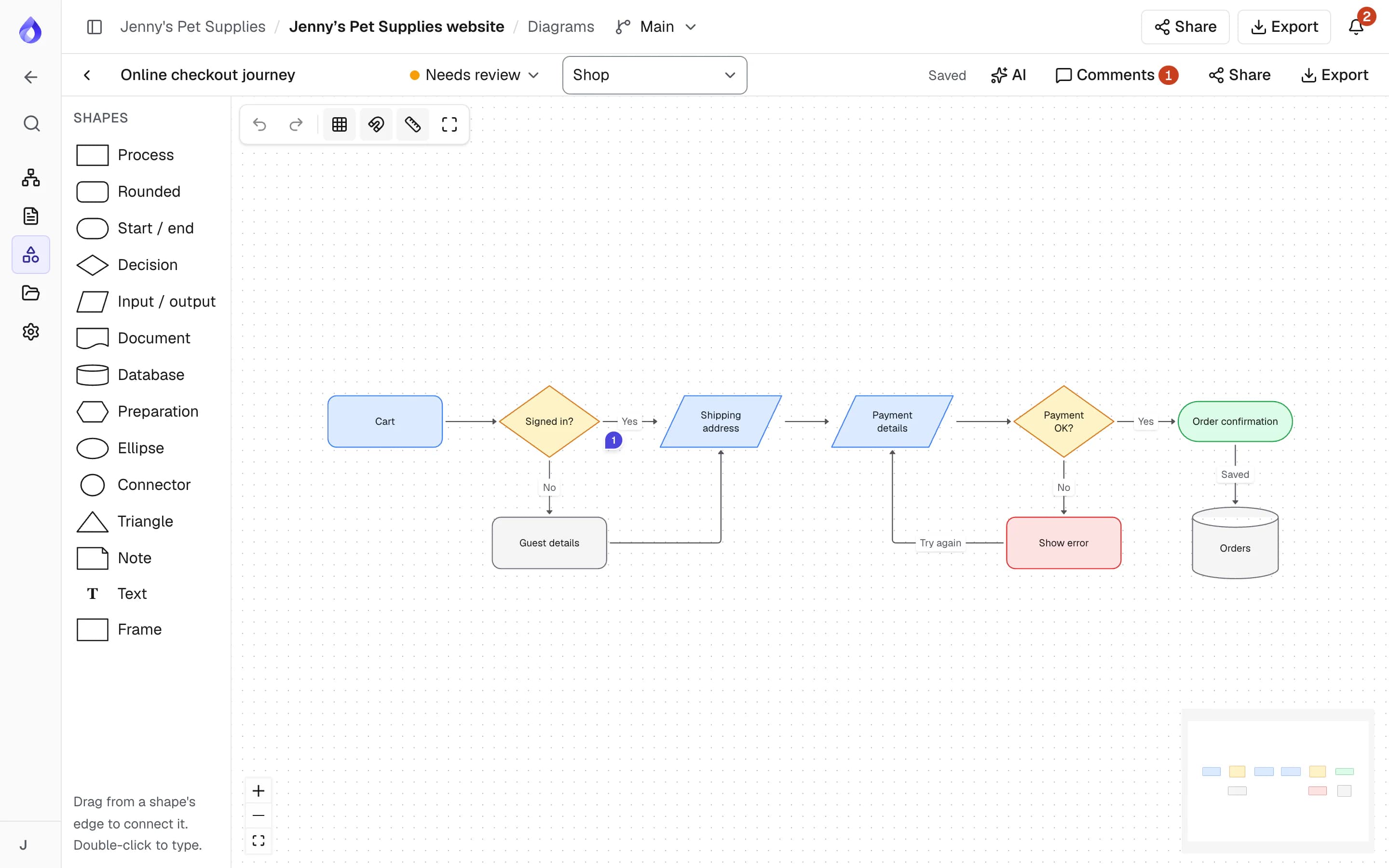
Checkout flow
Cart, a signed-in check, guest details, shipping address, payment details, a payment check with an error path, and order confirmation.
Content templates
Content templates define the blocks each page is written in. Start a new template from one of these in the project’s Templates page.
Standard page
Page content, a banner image and downloadable documents.
Landing page
Headline, subheadline, hero image, value proposition, feature cards, a call to action and internal design notes.
Article
Title, summary, feature image, body of up to 2,000 words and attachments.
Contact page
Introduction, a planned contact form and an office hours table.
FAQ
Title, introduction and an accordion of questions and answers.
From template to finished plan
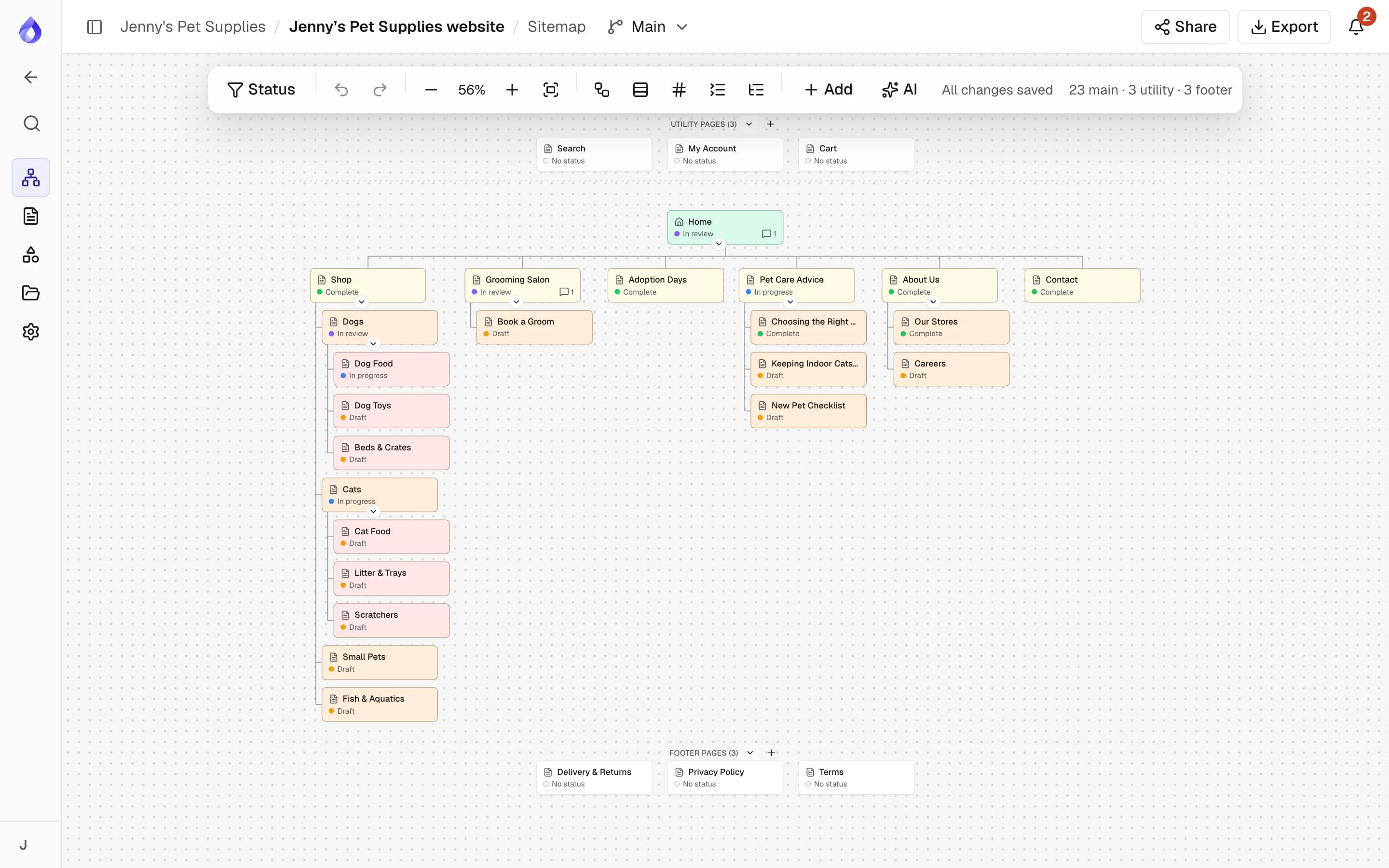
Restructure the sitemap
Drag pages into place, add sections for large sites, and plan main, utility and footer navigation.
Adapt the diagram
Edit shapes, labels and connectors, and link each step to a page in the sitemap.
Frequently asked questions
Where do I find the sitemap templates?
In PagePot, click New project. In the Start with step, choose Starter structure, Blank sitemap, Describe your site, Import sitemap XML or Crawl website.
Are the templates free?
Starter sitemaps, diagram templates and content templates are on every plan. The website crawler needs Pro or above, and the Starter plan allows 2 diagrams per project.
Can I use my existing website as a template?
Yes. Import its sitemap XML or crawl it to start a project from its current structure, then restructure it.
What diagram templates are available?
Blank, Basic flowchart, Content approval, Content publishing, User onboarding journey, Swimlane process, Decision tree, Team structure and Checkout flow.
Can the AI assistant create a sitemap for me?
Yes. Choose Describe your site in New project and the AI assistant plans a sitemap from your description and any files you upload. It can also draw a diagram from a description.