



Features
Website planning software for the whole project
Plan and manage structure, content, assets, user flows and SEO in one place, get them approved, and send them to your CMS or developers. Every tool works on the same pages, for new sites and established ones.


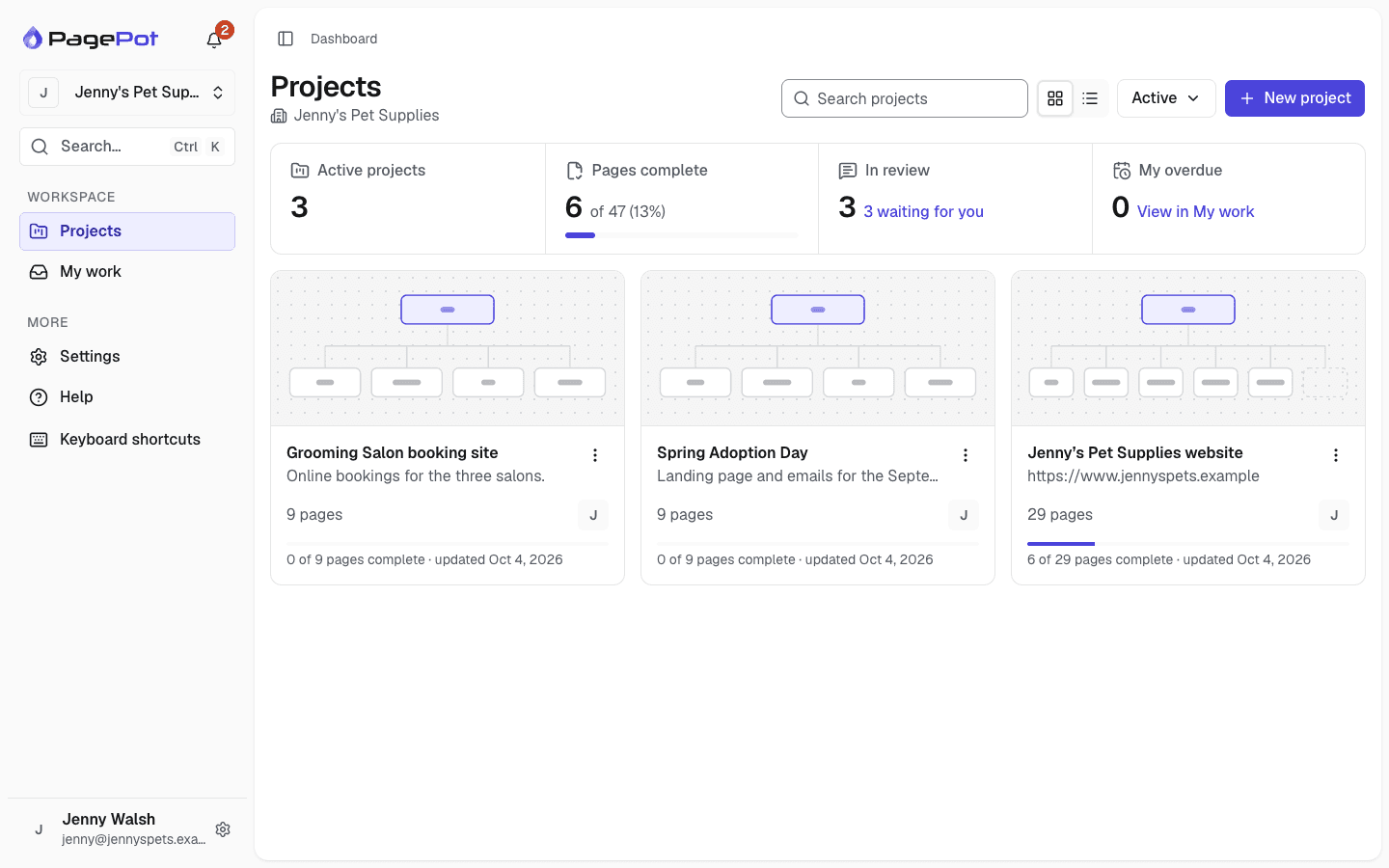
Website planning tools
PagePot covers each stage, from the first sitemap to approved content, and every update after launch.
Sitemap builder
Drag-and-drop visual sitemaps with main, utility and footer navigation.
Sitemap builderContent planner
Plan every page in structured blocks, with templates, owners, statuses and due dates.
Content plannerDiagram maker
Map user flows and processes, and link each step to a page in the sitemap.
Diagram makerAI assistant
Draft a sitemap from a brief or client files, and write copy as tracked changes.
AI assistantReview and approval
Comments, suggested edits and password-protected share links for client sign-off.
Review and approvalMultilingual planning
Plan content, SEO and workflow for every language on one page structure.
Multilingual planningTree testing
Test whether people can find things in your sitemap, and compare versions A/B.
Tree testingWhy plan a website in one tool
Sitemaps in one app, copy in documents, images on a shared drive and feedback in emails and chats drift apart. In PagePot every tool shares the same page records.
One source of truth
Rename or move a page on the sitemap and its content, files, SEO, calendar entry and exports follow.
Clear progress
Statuses, owners and due dates on every page show what needs to change, what is late and what is ready to publish.
Sign-off on record
Clients review on a share link without an account, and approvals record the exact revision.
Ready to build
Export the plan as PDF, Word, CSV, XML, a WordPress import file or a developer package, or import it into Drupal.
New in PagePot
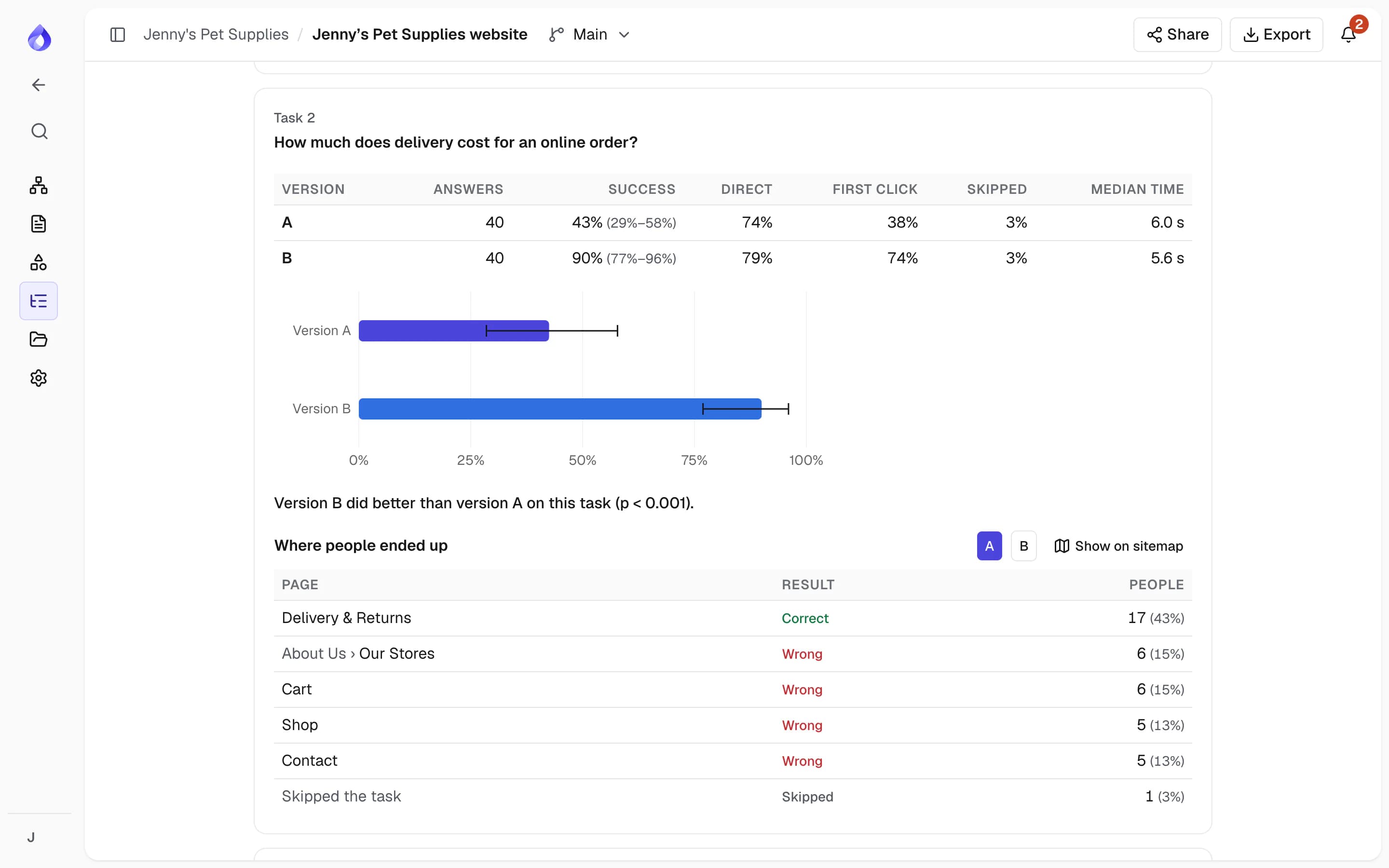
Tree testing with A/B versions
Check whether people can find things in your sitemap before it is built. Write a few tasks, send a link, and compare up to three sitemap versions on success, directness and first clicks. PagePot names a better version only when the difference is significant.
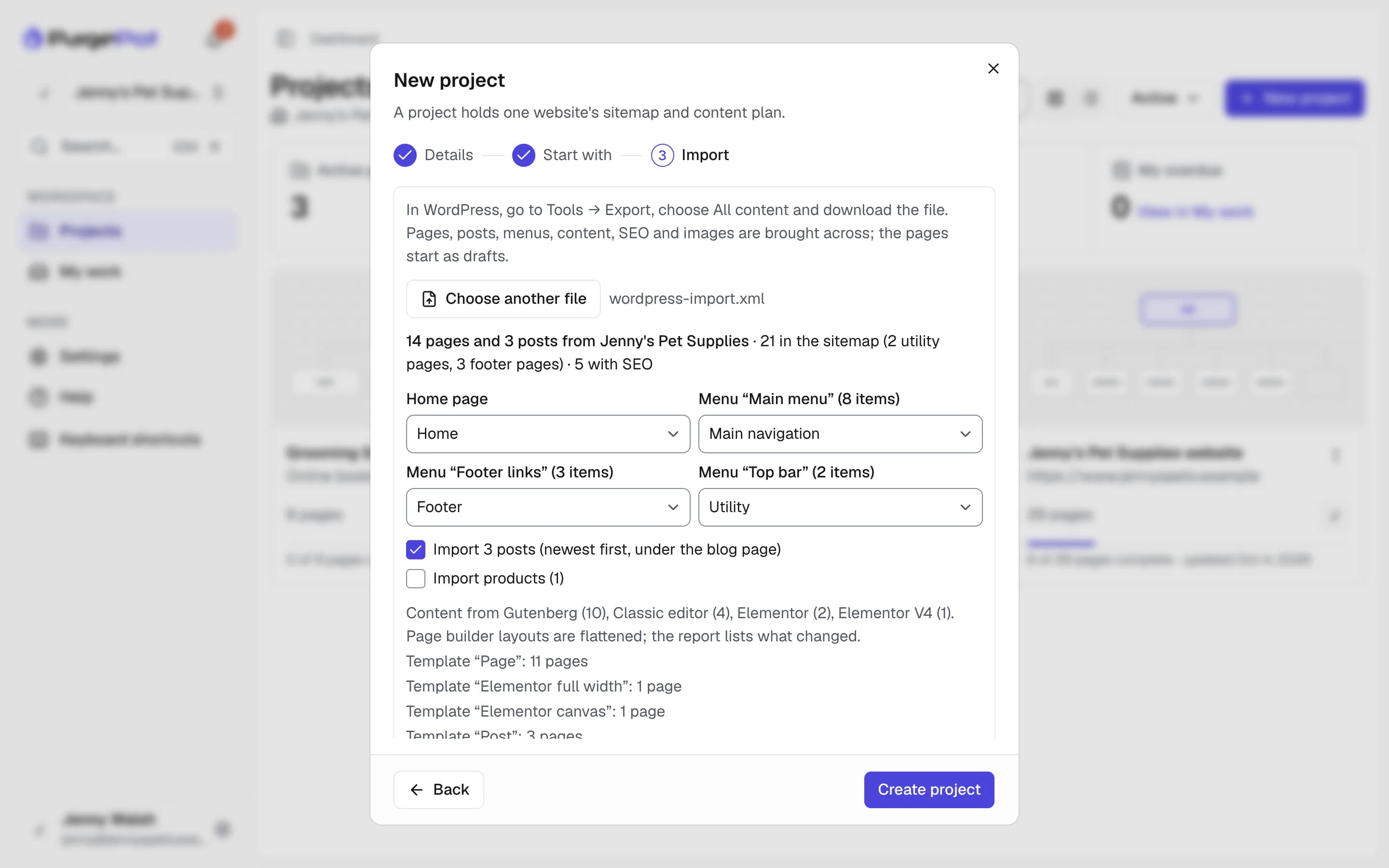
WordPress import and export
Start a project from a WordPress export, with pages, posts, menus, content from the block editor, the classic editor, Elementor or Divi, SEO and images. When the plan is approved, export it as a file the WordPress importer loads, with pages as blocks, menus and Yoast SEO or Rank Math fields.
Integrations
Take the plan into your CMS and your own tools.
AI agents (MCP)
Plan, write and review from Claude, ChatGPT and other AI agents.
AI agents (MCP)WordPress
Import a WordPress site, then export the plan as a WordPress import file.
WordPressAPI and webhooks
Build on your plans with the REST API and signed webhooks.
API and webhooksFrequently asked questions
What is website planning software?
Website planning software helps a team decide a site’s structure, content and user flows, whether the site is new or already live. PagePot combines a visual sitemap builder, a content planner, a file library, a diagram maker and review tools in one workspace.
Who is PagePot for?
Anyone responsible for a website’s content and structure: web and marketing agencies working with clients, corporate marketing and digital teams, education institutions and government agencies. It supports new website projects and ongoing changes to established sites.
Can I try PagePot for free?
Yes. New workspaces get a 14-day Pro trial with no card needed. Paid plans start at $10 a month, and people who only view and comment are free.
Does PagePot work with my CMS?
PagePot has a Drupal module that imports planned templates, pages and content (Team plan and up), and imports from and exports to WordPress on every plan. For other platforms, export content as HTML, Word, PDF or a developer handoff package, or use the REST API and webhooks (Team plan and up).
Does PagePot include AI?
Yes. The AI assistant can draft a sitemap from a brief or client files, suggest pages, write and review copy, write SEO titles and alt text, and draw diagrams. Pro, Team and Agency plans include monthly AI credits; trials and Starter get a one-off allowance.