



Education
Website content planning for universities, schools and colleges
Faculties, departments and the central web team all contribute to the same website. PagePot gives every page an owner and an approval path, for a new site and for the updates that follow.


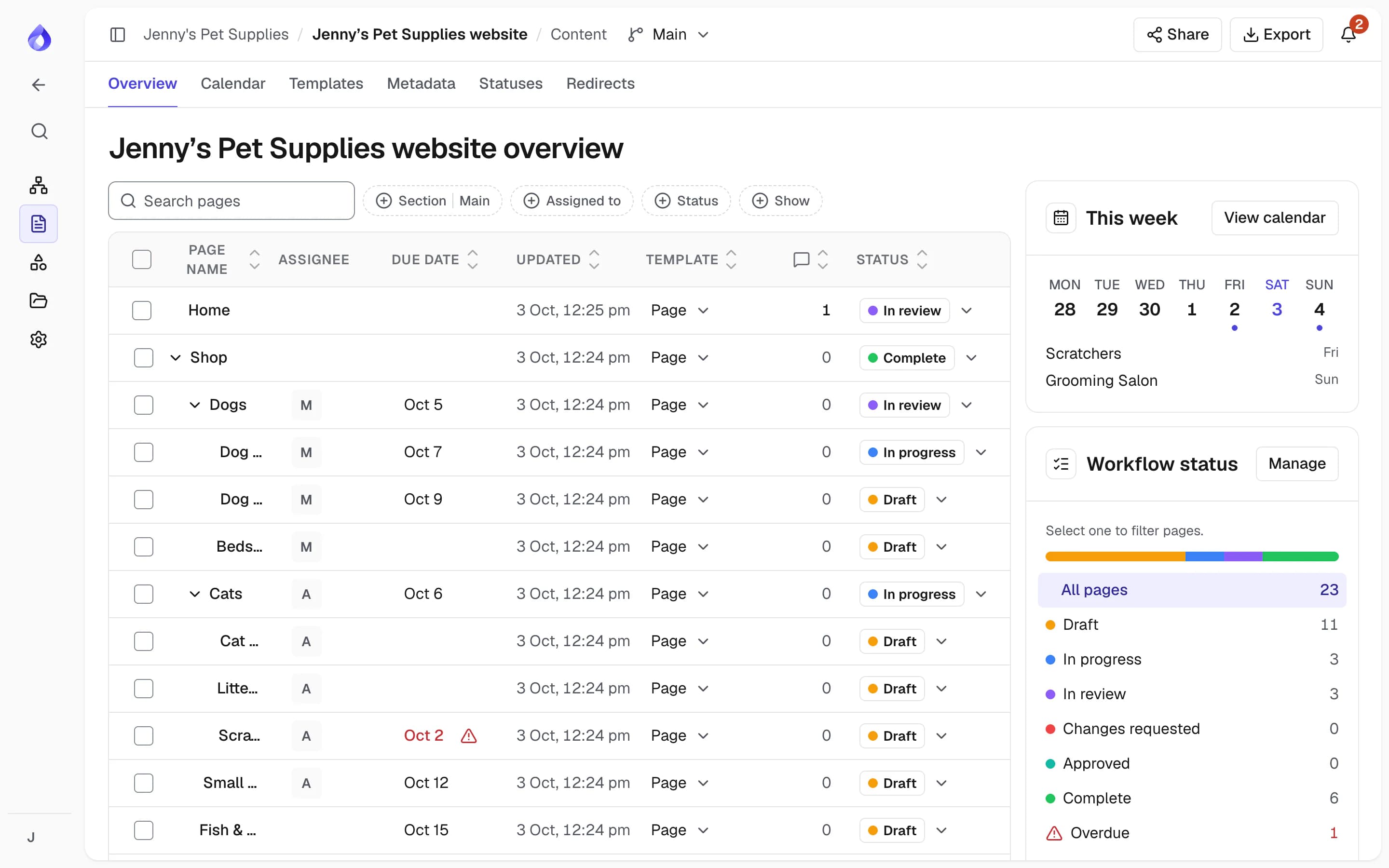
Many contributors, no single view
Course pages, admissions, research and student services are owned by different people. Updates arrive by email, drafts and images sit on shared drives, and the web team can’t tell which version is approved or who should sign it off.


One site plan with an owner for every page
PagePot maps the whole site on one sitemap. Each page holds its content, files, owner, due date and workflow status, and changes go through review before they are marked ready to publish.
See what exists
Import the current site from its sitemap XML, or crawl it on the Pro plan and up, to get a page inventory.
Clear ownership
Assign each page to the right person in a faculty or department, with a due date.
Approval before publishing
Only Project managers approve, and edits made after approval are flagged.
Free reviewers
Subject experts and senior staff review as free Viewers or on a share link.
How education teams use PagePot
Start from the site you have
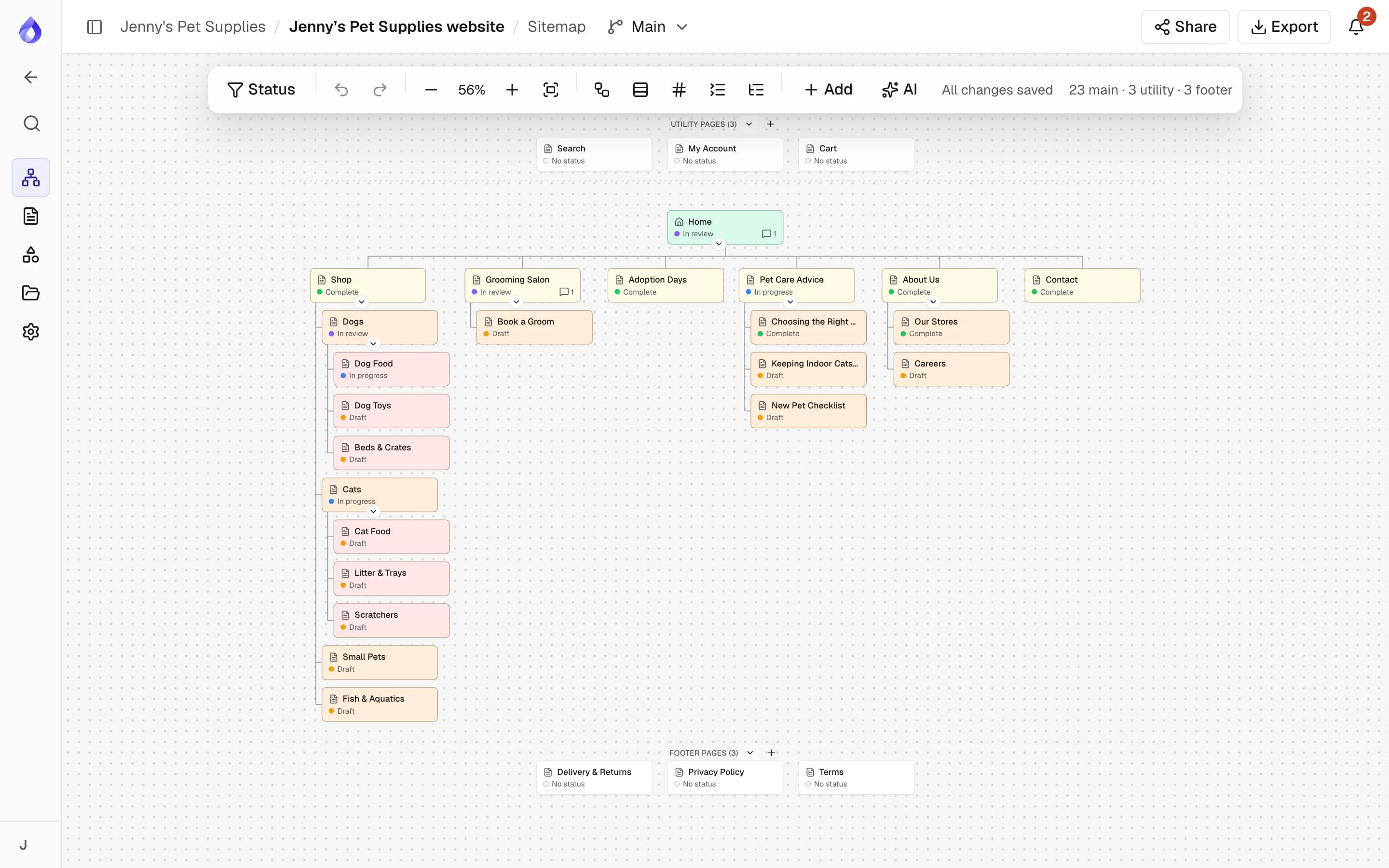
Bring in the current site from a WordPress export (content included) or its sitemap XML, or crawl it with SEO metadata. Restructure sections on the visual sitemap, and try a new structure in a separate sitemap version without touching the main one.
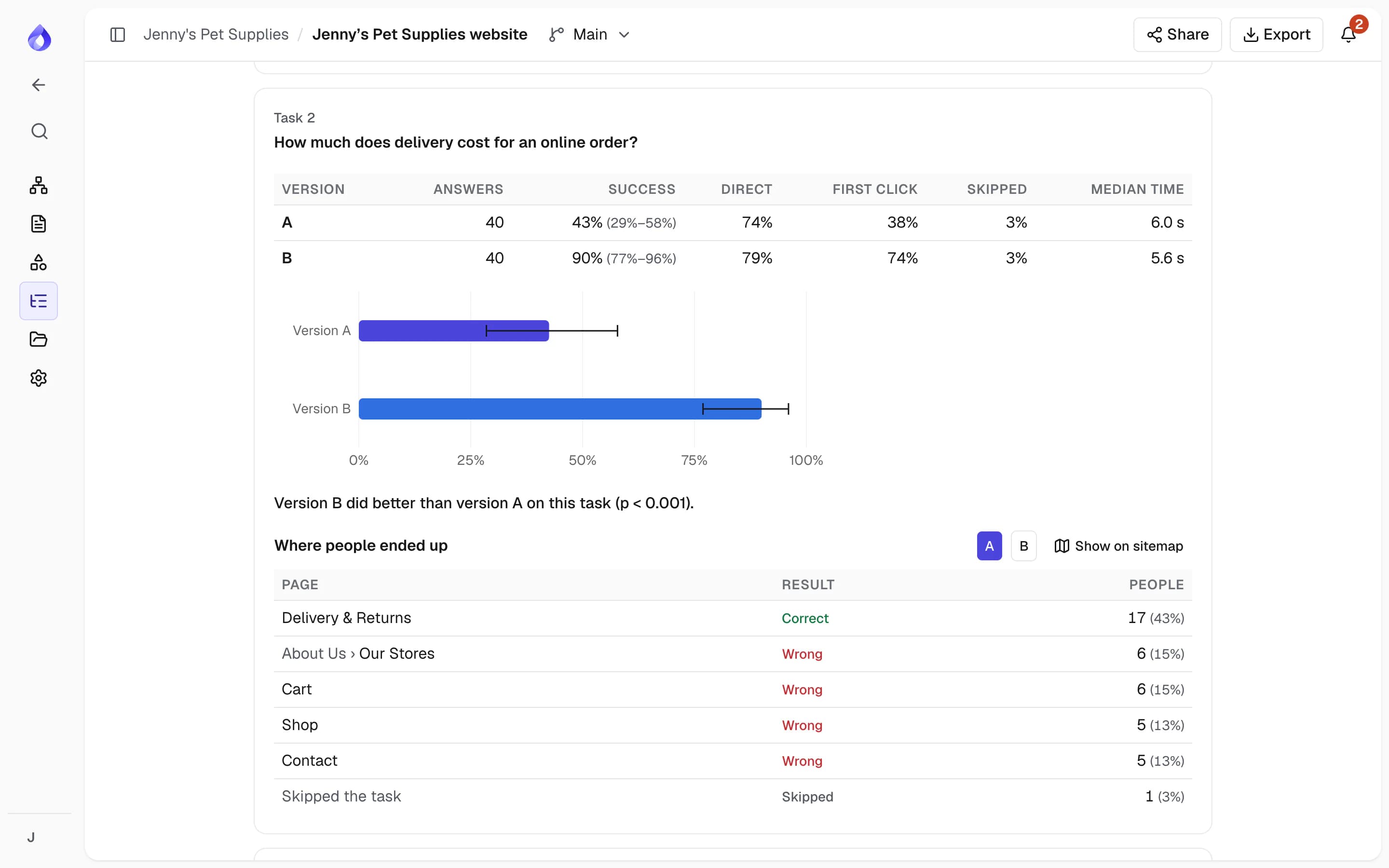
Test the structure with students and staff
Ask prospective students where they would find course fees or how to apply, and see whether they can. A tree test compares up to three sitemap versions on everyday tasks, so decisions about faculty and course navigation rest on user research, not on which department argues longest.
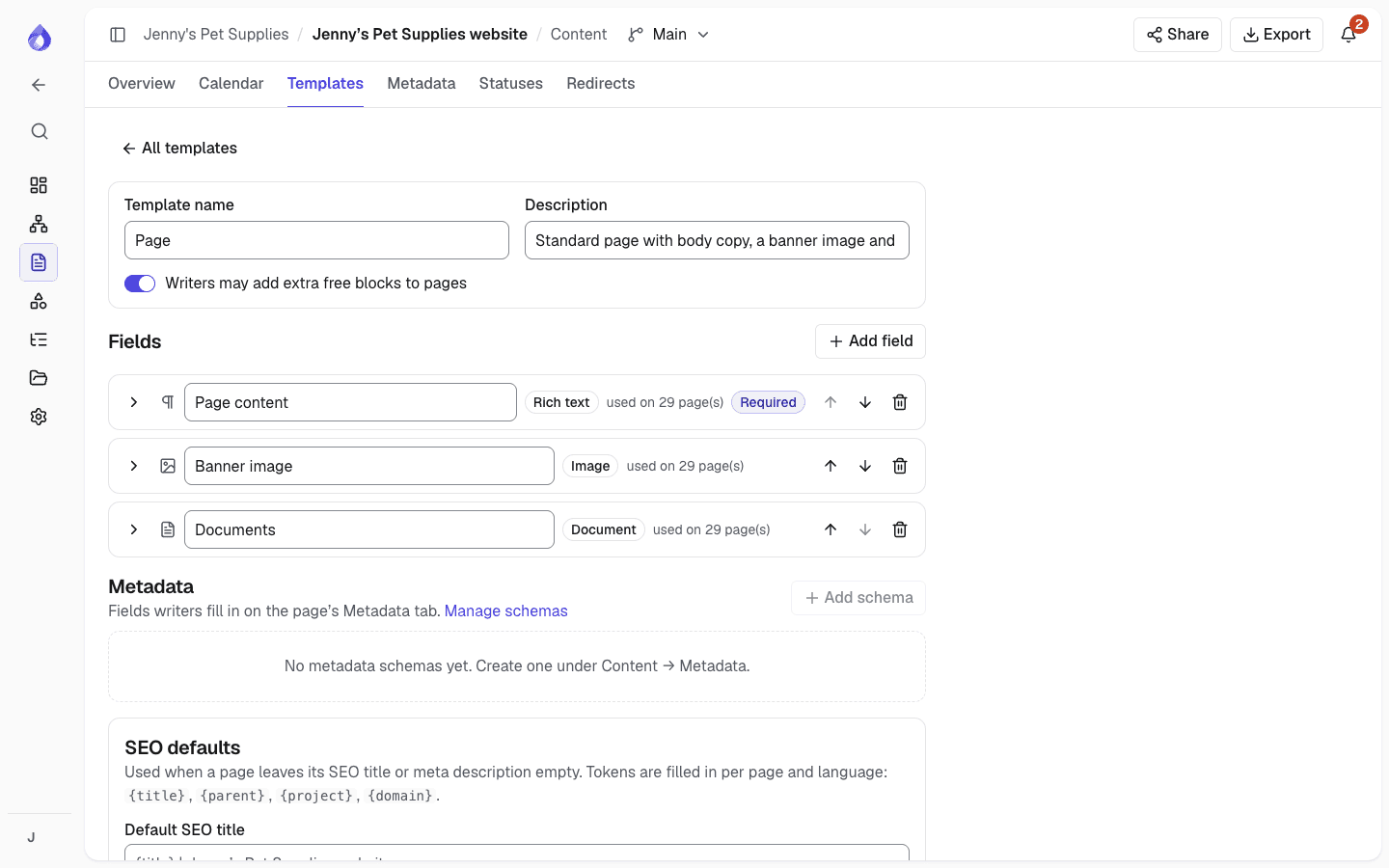
Templates for every kind of page
Decide which blocks a course page, a staff profile or a news item has, with writer instructions, character limits and required fields. Contributors know what is expected before they start.
Track every page and deadline
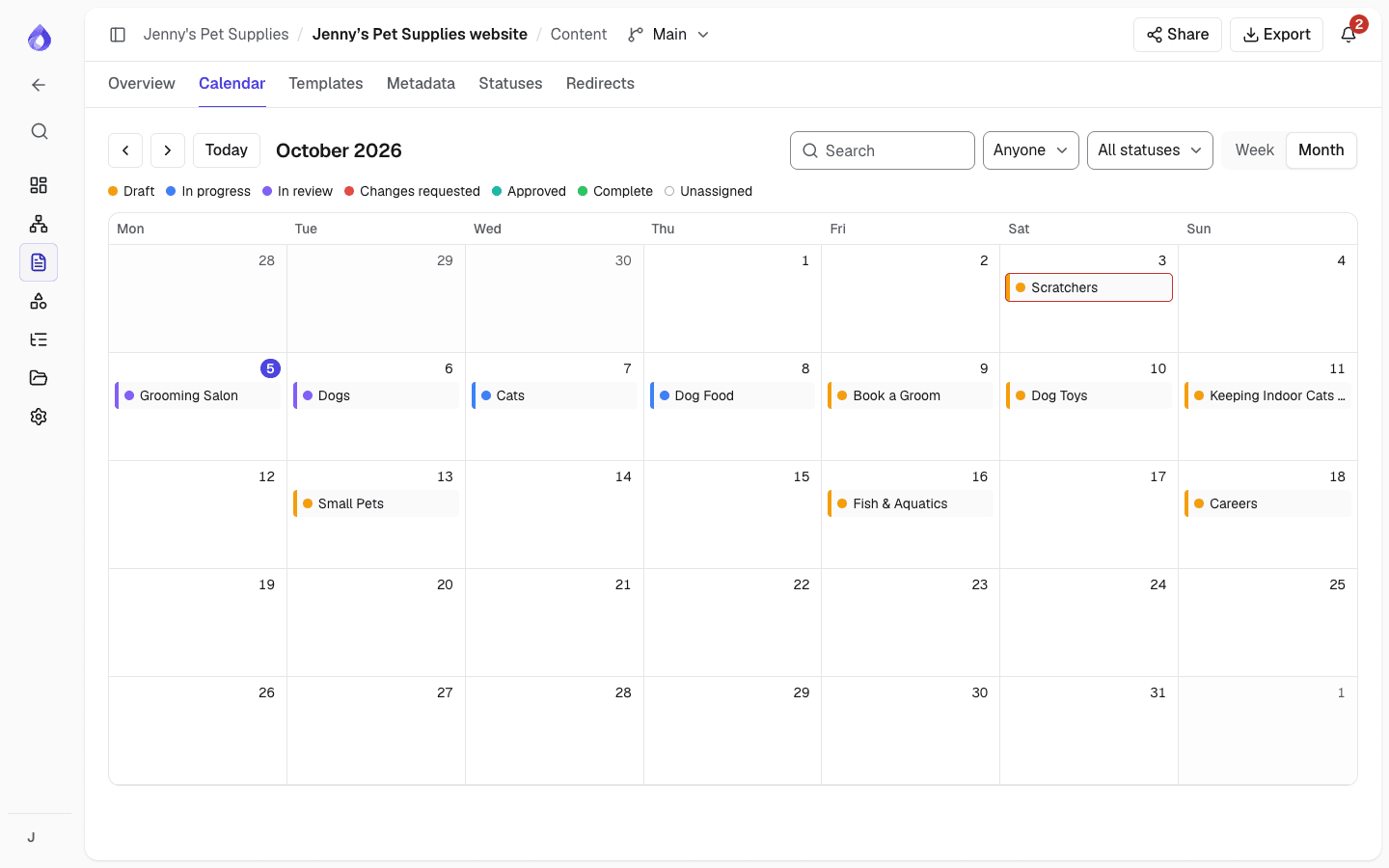
The content overview shows each page with its assignee, due date, status and open comments. Filter by section, assignee, status or metadata, and plan around intake dates on the calendar.
Review and approve in one place
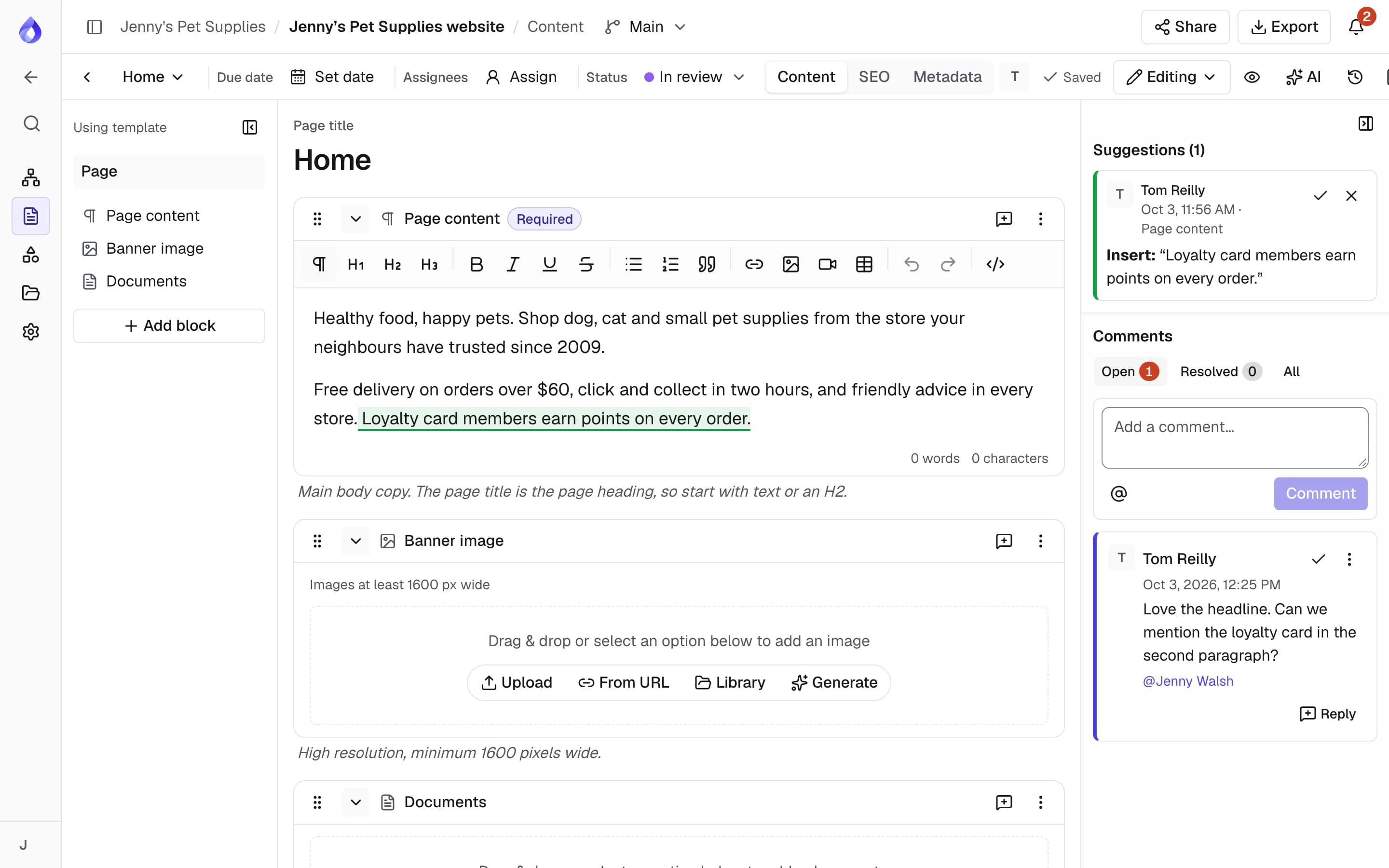
Reviewers comment on a page, a block or selected text and, on the Team plan and up, suggest edits as tracked changes. Project managers approve pages, and the approved revision is recorded.
Images and documents together
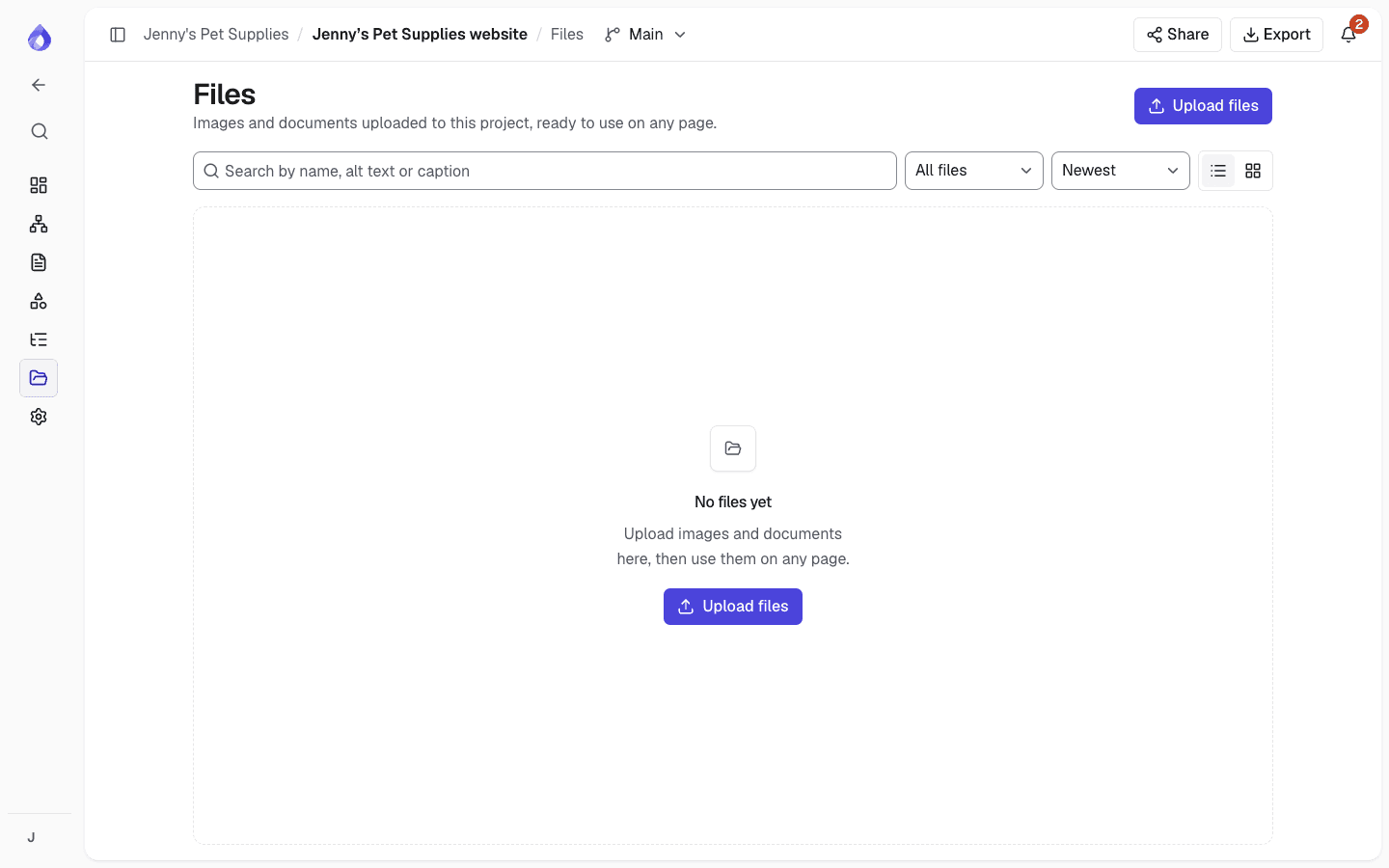
Every image, video and document lives on the project’s Files page, with the pages that use it. Replace a file once and every page that uses it updates.
More for education websites
Multiple languages
Plan and track each language on the same page structure.
Multilingual planningMetadata
Structured fields such as faculty, campus or study level, to filter and export by.
Page revisions
Every page keeps its history with author and changes, and older versions can be restored.
Status locks
Lock editing while a page is in a chosen status, such as In review.
Reminders and digests
Reminders before pages are due, and one daily email of what is unread.
Drupal import
Import pages into Drupal 11. New content arrives unpublished and updates keep each page’s status.
Drupal integrationWordPress import and export
Start from a WordPress site, and export the approved plan as a WordPress import file.
WordPressExports
Share the plan as PDF or Word, or a page inventory as CSV.
Who uses it
Central web and digital teams
Own the site structure, set templates and workflow, and approve pages before they are published.
Faculty and department editors
See the pages assigned to them in My work, write in structured blocks and send pages for review.
Subject experts and approvers
Check content for accuracy as free Viewers or on a share link, and comment where it matters.
Frequently asked questions
Can faculties and departments manage their own pages?
Yes. Give each faculty or department its own project, or keep one project for the site and assign pages to the right editors. Project roles apply to the whole project: Editors can write on any page in it, and only Project managers change the sitemap and approve pages.
Is PagePot only for a redesign?
No. Import your established site and use PagePot for ongoing changes: who owns each page, what needs updating, and what is approved and ready to publish.
Do reviewers need a paid seat?
No. Viewers are free on every plan: they read and comment, and on the Team and Agency plans they can suggest edits too. You can also share a page or the whole sitemap on a link that needs no account, with an optional password.
Does PagePot publish to our CMS?
PagePot is where content is planned and approved; publishing happens in your CMS. The Drupal module imports pages into Drupal 11 after a dry run you confirm: new content arrives unpublished, updates keep each page’s status, and with content moderation every import is a draft. For WordPress, export a WordPress import file (pages arrive as drafts by default). For other platforms, export as HTML, Word, PDF or a developer handoff package, or use the REST API. Drupal and the API need the Team plan and up.