



Government
Website content planning for government agencies
Public information has to be accurate and approved. PagePot gives every page a named owner, a review path and a revision history, for a new site and for the updates that follow.


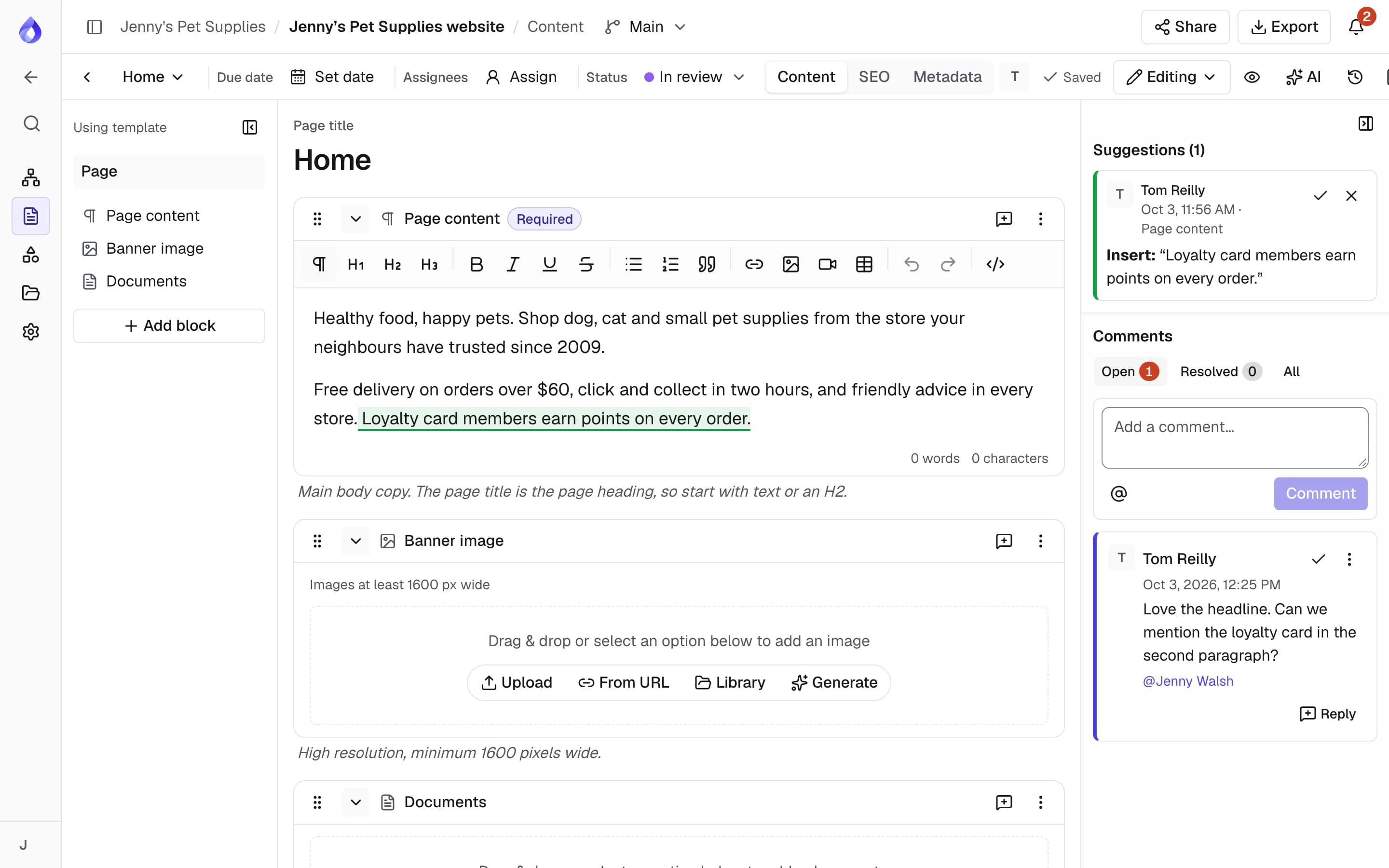
Approvals are hard to trace
Content comes from many business areas. Drafts move between emails, chats and shared drives, approvals happen in meetings, and when a page is questioned later nobody can show who changed it or who signed it off.


Every page has an owner and a record
In PagePot each page holds its content, files, owner, status and comments. Changes go through review, approval records the exact revision, and the project’s activity history shows who changed content, structure and statuses.
Named owners
Assign each page to the person accountable for it, with a due date.
Recorded approvals
Only Project managers approve, and the approved revision is saved with the page.
Revision history
Page revisions and project activity show who changed content, structure and statuses, and when.
Access you control
Members see only the projects they are added to, with roles checked on the server.
How government teams use PagePot
Know what is on the site
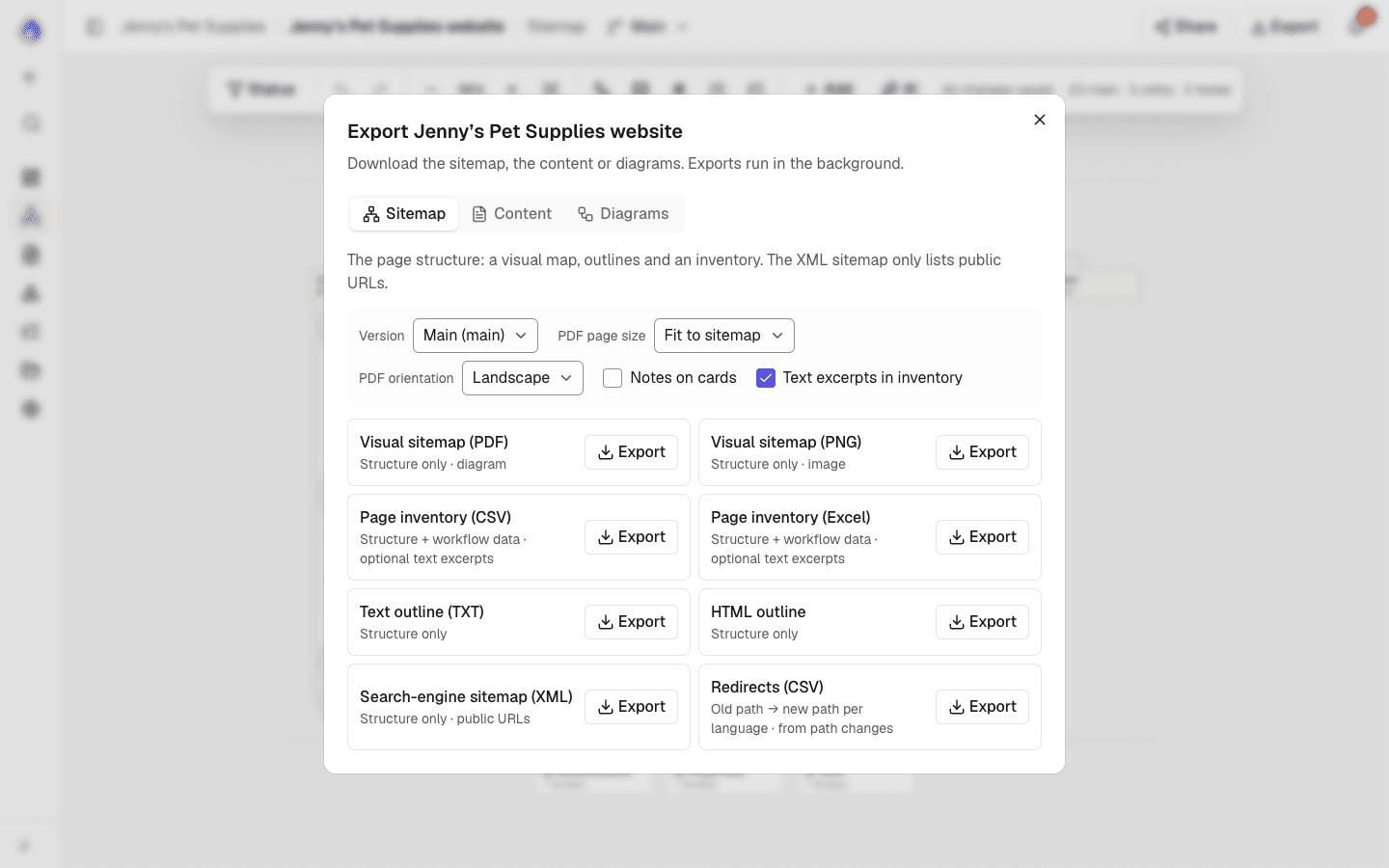
Import the current site from a WordPress export (content included) or its sitemap XML, or crawl it with SEO metadata, to get a page inventory. Export it as CSV for audits and reviews.
Evidence from user research
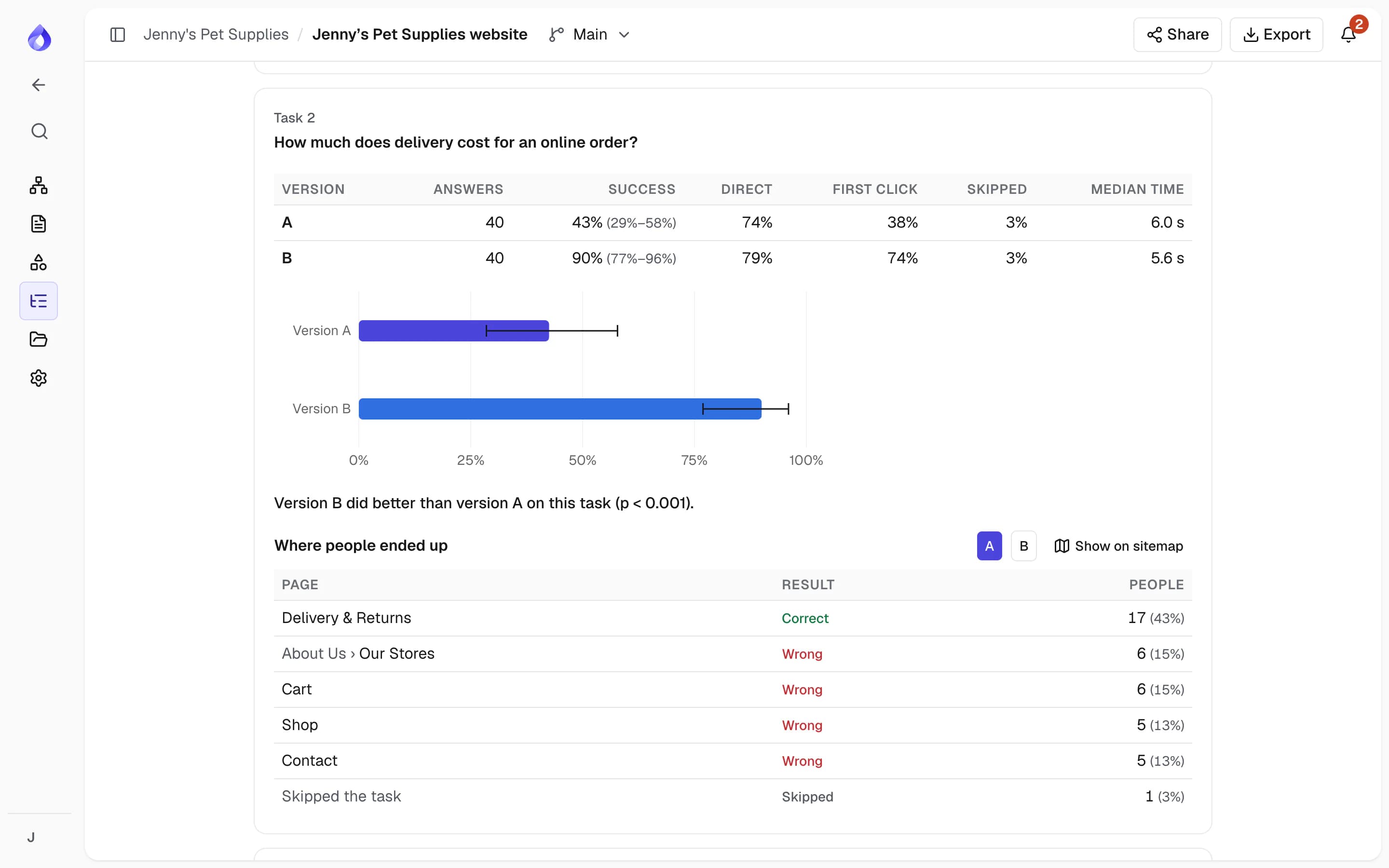
Before a new structure goes live, tree test it with the people who use the service. Compare the current and proposed sitemap versions on everyday tasks, and keep the results, CSV exports and dates as a record of the research behind the navigation, the kind of evidence the Digital Service Standard asks for.
A workflow that matches yours
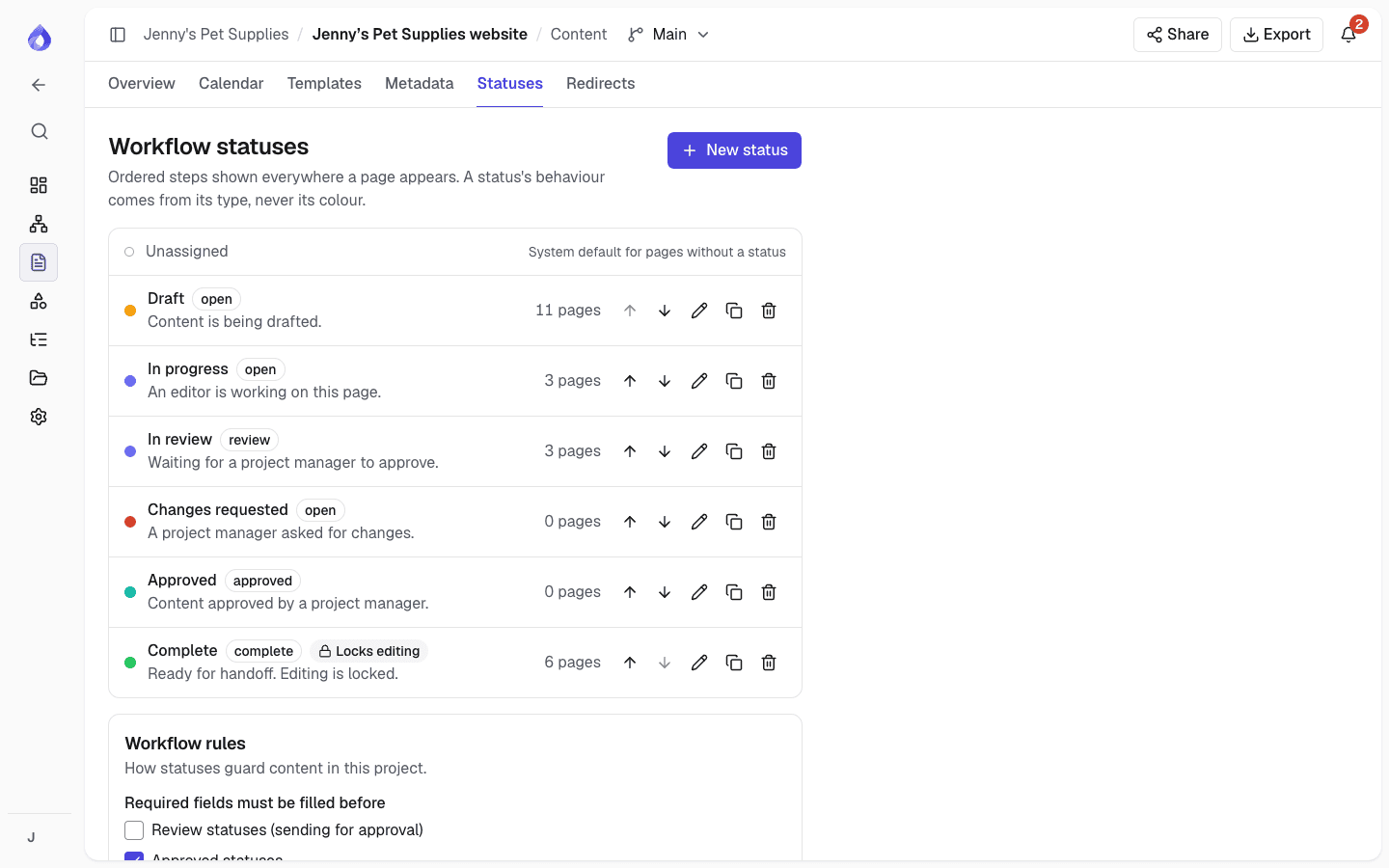
Use the default statuses or define your own review steps. Pages can’t be approved while a required field is empty, editing can be locked while a page is in review, and edits made after approval are flagged.
Track what needs to change
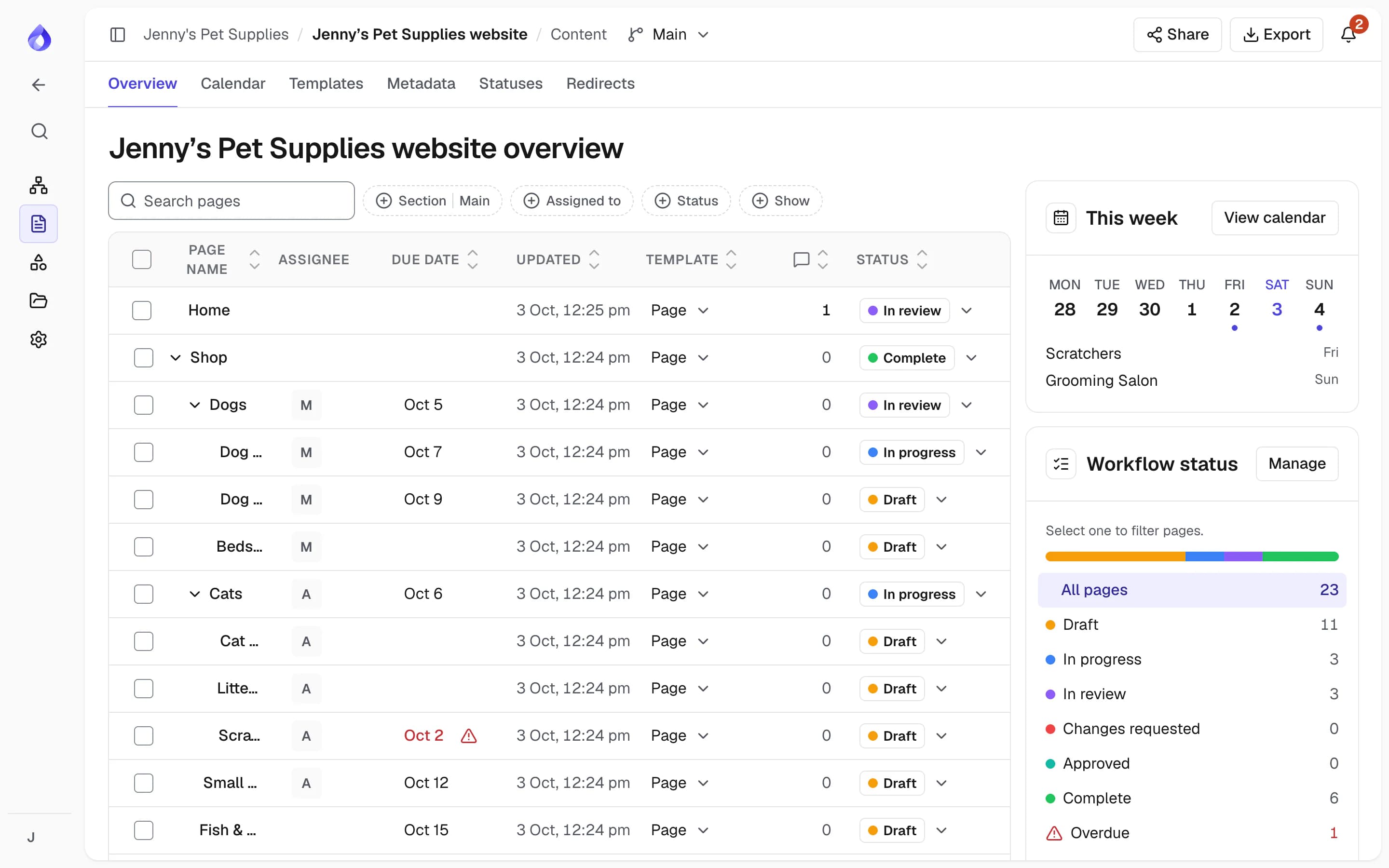
The content overview shows each page with its owner, due date, status and open comments. Filter by section, assignee or status to see what needs to change and what is ready to publish.
Review with subject experts
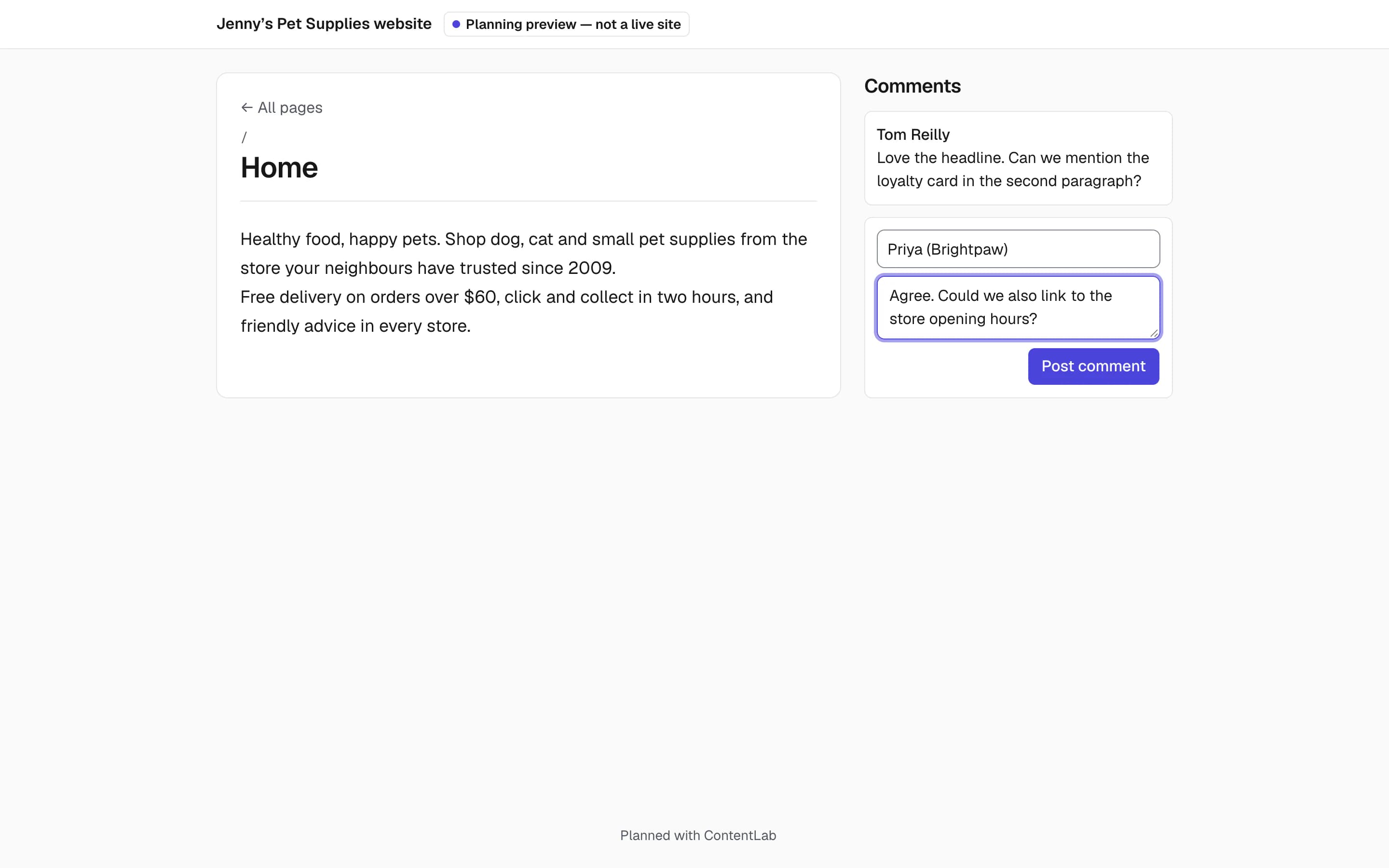
Policy and program staff review as free Viewers and comment on a page, a block or selected text. People outside the workspace can leave feedback on a share link, with an optional password and expiry date.
Consistent pages from templates
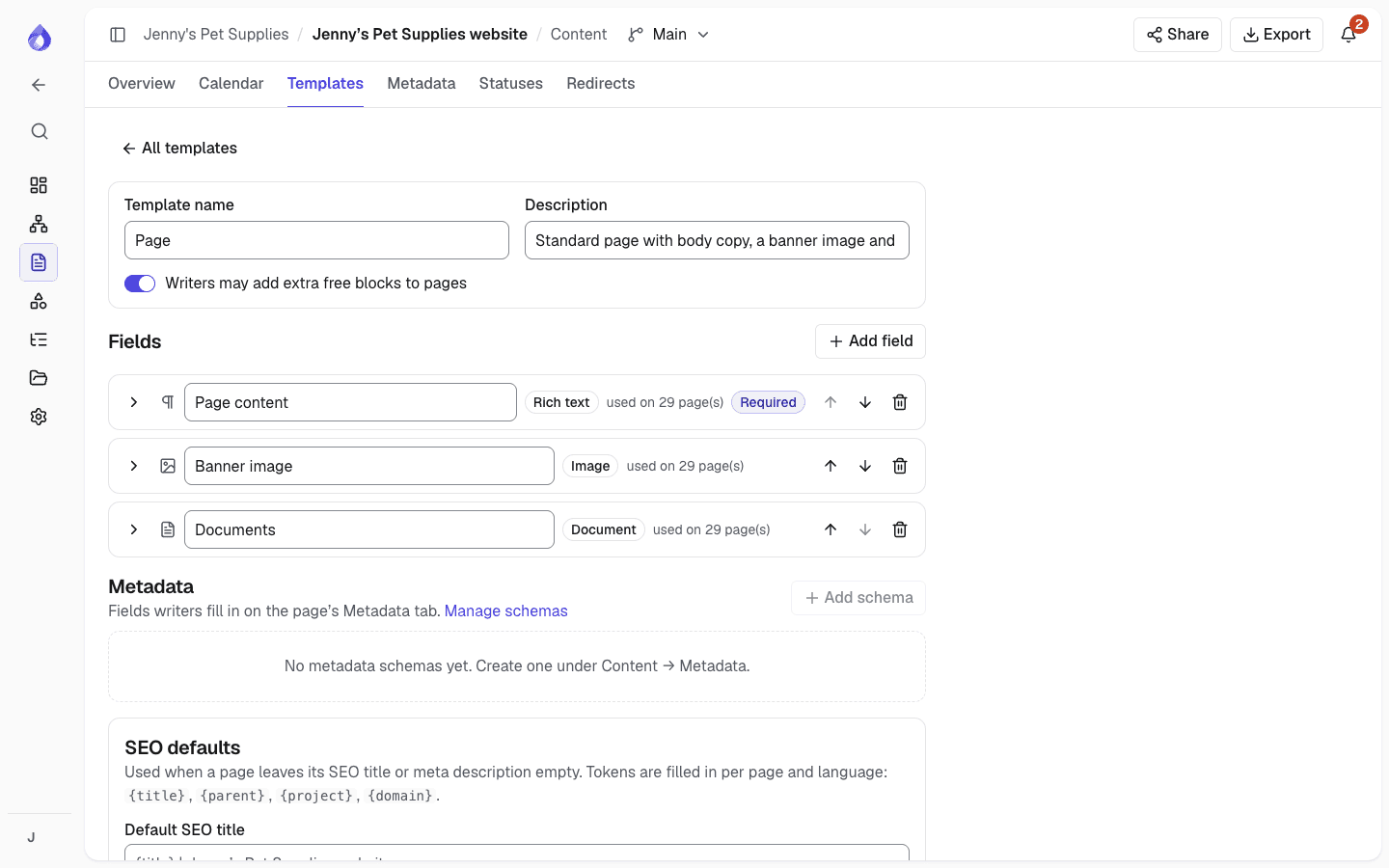
Templates set the blocks each kind of page has, with writer instructions, character limits and required fields, so every service page follows the same structure.
More for government websites
AI is optional
Workspace admins can turn the AI assistant off for the whole workspace.
Page revisions
Every page keeps its history with author and changes, and older versions can be restored.
Sitemap versions
Try a new structure in a separate version without touching the main one, and tree test the two.
Shared file library
Images and documents with the pages that use them. Replace a file and those pages update.
Multiple languages
Plan and track each language on the same page structure.
Multilingual planningDrupal import
Import pages into Drupal 11. New content arrives unpublished and updates keep each page’s status.
Drupal integrationWordPress import and export
Start from a WordPress site, and export the approved plan as a WordPress import file.
WordPressExports
PDF or Word for sign-off, CSV inventories and XML sitemaps.
Who uses it
Digital and web teams
Own the site structure, set templates and workflow, and approve pages before they are published.
Content owners in business areas
See the pages they are accountable for in My work, update them and send them for review.
Policy and program reviewers
Check content for accuracy as free Viewers or on a share link, and comment where it matters.
Frequently asked questions
Can we see who changed or approved a page?
Yes. Every page keeps a revision history with the author of each change, approval records the exact revision that was approved, and the project’s activity history lists changes to structure, content, statuses, permissions and sharing with who made them.
Can we turn off the AI assistant?
Yes. Workspace admins can turn it off for the whole workspace. When it is on, nothing it writes in the page editor goes into a page until someone inserts it or adds it as a suggestion to review.
Is PagePot only for a new website?
No. Import your established site and use PagePot for ongoing changes: who owns each page, what needs updating, and what is approved and ready to publish.
Does PagePot publish to our CMS?
PagePot is where content is planned and approved; publishing happens in your CMS. The Drupal module imports pages into Drupal 11 after a dry run you confirm: new content arrives unpublished, updates keep each page’s status, and with content moderation every import is a draft. For WordPress, export a WordPress import file (pages arrive as drafts by default). For other platforms, export as HTML, Word, PDF or a developer handoff package, or use the REST API. Drupal and the API need the Team plan and up.
Can we test a new navigation with users before it is built?
Yes, with tree testing on the Pro plan and up. Participants open a link, with no account or email address, and choose where they would go for each task in a menu of page titles. You can compare up to three sitemap versions and export every answer as CSV for your research records.