



Slickplan alternative
Looking for a SlickPlan alternative?
PagePot is a collaborative workspace for planning and managing website content. Import your Slickplan XML export and keep working: the sitemap, templates, copy, SEO settings and files come with you, and every page gains owners, due dates, tracked suggestions and approvals.


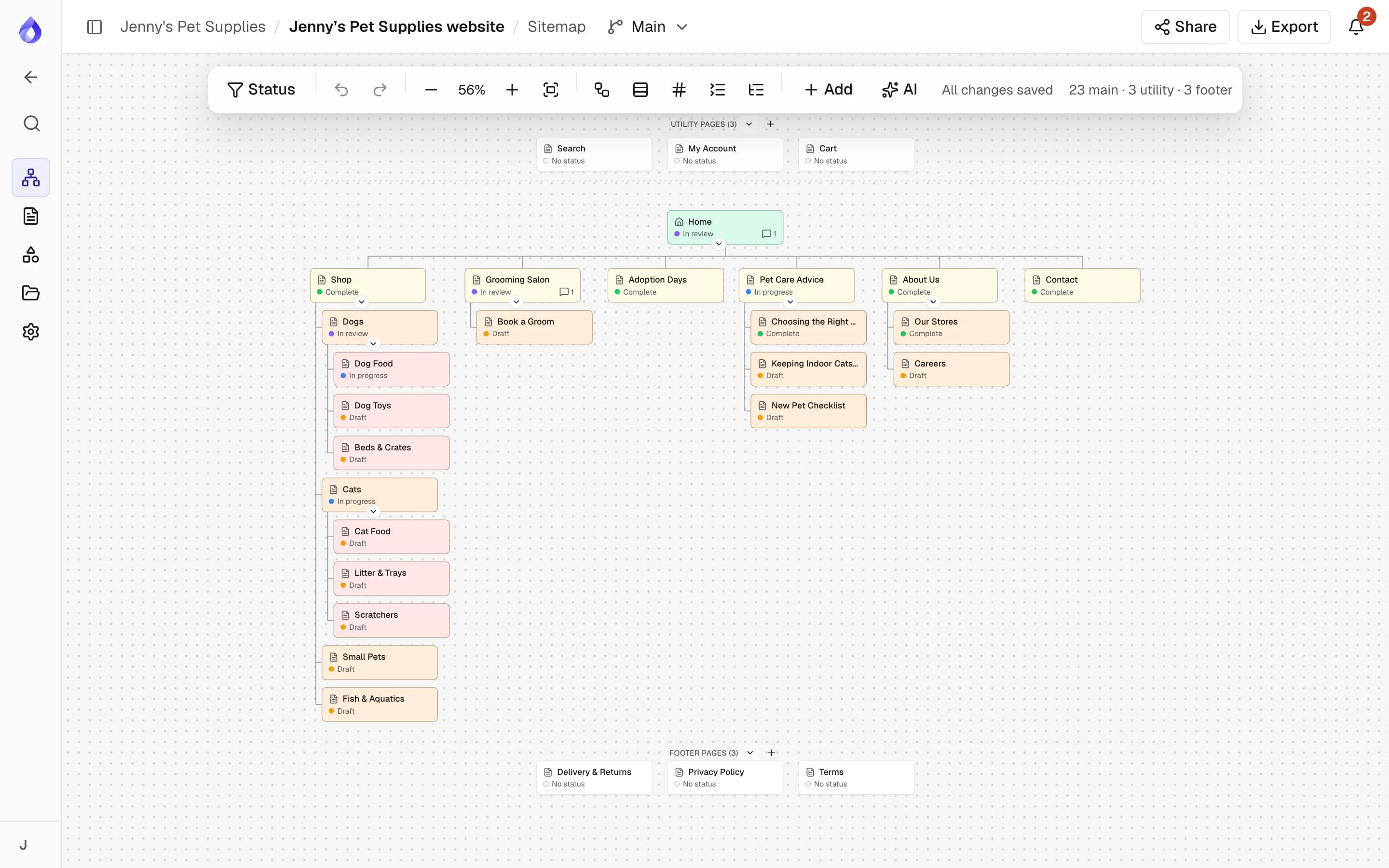
Why teams move from Slickplan to PagePot
Slickplan is a capable sitemap and content planning tool. Teams who switch usually want more from what happens after the sitemap is agreed.
Bring your plan with you
Upload the XML export from Slickplan and get the page tree in the same order, utility and footer pages, a template for each content template, the copy in each page, SEO settings, links between pages and your files.
Content that stays with its page
Each sitemap card is a page record: structured content, SEO, comments, history, status, owner and due date. Move or rename a page and everything moves with it.
Review that ends in a decision
Editors suggest changes in tracked mode, project managers accept or reject them, and clients comment on a share link without an account.
Handoff developers can use
A Drupal 11 module, a REST API with signed webhooks, an HTML content package and a branded content document take the plan into the build.
Move a Slickplan project in four steps
Most of the work is done by the import. Plan on a few minutes for the project, and longer if it holds large files, which are copied in the background.
Export from Slickplan
In Slickplan, open the sitemap, choose Export and download the XML file.
Choose Import from SlickPlan in PagePot
Start a new project, pick Import from SlickPlan and upload the file. You see a preview of the pages, templates, files and statuses before anything is created.
Create the project
PagePot builds the sitemap, templates and copy straight away and returns you to your projects. The project card shows the file copy as it runs.
Check the report
Anything that could not be carried over is listed: files that failed, links to pages that were not in the export, and content in other languages, which is not imported.
How the import works
What you gain after the move
Structured content on every page
Templates define the fields and blocks each type of page needs, with required fields, text limits and image minimums. The content overview and calendar show every page’s status, owner and due date.
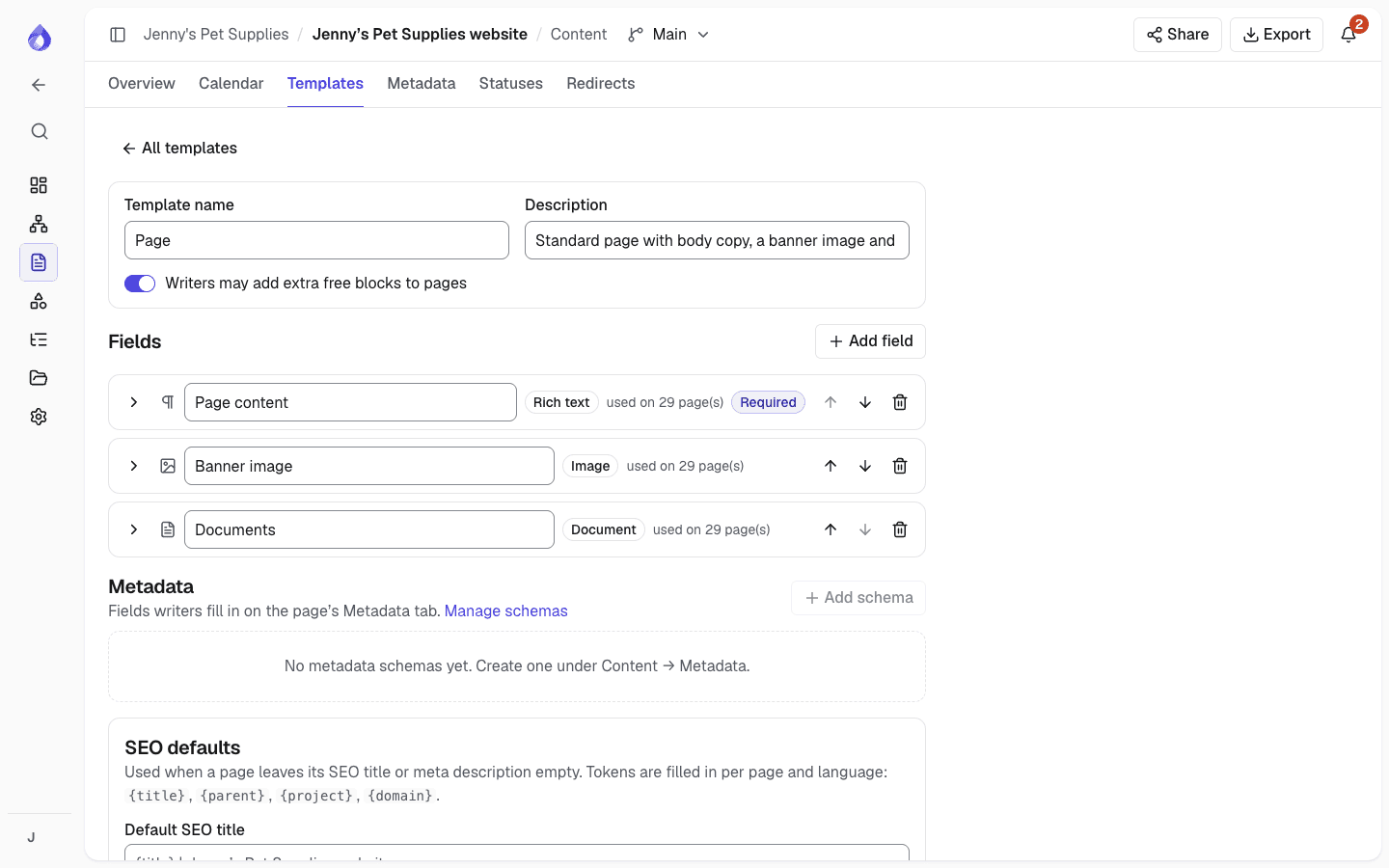
Suggestions and approvals
Switch to Suggesting and your edits are tracked. Editors and project managers accept or reject each one. Pages move through statuses that you define, with approvals recorded.
AI that proposes, not overwrites
Plan a sitemap from a description and your client’s files, then draft and rewrite copy. Nothing the assistant writes goes into a page until you insert it or add it as tracked suggestions.
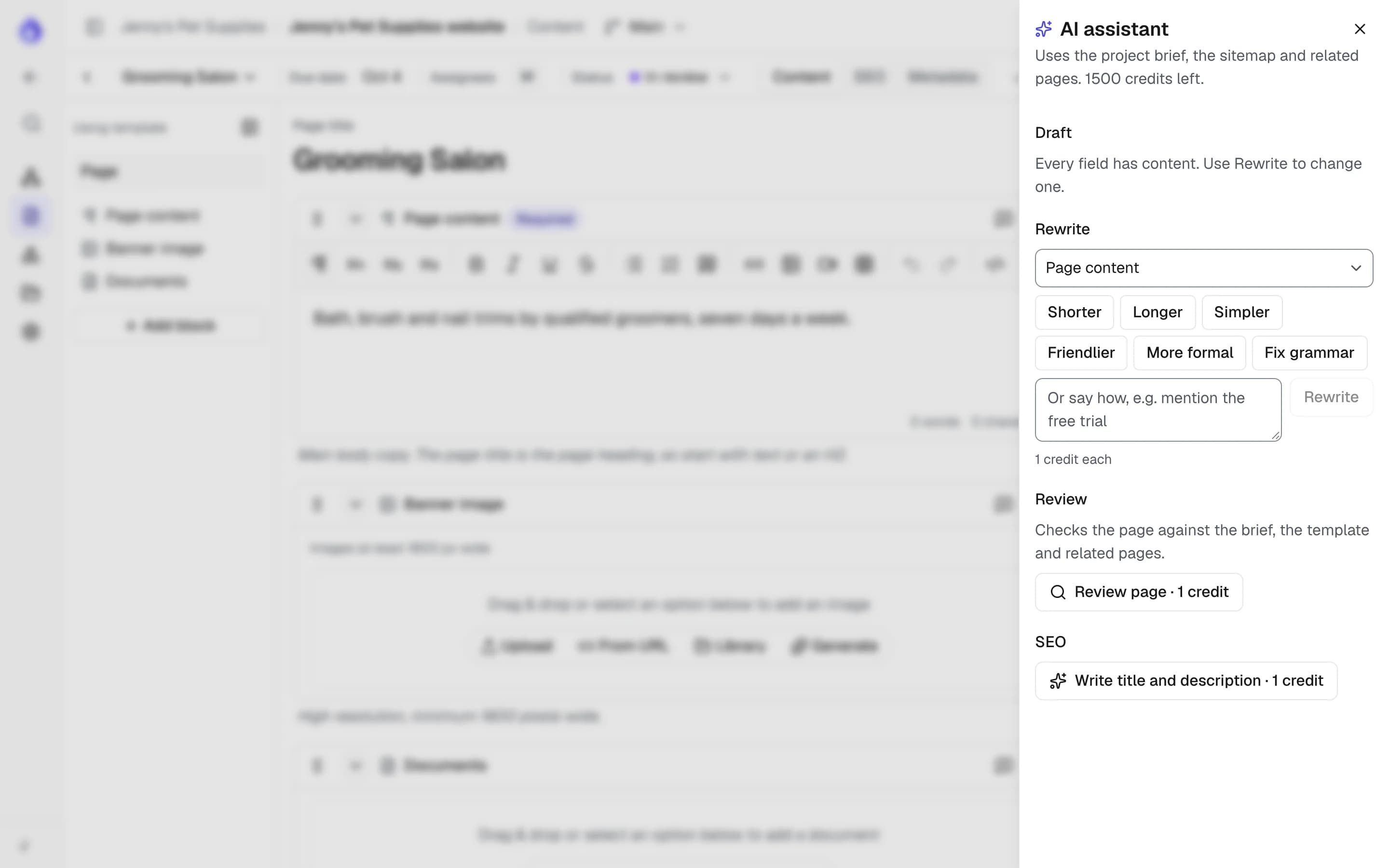
A workflow for every language
Each language has its own title, slug, content, SEO, status, assignees and due date, so translators are assigned and tracked like anyone else.
Client review without accounts
Share the whole sitemap or a single page with an optional password and expiry. Guests comment on pages, and on every plan the link can carry your agency’s logo and colour.
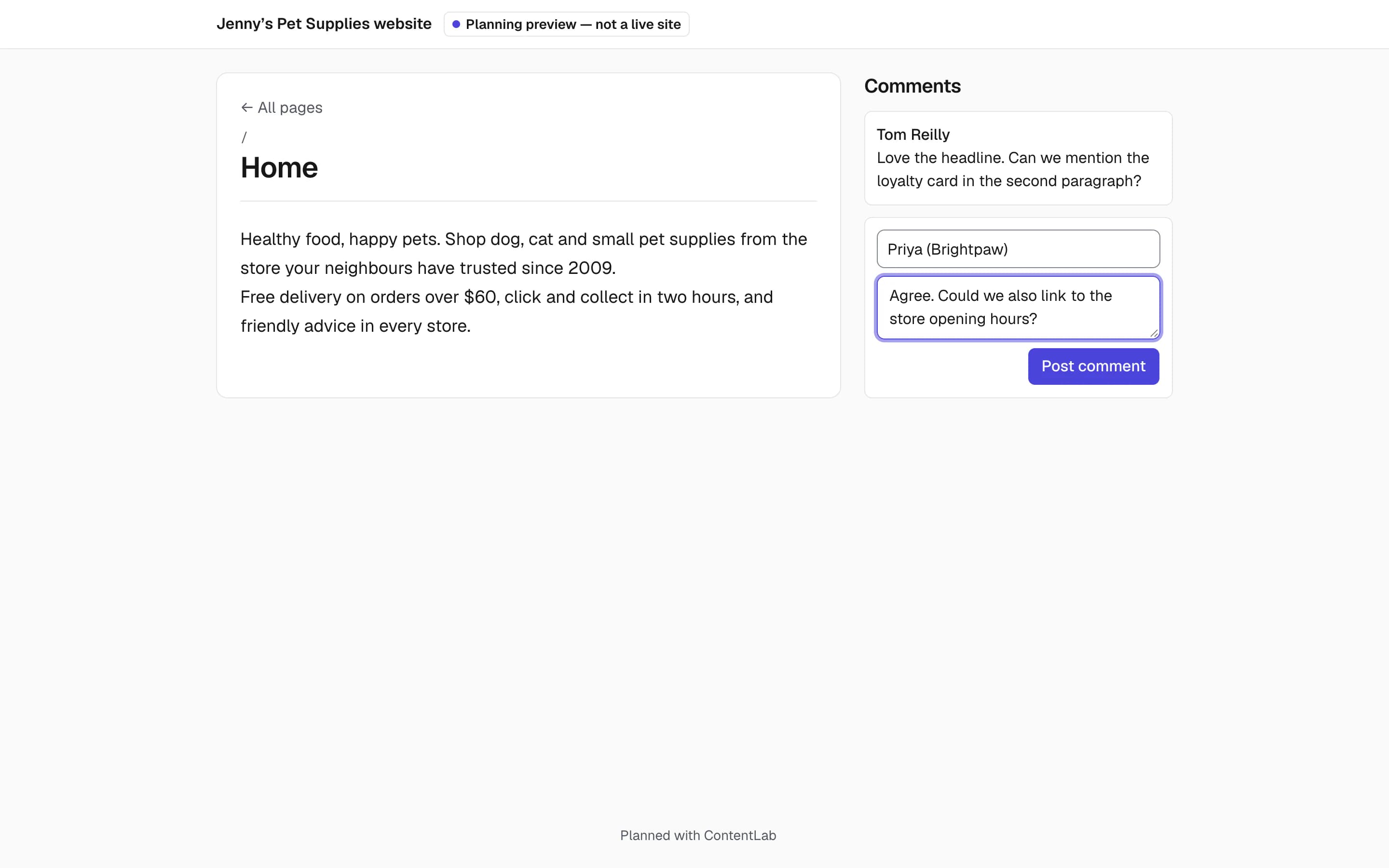
PagePot and Slickplan: the differences that matter when switching
Slickplan entries reflect what Slickplan says on its own website. For the full list, see the detailed comparison.
| Feature | PagePot | Slickplan |
|---|---|---|
| Move an existing project | Imports a Slickplan XML export: pages, templates, copy, SEO and files | Not applicable |
| Tracked suggestions | Suggesting mode with accept and reject (Team plan and up) | Lists “Suggest edits with trackable revision history” |
| Per-language workflow | Own content, SEO, status, assignees and due date for each language (Pro plan and up) | Lists entering content in multiple languages; check whether workflow is per language |
| CMS export | Drupal 11 module with dry run and live sync (Team plan and up); WordPress import file (WXR); HTML content package | WordPress, Joomla!, Drupal, ExpressionEngine and concrete5; WordPress plugin |
| Design mockups | No | Yes, with Figma sync and pin comments |
| Entry price | Starter from US$9/month billed yearly (US$10 monthly) | Basic from US$10.79/month billed annually; a limited free version is offered |
Based on publicly available information on the Slickplan website as of October 2026. Features and prices change; check Slickplan for current details.
What to check before you switch
PagePot is not a drop-in copy of Slickplan, and the import brings across what a Slickplan export contains. Check these before you move a live project:
- Design mockups: PagePot does not handle visual designs, so keep them in your design tool.
- CMS: PagePot syncs with Drupal and exports a WordPress import file (WXR), without a live WordPress sync. For other CMSs, use the HTML content package or the REST API.
- Languages: the import brings in the project’s own language only. Other languages in the export are listed and skipped.
- Analytics: PagePot has no Google Analytics page stats.
- Editing: one person edits a page at a time in PagePot, with page locks and conflict handling.
Frequently asked questions
Can I import my Slickplan project into PagePot?
Yes. Choose Import from SlickPlan when you create a project and upload the XML export. You get the sitemap in the same order (including utility and footer pages), a template for each Slickplan content template, the copy in each page, SEO settings, internal links and your files. Files are copied in the background, and a report lists anything that could not be imported.
Which plans include the Slickplan import?
All of them, including Starter. Importing does not need a paid feature, but the plan’s limits on projects, people and storage still apply, and large files need storage to land in.
Will my page content be imported or only the sitemap?
The content you wrote in Slickplan comes across: text, rich text, tables, forms, code blocks, notes, images, documents and YouTube or Vimeo links, as long as it was in the export. Only the project’s own language is imported.
Is PagePot cheaper than Slickplan?
Entry prices are close. PagePot Starter is US$9 a month billed yearly or US$10 monthly. Slickplan lists its Basic plan at US$10.79 a month billed annually and also offers a limited free version. Compare the plan that has the features you need, and check Slickplan’s pricing page for current prices.
Can I try it before I move everything?
Yes. Every workspace starts with a 14-day Pro trial and no card is needed, so you can import one project, review the report and decide.
Keep exploring
PagePot vs Slickplan
A detailed, feature-by-feature comparison, including where Slickplan may suit you better.
CompareWebsite redesigns
Import the current site, restructure it and plan the migration page by page.
Website redesigns