



PagePot vs Content Workflow by Bynder
A GatherContent alternative built for planning websites
GatherContent is now Content Workflow by Bynder, an editorial workflow tool for content across many channels. If you want a GatherContent alternative focused on website projects, with the sitemap, page content and diagrams in one place, here is how PagePot compares.


Summary
Bynder acquired GatherContent in 2022 and later renamed it Content Workflow by Bynder. Bynder describes it as a way to “create, review, and approve editorial content at scale”, with customisable templates and workflows, in-line comments, AI writing help and a connection to Bynder’s digital asset management (DAM). It covers many kinds of content: blog posts, website builds, social media, email campaigns, help documentation and e-commerce.
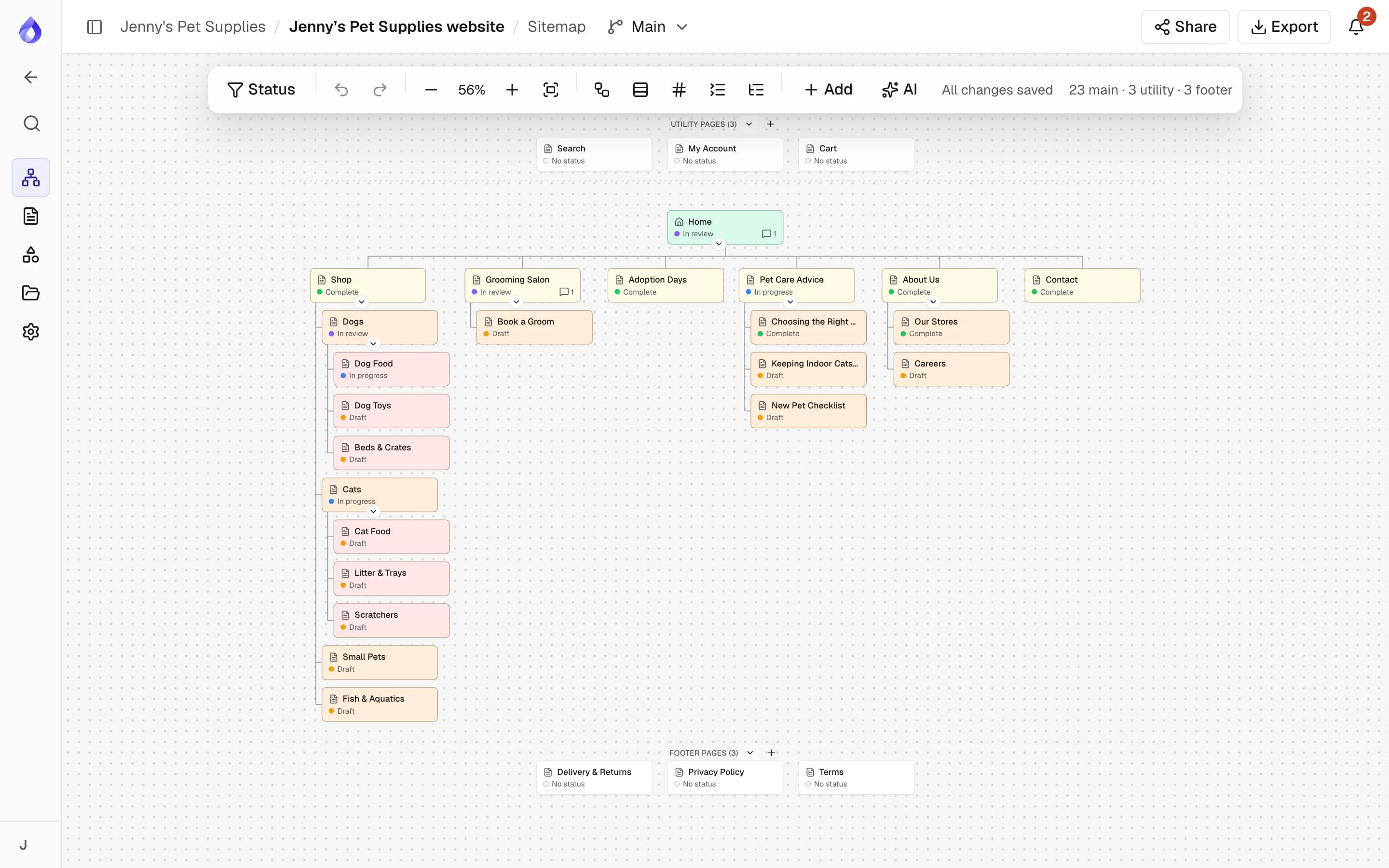
PagePot is narrower and goes deeper on websites. It starts from the site’s structure: a visual sitemap where every card is a page with structured content, SEO, workflow and comments. Diagrams for user flows, client share links, per-language workflow and a Drupal 11 module sit around that structure.
So the choice is mostly about scope. If you run editorial content across many channels, or already use Bynder’s DAM, Content Workflow is built for that. If your work is planning and building websites, PagePot is built for that.
PagePot and Content Workflow at a glance
Content Workflow entries reflect what Bynder says on its own website. Where Bynder’s pages don’t cover something, we say so rather than guess.
| Feature | PagePot | Content Workflow by Bynder |
|---|---|---|
| Main focus | Website planning: structure, page content, diagrams and handoff | Editorial content workflow across channels |
| Visual sitemap | Drag-and-drop sitemap where every card is a page record | Not covered on its product page; check with Bynder |
| Import an existing site | Sitemap XML import, and a site crawler (Pro plan and up) | Not covered on its product page; check with Bynder |
| Diagrams and user flows | Diagram maker with steps linked to sitemap pages | Not covered on its product page; check with Bynder |
| Structured content templates | Templates with typed fields, applied per page | Customisable templates |
| Workflow | Custom statuses, assignees and due dates per page and language | Customisable workflows |
| Comments | On a page, a block or selected text, with mentions | In-line comments |
| Tracked changes and suggestions | Suggesting mode with accept and reject (Team plan and up) | Not covered on its product page; check with Bynder |
| AI assistant | Plans a sitemap from a brief or files, drafts and rewrites copy as suggestions, reviews pages, generates images | Drafts, edits, translates and adapts tone |
| Multilingual content | Each language has its own content, SEO, status, assignees and due date (Pro plan and up) | Content in any language; interface in English |
| SEO fields | SEO title, description, slug, canonical, robots, social image, JSON-LD and search preview | Not covered on its product page; check with Bynder |
| Guest review without an account | Share links with optional password and expiry; guests comment | Not covered on its product page; check with Bynder |
| Digital asset management | Project file library with in-place replace | Connects to Bynder DAM |
| CMS integrations | Drupal 11 module with template mapping, dry run and live sync (Team plan and up); WordPress import file (WXR) | Bynder lists integrations for WordPress, Drupal and Contentful, among others |
| API | REST API with personal keys (Team plan and up) | API for custom integrations |
| Webhooks | Signed webhooks (Team plan and up) | Not covered on its product page; check with Bynder |
| Slack | Per-project channel notifications (Team plan and up) | Not covered on its product page; check with Bynder |
| Pricing | Published plans from US$9/month billed yearly (US$10 monthly) | Custom quote from Bynder |
| Free trial | 14 days of Pro, no credit card | 14 days |
Based on publicly available information on the Bynder website as of October 2026. Features and prices change; check Bynder for current details.
Where PagePot differs from Content Workflow
PagePot is a GatherContent alternative for teams whose content is a website. These are the parts built specifically for that.
Structure and content in one place
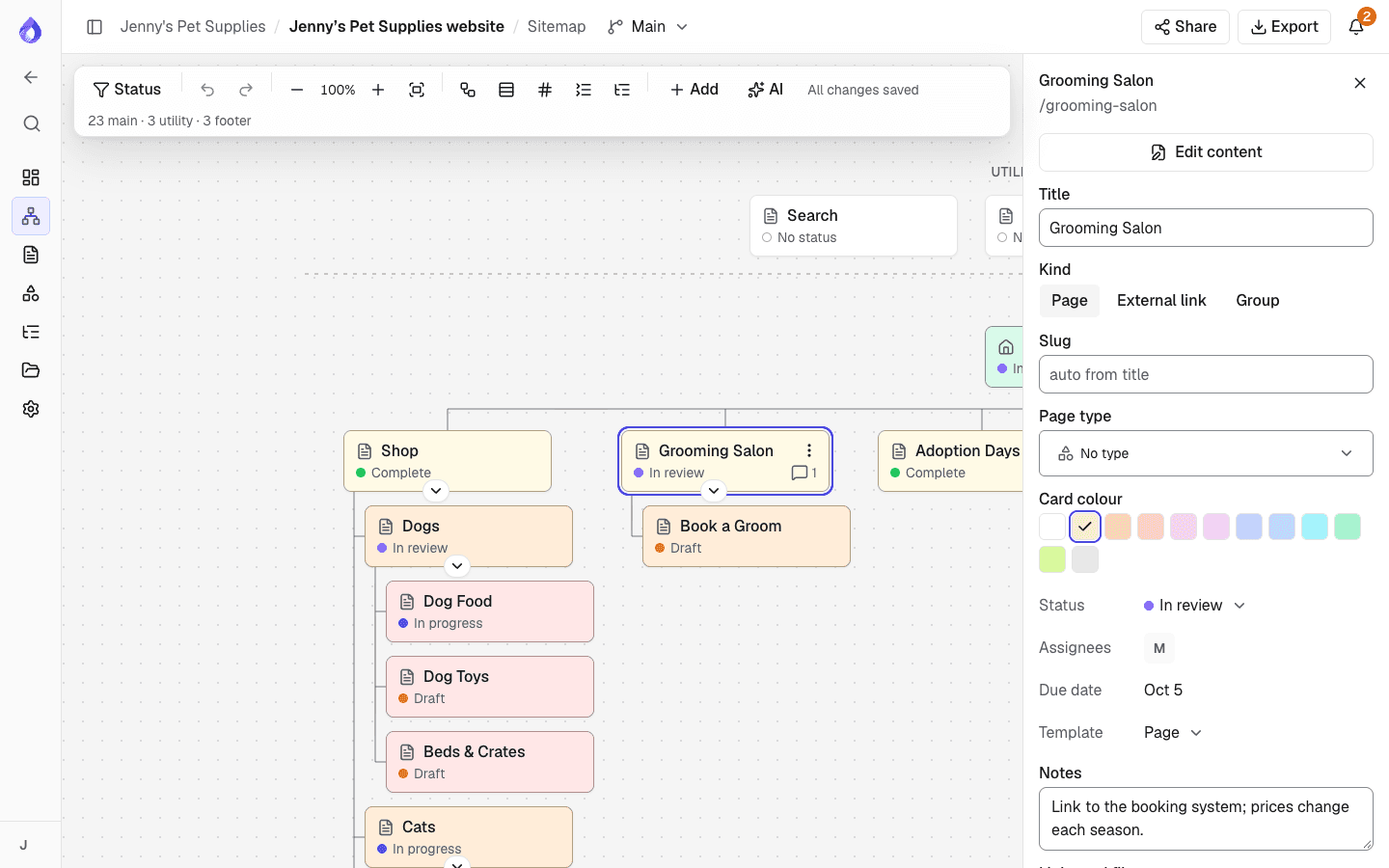
Build the sitemap by dragging pages into place, with main, utility and footer navigation. Each card opens the page’s content, so moving or renaming a page keeps its content, comments and history attached.
Start from the site you have
Import a sitemap XML file or URL, or crawl the live site, and plan the redesign from the current structure. The crawler can bring SEO metadata into the content planner.
Diagrams next to the sitemap
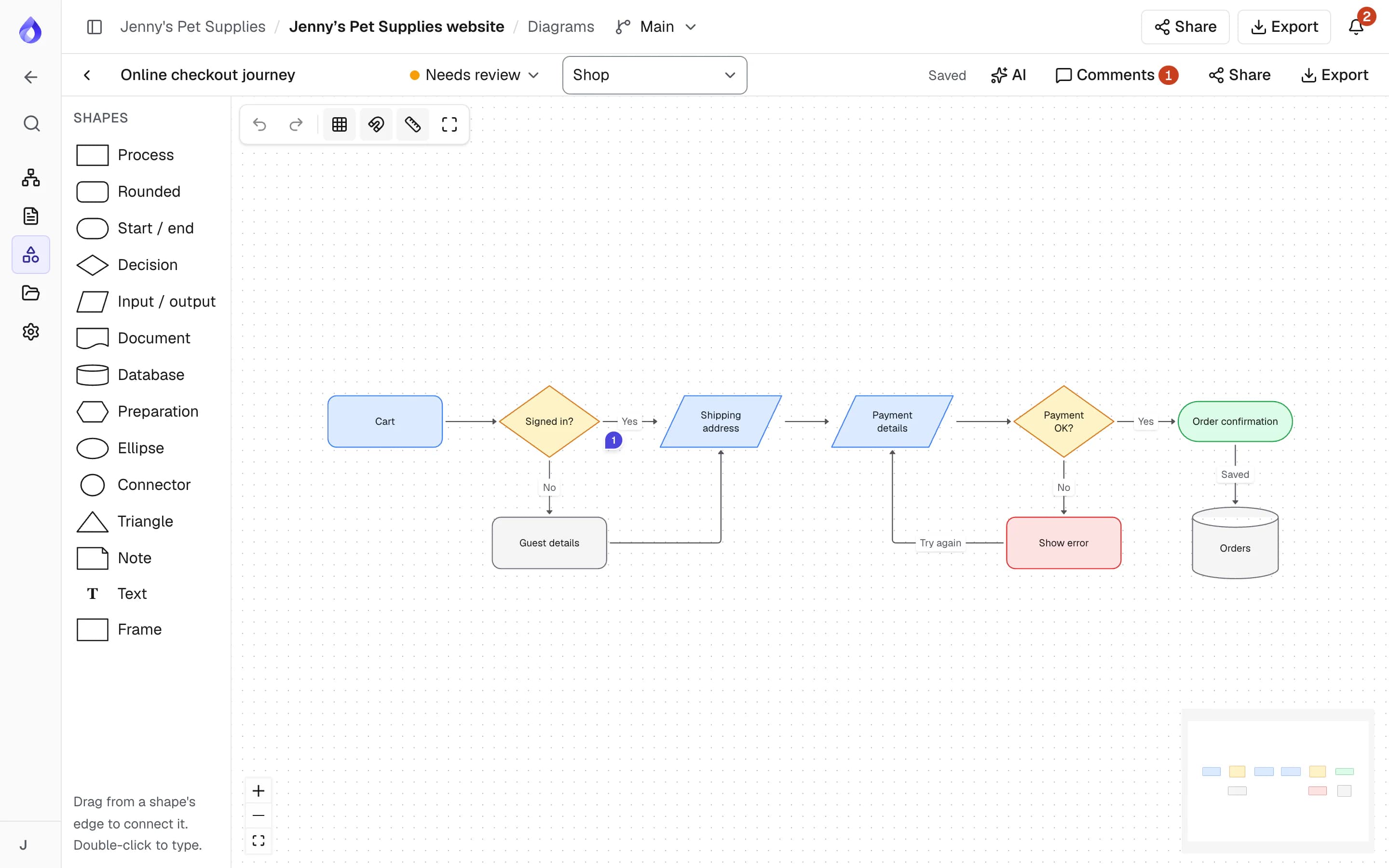
Draw user journeys, checkout flows and processes, link each step to a page and share them for review. The AI assistant can draw a first version from a description.
Client review on a share link
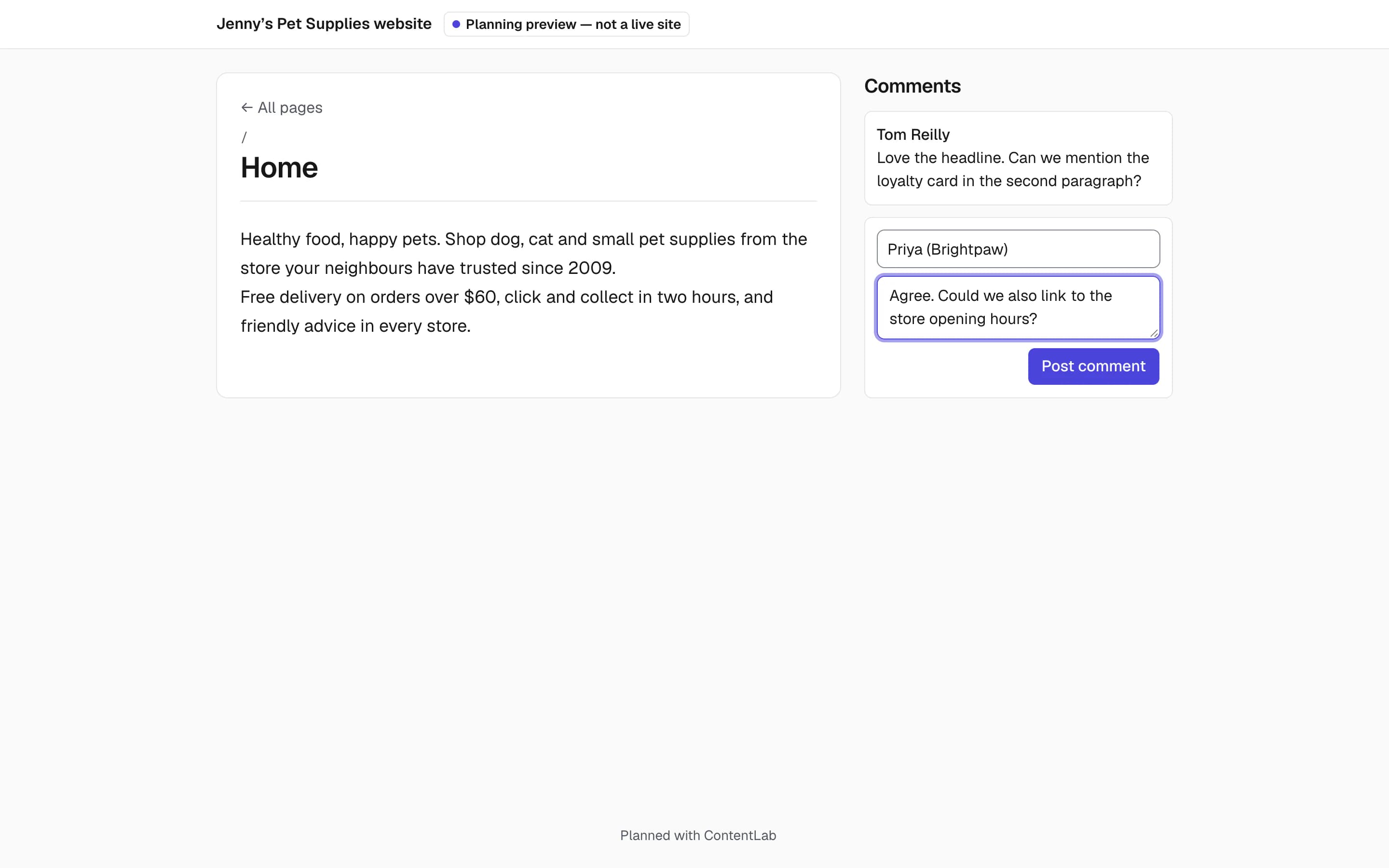
Send the whole sitemap or one page on a link with an optional password and expiry. Guests leave feedback without an account, and editors propose tracked changes for someone else to accept.
SEO planned per page and language
Plan slugs, SEO titles, descriptions, robots settings and structured data on every page, in every language, then export a search-engine sitemap with hreflang links.
Published, self-serve pricing
Plans and prices are on our pricing page, and Viewers are free seats. Start a 14-day trial of Pro without a credit card.
Where Content Workflow may suit you better
Content Workflow and PagePot overlap on templates, workflow and comments, but they are built for different jobs. Based on what Bynder publishes, Content Workflow may be the better fit if:
- You produce content for many channels, not only a website: Bynder lists blog posts, social media, email campaigns, help documentation and e-commerce content.
- You use Bynder’s digital asset management, or want approved assets and editorial content in one Bynder setup.
- You publish to WordPress or Contentful: Bynder lists integrations for both, as well as Drupal. PagePot syncs with Drupal and exports a WordPress import file (WXR), without a live WordPress sync.
- You need enterprise scale and a vendor that tailors a package to your organisation.
Questions to ask when comparing
Bynder’s product page doesn’t cover everything a website project needs, so ask during your trial:
- Can you see and change the site’s page structure visually, and import an existing site?
- Can clients or stakeholders comment without a paid seat or an account?
- Can editors propose changes that someone else accepts or rejects?
- Does each language have its own status, assignee and due date?
- What does a plan with the features you need cost for your team size?
Frequently asked questions
What happened to GatherContent?
Bynder acquired GatherContent in 2022 and renamed it Content Workflow by Bynder. Gathercontent.com now redirects to Bynder’s Content Workflow page. It is offered on its own or together with Bynder’s digital asset management.
What is a good GatherContent alternative for website projects?
If your content is a website and you want the sitemap, page content, diagrams and client review in one tool, PagePot is a GatherContent alternative built for that. If you produce editorial content across many channels, Content Workflow may still be the better fit.
How much does Content Workflow by Bynder cost?
Bynder doesn’t publish prices on its website; it builds a custom package for each customer, and offers a 14-day trial. PagePot publishes its prices: from US$9 a month billed yearly, or US$10 monthly.
Does PagePot integrate with a DAM?
No. PagePot has a project file library for images and documents, which the Drupal module imports as media. If your assets live in Bynder’s DAM, Content Workflow connects to it directly.
Does PagePot work with Drupal like Content Workflow?
Yes. The PagePot module for Drupal 11 maps templates to content types, imports pages as nodes, files as media and the sitemap as menus, and can keep the site in sync on the Team plan and up. Bynder also lists a Drupal integration for Content Workflow.
Can I move content from Content Workflow into PagePot?
If the site is live, import its sitemap XML or crawl it to bring the structure across. For copy, you can start an AI project and upload exported documents, such as Word or Excel files, so the assistant places the copy into pages as written.
Keep exploring
Marketing and digital teams
Assign pages, track progress and hand approved copy to developers.
Marketing and digital teams