Search and keyboard shortcuts
Find any project, page, diagram or file with ⌘K, and see every keyboard shortcut.
Search and commands (⌘K)
Press ⌘K on a Mac or Ctrl+K on Windows and Linux, on any screen. You can also click Search… at the top of the sidebar. It works while you are typing, too.
Type at least two letters to search the workspace. Results are grouped:
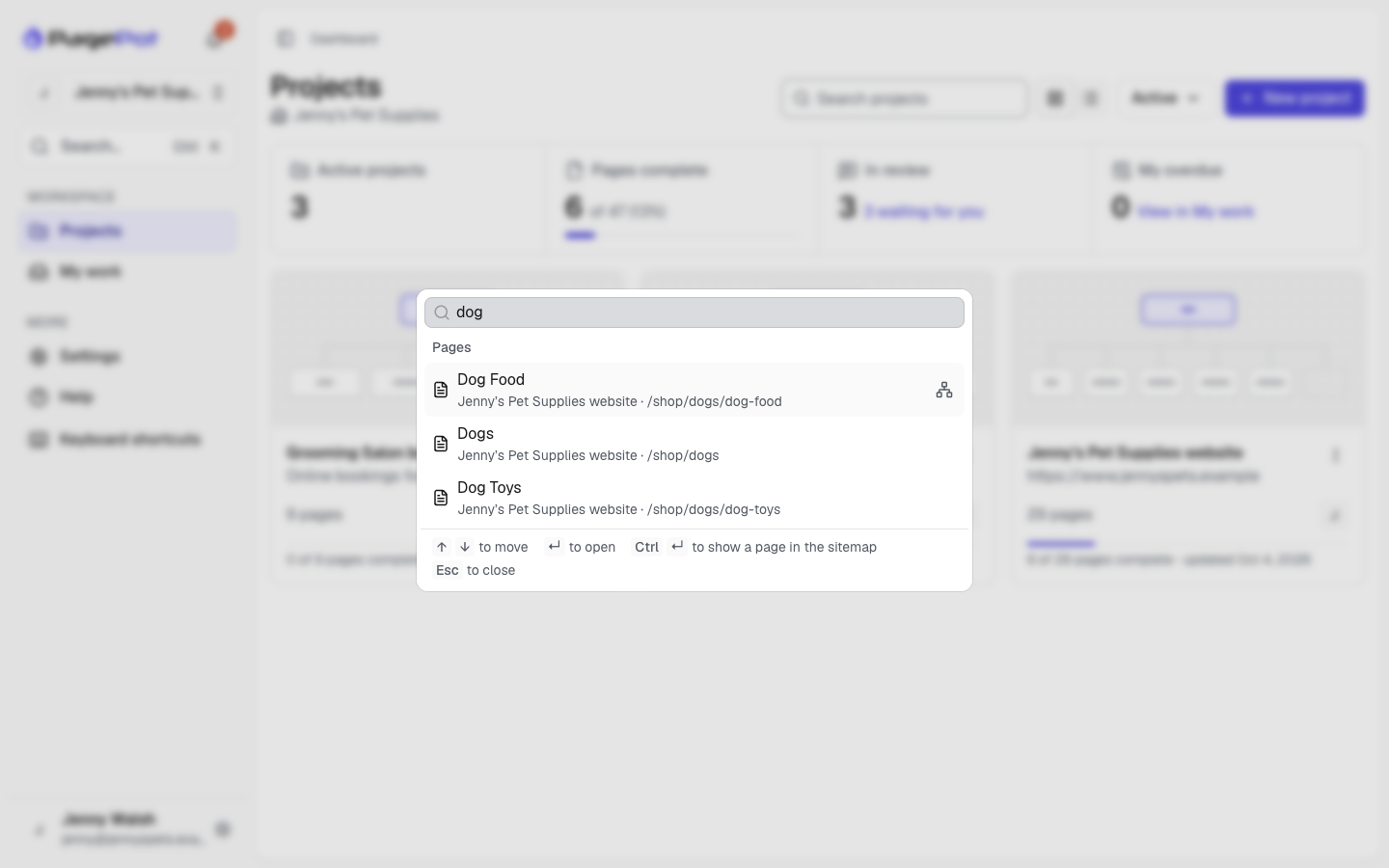
- Projects, by name. Archived projects come last, marked "Archived".
- Pages, by title, including translated titles. Each result shows the project and the page's path.
- Diagrams, by name.
- Files, by file name. Choosing a file opens it on the project's Files page, with its details (preview, alt text, where it's used) already open. Close the details to see all the project's files.
You only see projects you have access to.
Use the arrow keys to move and Enter to open. A page opens in the editor, in the language that matched. To see the page on the sitemap instead, press ⌘Enter (Ctrl+Enter), or click the sitemap icon on the result. Esc closes the search.
With nothing typed, you see:
- Recent: the projects, pages and diagrams you opened lately. They are remembered in this browser, per workspace.
- Actions: go to Projects, My work, Members, Billing (Workspace admins) or Workspace settings; New project; Keyboard shortcuts; switch between light and dark theme.
- Inside a project, the project's own commands: Sitemap, Content, Diagrams, Files, Project settings, Share and Export (the ones your role allows).
Typing also filters these actions, so "exp" finds Export.
Keyboard shortcuts
Press ? to see every shortcut. It doesn't open while you are typing in a text box or a content block; press ⌘/ (Ctrl+/) there instead. You can also open it from Keyboard shortcuts in the sidebar, under Help, or from ⌘K.
The shortcuts for the screen you are on come first. Type in the filter box to find one. Shortcuts show the keys for your computer: ⌘ ⌥ ⇧ on a Mac, Ctrl, Alt and Shift elsewhere.
Some of the most useful ones:
| Where | Keys | What it does |
|---|---|---|
| Anywhere | ⌘K | Search and commands |
| Anywhere | ? or ⌘/ | Keyboard shortcuts |
| Anywhere | ⌘B | Show or hide the sidebar (Bold while writing text) |
| Sitemap | ↑ ↓ ← → | Move between pages, expand and collapse |
| Sitemap | Enter or F2 | Rename the page |
| Sitemap | P | Page properties |
| Sitemap | ⌥↑ ⌥↓ | Move the page up or down |
| Sitemap | ⌘Z, ⌘⇧Z | Undo, redo |
| Page editor | ⌘Enter | Post a comment or reply |
| Text | ⌘B, ⌘I, ⌘U | Bold, italic, underline |
| Diagram | ⌘C, ⌘V, ⌘D | Copy, paste, duplicate |
| Diagram | Drag an empty area | Move around the canvas |
| Diagram | ⇧ + drag | Select an area |
| Diagram | Scroll | Zoom in or out |

