My work
Every page assigned to you, and every page waiting for your approval, across all your projects, by due date.
My work lists the pages assigned to you that still need work, across every project in the workspace. Open it from My work in the sidebar, or from ⌘K.
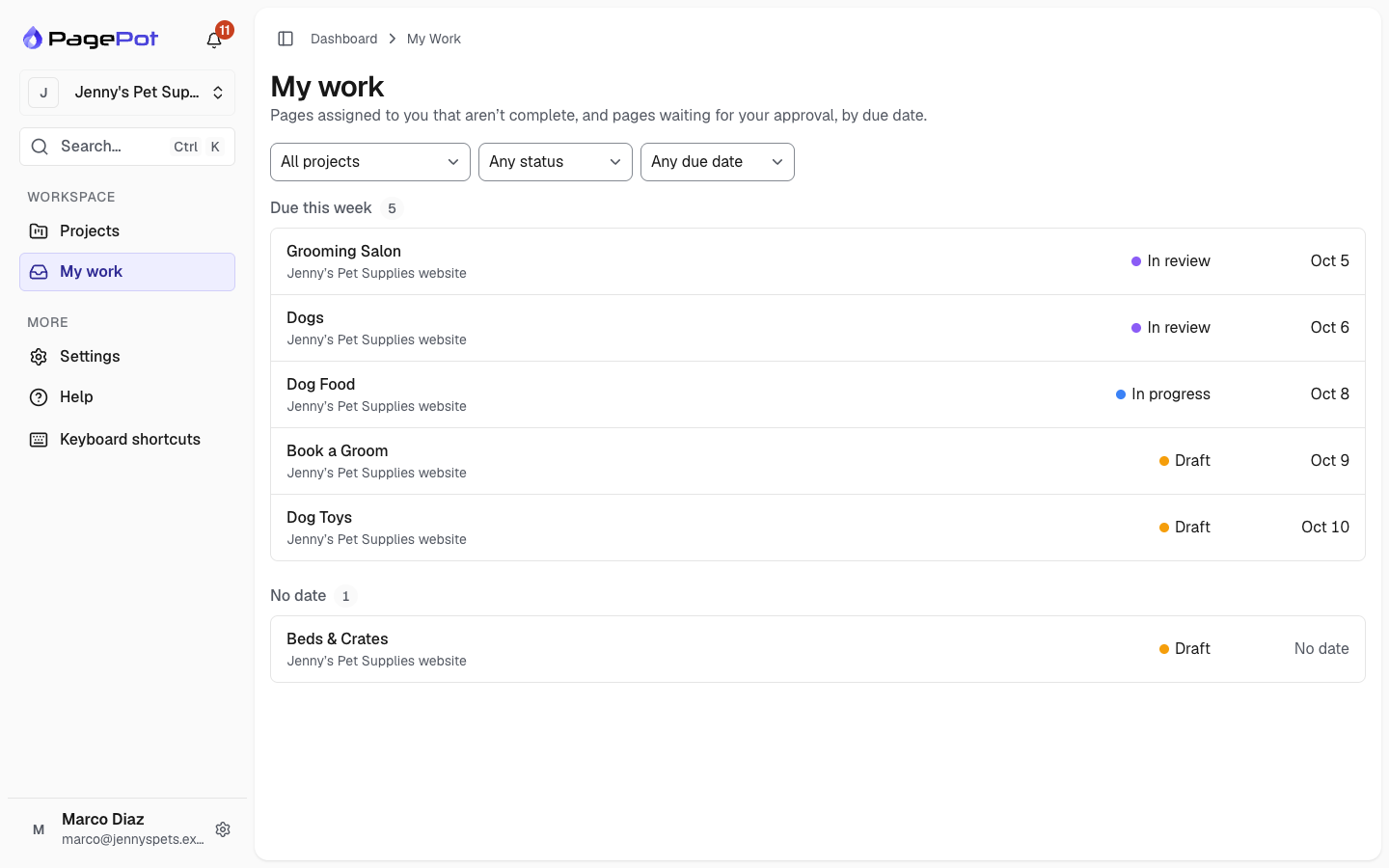
What you see
Pages are grouped by due date:
- Overdue: the due date has passed.
- Due this week: due in the next seven days.
- Later
- No date
Within each group, the earliest due date comes first. Each row shows the page title, the project, its status and its due date. In projects with more than one language, a badge shows which language you are assigned to.
Click a row to open the page in the editor. My work only lists pages; you change status, due dates and assignees in the project, as usual.
Pages leave the list once their status is complete, or when you are unassigned. Archived projects, and projects you no longer have access to, are not shown.
Due dates use each project's timezone, so "overdue" means the same thing for everyone on the project.
Waiting for my approval
If you can approve pages in at least one project (you are a project manager there, or a Workspace admin), My work has two views at the top: Assigned to me and Waiting for my approval.
Waiting for my approval lists every page that is in review in those projects, whoever it is assigned to. For example, when Marco sends the Dog Food page of Jenny's Pet Supplies website for review, it shows up here for Jenny. The rows and due-date groups are the same as in Assigned to me. Open a page to approve it, or to send it back, in the editor as usual. It leaves the list once its status changes.
Filters
Narrow the list by project, by status (Open, In review, Approved) or by due date. In Waiting for my approval every page is in review, so you filter by project and due date only. Filters are part of the page address, so you can bookmark a filtered view. Clear filters shows everything again. The list shows 50 pages at a time; click Load more for the rest.
On the dashboard
The My overdue tile on the Projects dashboard counts your own overdue pages. Click View in My work to see them.
When several pages are in review and some are waiting for you, the In review tile shows how many are waiting for you. Click it to open Waiting for my approval.
If nothing is assigned to you, My work says so and links back to your projects.

