Workflow statuses and approval
Set up the steps pages go through, and how approval works.
Each page has a workflow status, shown on sitemap cards, in the overview, the calendar and the editor. Project managers set up statuses in Content → Statuses.
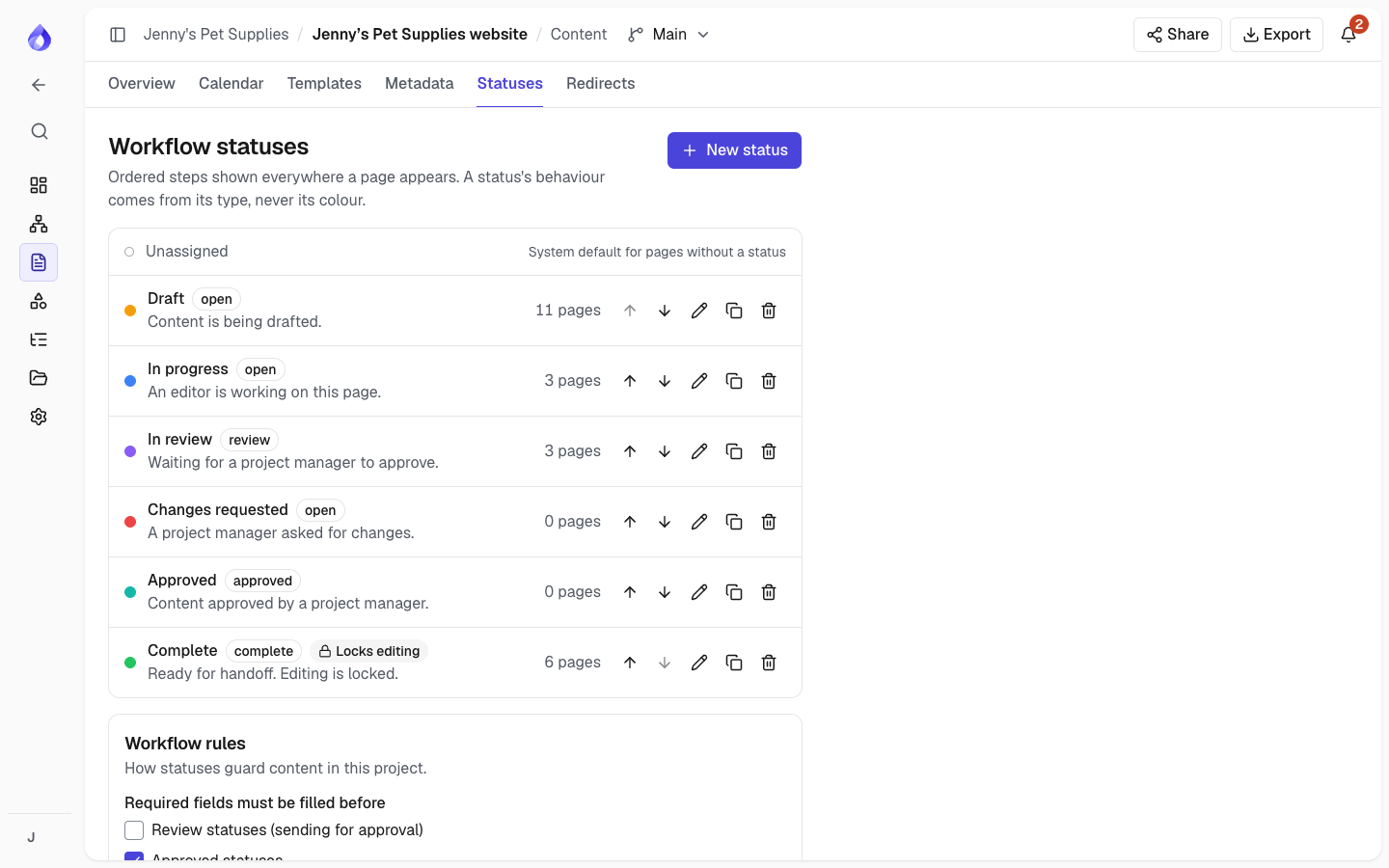
The default statuses
Draft, In progress, In review, Changes requested, Approved and Complete. Complete locks editing. Pages without a status show as "No status".
Your own statuses
Click New status and set a name, description and colour, and its Type:
| Type | Meaning |
|---|---|
| Open | Work in progress |
| Review | Waiting for someone to review |
| Approved | Signed off |
| Complete | Finished |
The type drives filters, progress on the dashboard and who can set it. You can also Lock content editing while in this status. Reorder, edit, clone or delete statuses; deleting one asks where its pages go.
Who can set what
- Editors can set open and review statuses, on pages that aren't locked.
- Only Project managers can set approved and complete statuses.
- A page can't be approved or completed while a required field is empty. The editor shows how many are empty, with links to them.
Workflow rules
Below the statuses, Workflow rules (Project managers) set:
- Required fields must be filled before: tick Review, Approved and/or Complete statuses. By default Approved and Complete check required fields. Jenny's Pet Supplies also ticks Review, so nobody sends a product page for approval with the price missing.
- After approval, edits move the page back to: choose an open or review status (for example "Changes requested"), or Keep its status. When someone changes the content, SEO or metadata of a page that is Approved or Complete (and not locked), it moves to that status straight away. It is recorded in the activity feed, and the page's assignees are told.
Approval
Approving a page records the revision that was approved. If the page is edited afterwards, the approval is marked out of date, so everyone can see it needs another look (and, with the rule above, the page moves back to the status you chose).

