Page properties, sections and page types
Set a page's kind, slug, type, colour, status, assignees, due date, template and notes.
Select a page and press P, or choose Properties from its menu.
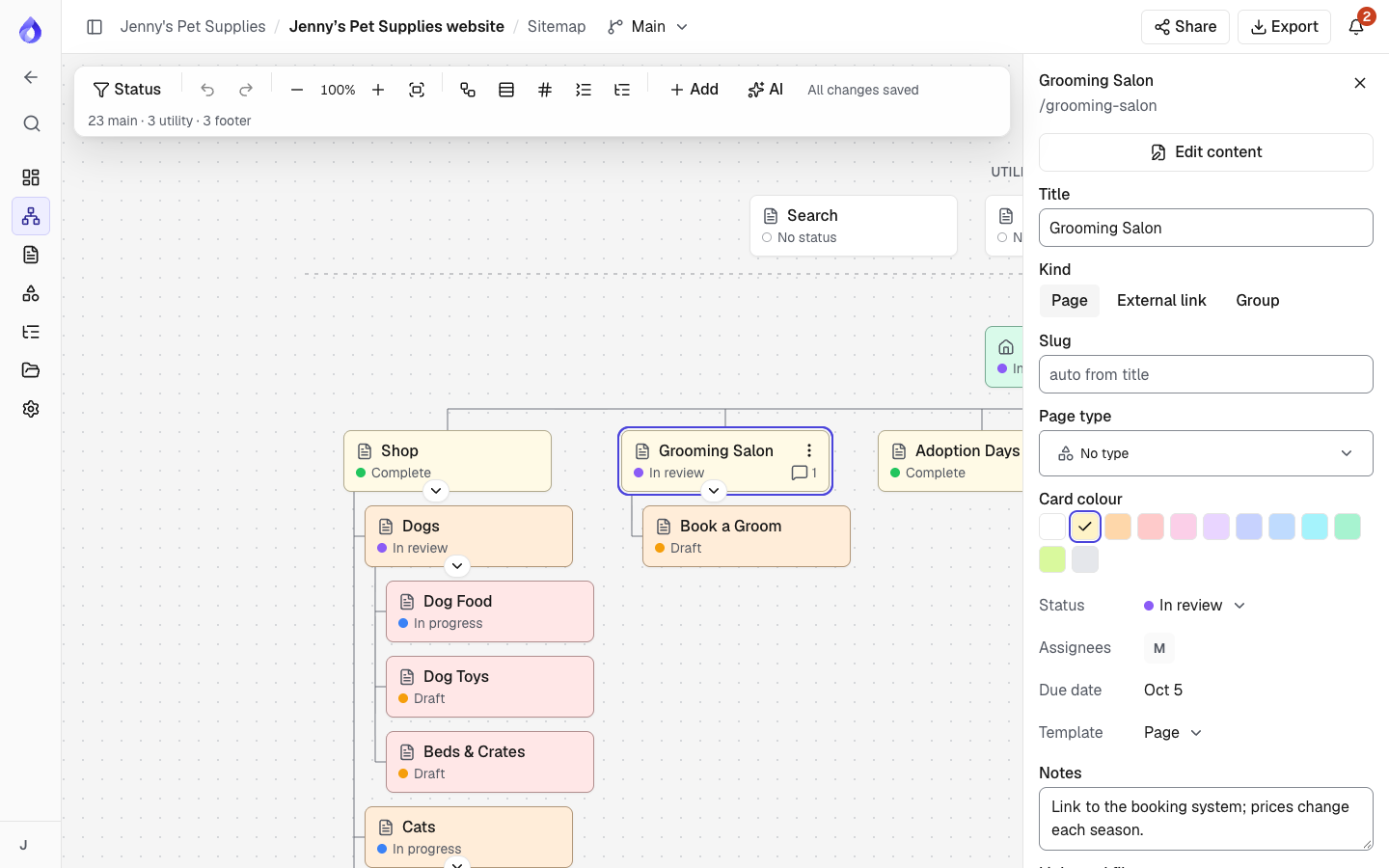
Properties
- Title and Slug (worked out from the title unless you set one).
- Kind: a normal Page, an External link to another site (with a link URL), or a Group that only organises the pages under it.
- Page type: for example "Product listing" or "Article". Manage the list in Project settings.
- Card colour: 11 colours, or none.
- Status, Assignees, Due date and Template. See Content planner.
- Notes: internal planning notes, such as "Link to the booking system; prices change each season."
- Links and files: the links in the page's content (web addresses, email addresses, phone numbers, videos and links to other pages in the sitemap) and the files it uses (images, documents and videos). Click a link to open it, or a sitemap page to jump to it on the map; click a file to open it. The list shows the default language and leaves out suggestions nobody has accepted yet. For example, the Grooming Salon page might list a link to the Book an appointment page, the salon's phone number and its price list PDF. A link to a page that was deleted shows as Deleted page.
- Diagrams linked to this page, and a button for a new one.
- SEO settings opens the page editor on its SEO tab.
- Edit content opens the page editor.
Sections
Large sites are easier to plan in parts. Choose Make a section from a page's menu: its pages below open as a map of their own, with a breadcrumb back. The page shows a Section badge with the number of pages in it. Show in this map turns it back into a normal page. Sections can contain sections.
Languages in the sitemap
Switch the toolbar's Language to see each page's title and path in that language. Pages without a translation are flagged. Pages added in another language get their title in that language; moving and deleting pages is done in the default language. See Languages.

