Notifications
The notification bell, email notifications, the daily digest and how to choose what you hear about.
The bell at the top of every screen shows your notifications. Click one to go to the page or diagram it's about, or Mark all read.
Choose what you hear about
Open any project's Settings → My notifications. Your choices apply to all projects. For each kind of notification, turn In-app and Email on or off.
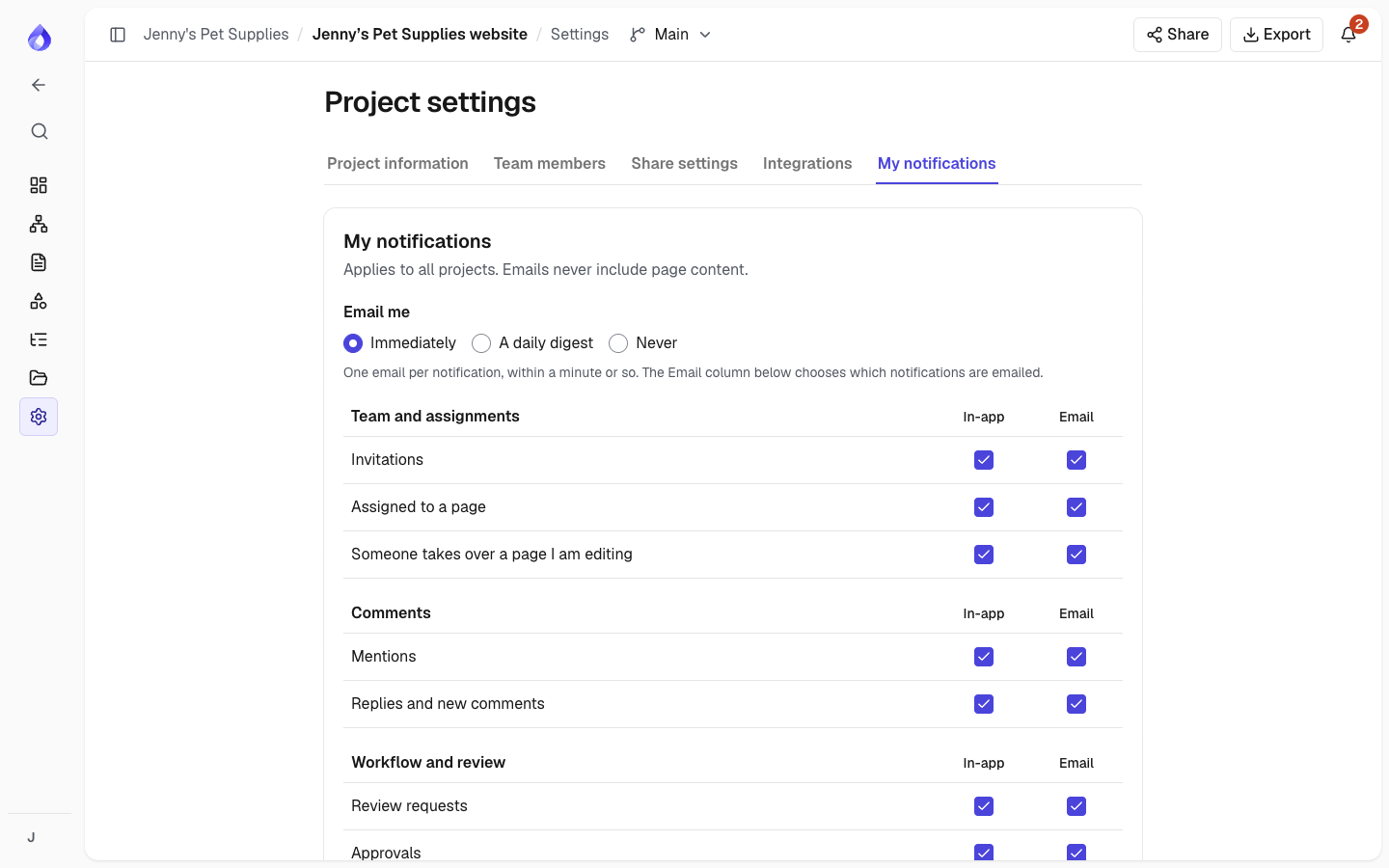
| Group | Notifications |
|---|---|
| Team and assignments | Invitations; assigned to a page; someone takes over a page you're editing |
| Comments | Mentions; replies and new comments |
| Workflow and review | Review requests; approvals; status changes on your pages |
| Suggestions | New suggestions on your pages; your suggestions rejected |
| Due dates | Due date reminders; overdue pages |
| AI assistant | An AI project is ready; AI credits are bought, added by PagePot or removed by a refund (Workspace admins) |
| Integrations | An integration stops working (for example Slack or a webhook) |
When emails arrive
At the top of My notifications, Email me decides when the notifications you've set to Email are sent. It applies to all projects.
- Immediately: one email per notification, usually within a minute.
- A daily digest: one email each morning (around 07:00 UTC) listing the notifications you haven't read yet, grouped by project, each with a link. If you've read everything, or nothing happened, no email is sent.
- Never: no emails at all. Your notifications still show under the bell.
For example, if Sam at Jenny's Pet Supplies is mentioned on the Dog food page and assigned to Cat toys on the same day, a daily digest lists both under "Jenny's Pet Supplies" the next morning, unless Sam has already opened them from the bell.
Switching from a daily digest back to Immediately doesn't send the waiting notifications one by one; they stay under the bell.
Emails never include page content, only what happened and a link. When someone changes many pages at once, you get one notification, not one per page.

