SEO and metadata
Page titles, meta descriptions, slugs, social images, robots settings, structured data and metadata fields.
SEO
Switch the editor to SEO.
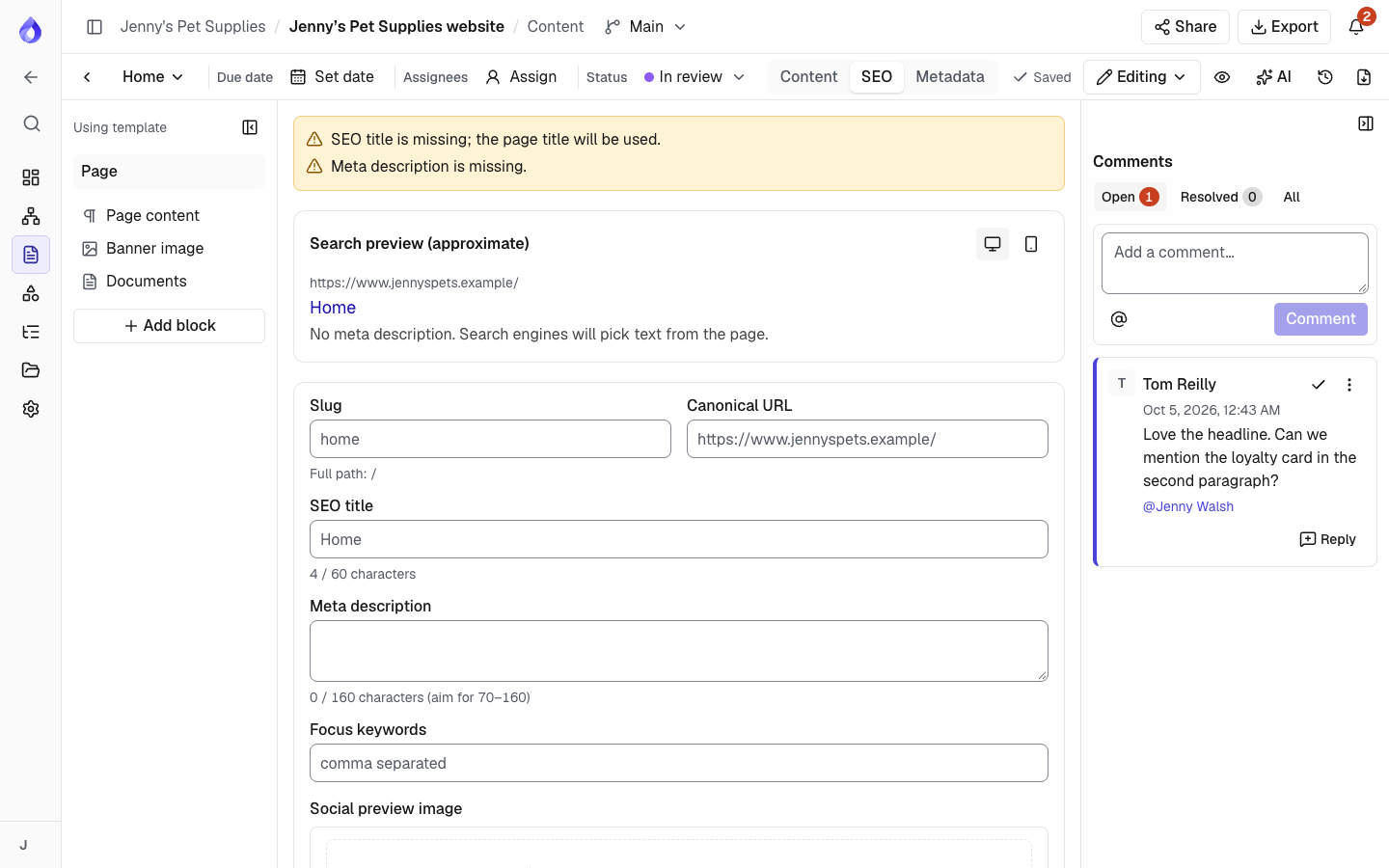
- Page title (per language), Slug and Canonical URL.
- SEO title and Meta description, with a desktop and mobile search preview. Left empty, they use the template's SEO defaults when it has them (shown as the placeholder), otherwise the page title.
- Focus keywords, a Social preview image (upload, URL or library), Robots (index and follow) and Structured data (JSON-LD, checked as you type).
Warnings point out missing, short or long titles and descriptions, a page set to noindex, or a path another page already uses. They never stop you saving. Click Save SEO settings; the editor warns you if you leave with unsaved changes.
Alternate language URLs
In a project with more than one language, Alternate language URLs (hreflang) lists this page's address in every language, for example /about and /fr/a-propos for Jenny's Pet Supplies. Click another language's address to open that language's SEO view. Languages that aren't translated yet, or are set to noindex, are marked; they are left out of the hreflang links in the XML sitemap.
Redirects when paths change
Changing a slug, renaming a page (when it has no slug of its own) or moving it to another parent changes its path, and its child pages' paths. PagePot keeps the old paths as proposed redirects in Content → Redirects (Project managers): each old path with where the page is now, per language. Moving a page twice gives one redirect from each old path to the newest one, and moving it back removes the redirect. Download them as a CSV for your developer, or Dismiss the ones you don't need.
The AI assistant can write the SEO title and description (1 credit). See AI assistant.
Metadata
Switch the editor to Metadata to fill in the fields from the template's metadata schemas, such as a product category or tags. Tags suggest ones used before. Values marked "All languages" are edited in the default language only. Click Save metadata.
If the template has no schemas, the tab says so and links to the template.

